
Sony Xperia 1 V manual: controls, SIM tray and model differences


 2 min. read
 Published on
The Sony Xperia 1 V manual covers several regional models, and their SIM arrangements differ. Check your exact XQ-DQ model before following the tray illustration: a shared phone name does not mean every version accepts the same combination of cards.
Open the original Sony Xperia 1 V manual. Sony’s Help Guide covers XQ-DQ54, XQ-DQ62 and XQ-DQ72, including software-update notes.
Identify the side buttons and connections
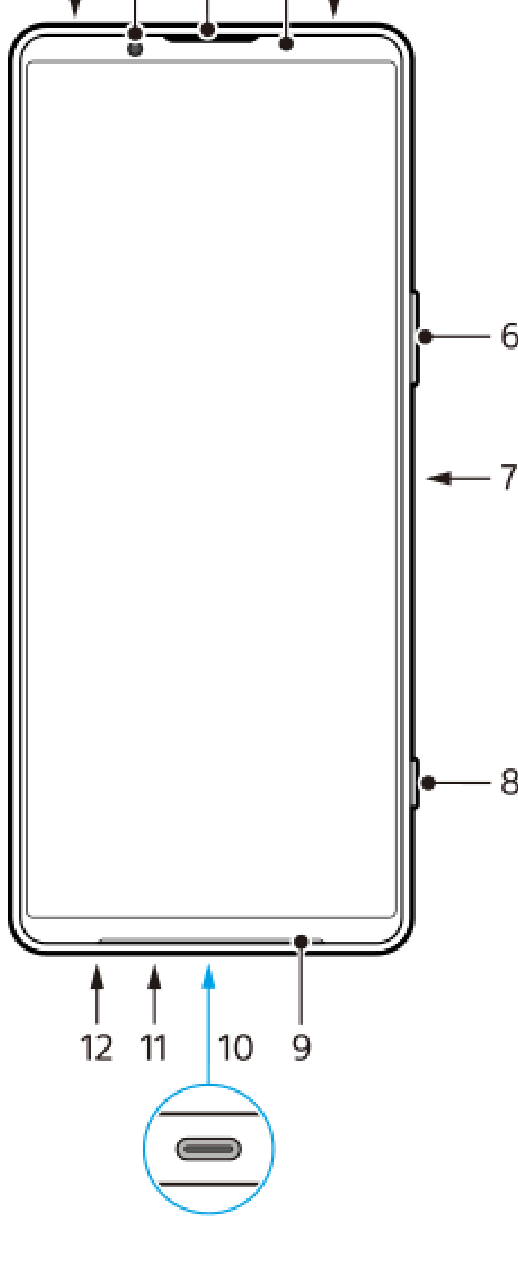
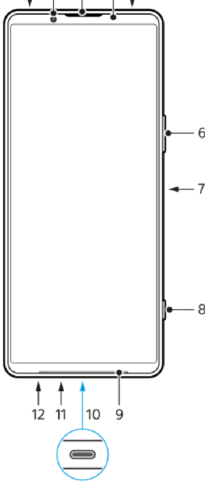
In the manual’s front-view drawing, 6 is the volume/zoom control, 7 is the power button with fingerprint sensor, and 8 is the camera shutter button. The USB connection is marked 10 and the card-tray slot 12.
This drawing is useful when an instruction refers to a physical button rather than an on-screen camera control. Use the numbered parts list on PDF page 19 alongside it; the labels continue into connections and components not visible in this cropped view.
Choose the correct SIM illustration
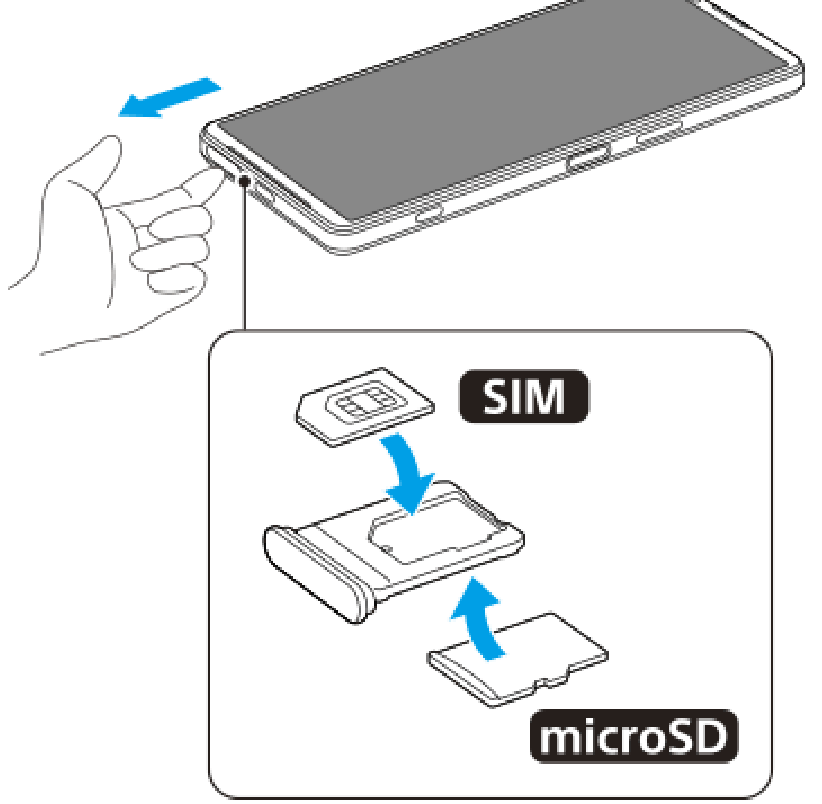
The screenshot above is specifically the XQ-DQ54 arrangement: one nano-SIM plus a memory card, with eSIM available for a second line. XQ-DQ62 and XQ-DQ72 instead support two nano-SIMs, or one nano-SIM with a memory card.
Do not use this DQ54 crop as a universal insertion diagram. Open PDF page 21 and the following page for the arrangement matching your model. Sony also directs users to eject a memory card through Storage settings before removing it.
Match software instructions to the installed version
The Help Guide contains separate notes for Android updates. If a menu or camera feature looks different, check those notes before assuming a step is missing.
For a precise support request, record the XQ-DQ model, Android version and the exact menu where you get stuck. This is more useful than identifying the phone only as “Xperia 1,” which can refer to several generations.
Documentation-based guidance. Screenshots are credited excerpts from the manufacturer’s manual; this is not a hands-on product test.


Read our disclosure page to find out how can you help MSPoweruser sustain the editorial team Read more



Improve this guide
User forum
0 messages