
How to back up Samsung Gallery photos after OneDrive sync ended


 3 min. read
 Published on
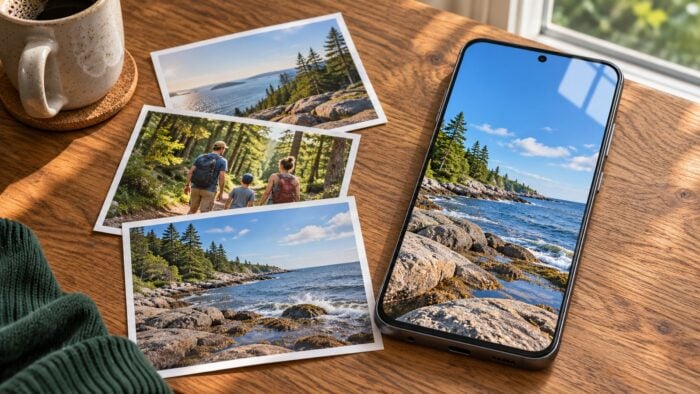
If Samsung Gallery stopped showing some of your photos, open OneDrive and sign in with the Microsoft account you used on your Galaxy. Pictures that finished syncing are still there. Samsung Gallery’s direct connection to OneDrive ended on September 30, 2026. To back up the next photo you take, turn on Camera backup in the OneDrive app.
Find an old photo that disappeared from Gallery
Open OneDrive on your phone or sign in to OneDrive on the web. Use the personal Microsoft account that held your photos. If OneDrive shows your work files, check the email address under your profile picture and switch accounts. The original Gallery connection used a personal account, and your Samsung sign-in may use a different email address.
Find a picture you recognize from before the change. If you want the original back on your phone, select the photo in the OneDrive app and tap Download. You can do this for individual photos without downloading your whole collection. Samsung’s instructions for downloading previously synced photos also cover videos.
Turn on OneDrive camera backup for new photos
- Open the OneDrive app on your Galaxy. Tap your profile picture at the top left and check the email address. Camera backup can send pictures to one account at a time.
- Open Camera backup. If your profile shows Camera backup is off, tap Turn on and confirm. You can also reach Camera backup from Settings.
- Allow OneDrive to access all your photos and videos when Android asks. In the camera backup settings, turn on Include videos if you want movie clips uploaded too.
- For screenshots or pictures saved by another app, open Settings, then Camera backup, then Back up device folders and select the folders you want to include.
Take a fresh photo, leave OneDrive running and open the same account in a browser. Check that you can open the new picture there. Seeing an older picture confirms you found the right archive. Seeing the new one confirms your phone is uploading again.
What happens if you delete a picture from your phone?
The old Gallery connection synced deletions in both directions. OneDrive camera backup uploads a separate copy. Once you’ve opened the uploaded photo on the web, you can delete the local original from your phone’s Gallery and keep the OneDrive copy. Choosing Delete inside OneDrive removes the cloud copy. Microsoft explains how camera backup handles local deletions.
If the test photo never appears, check how much storage is left in OneDrive and whether your phone is connected to Wi-Fi. If you selected Backup only when charging, plug the phone in. A large first upload can take time. For photos that still haven’t arrived, see Microsoft’s camera backup troubleshooting steps.


Read our disclosure page to find out how can you help MSPoweruser sustain the editorial team Read more



Improve this guide

User forum
0 messages