
Sony WH-1000XM4 manual: controls, charging and wear sensor


 2 min. read
 Published on
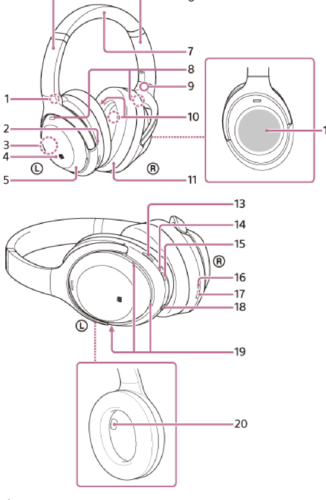
The Sony WH-1000XM4 manual explains the physical controls and sensors as well as Bluetooth features. Start with the parts diagram if you are unsure which button, port or indicator an instruction refers to.
Open the original Sony WH-1000XM4 manual. This is Sony’s WH-1000XM4 wireless noise-canceling headset Help Guide, not the WF earbud guide.
Separate touch controls from physical buttons
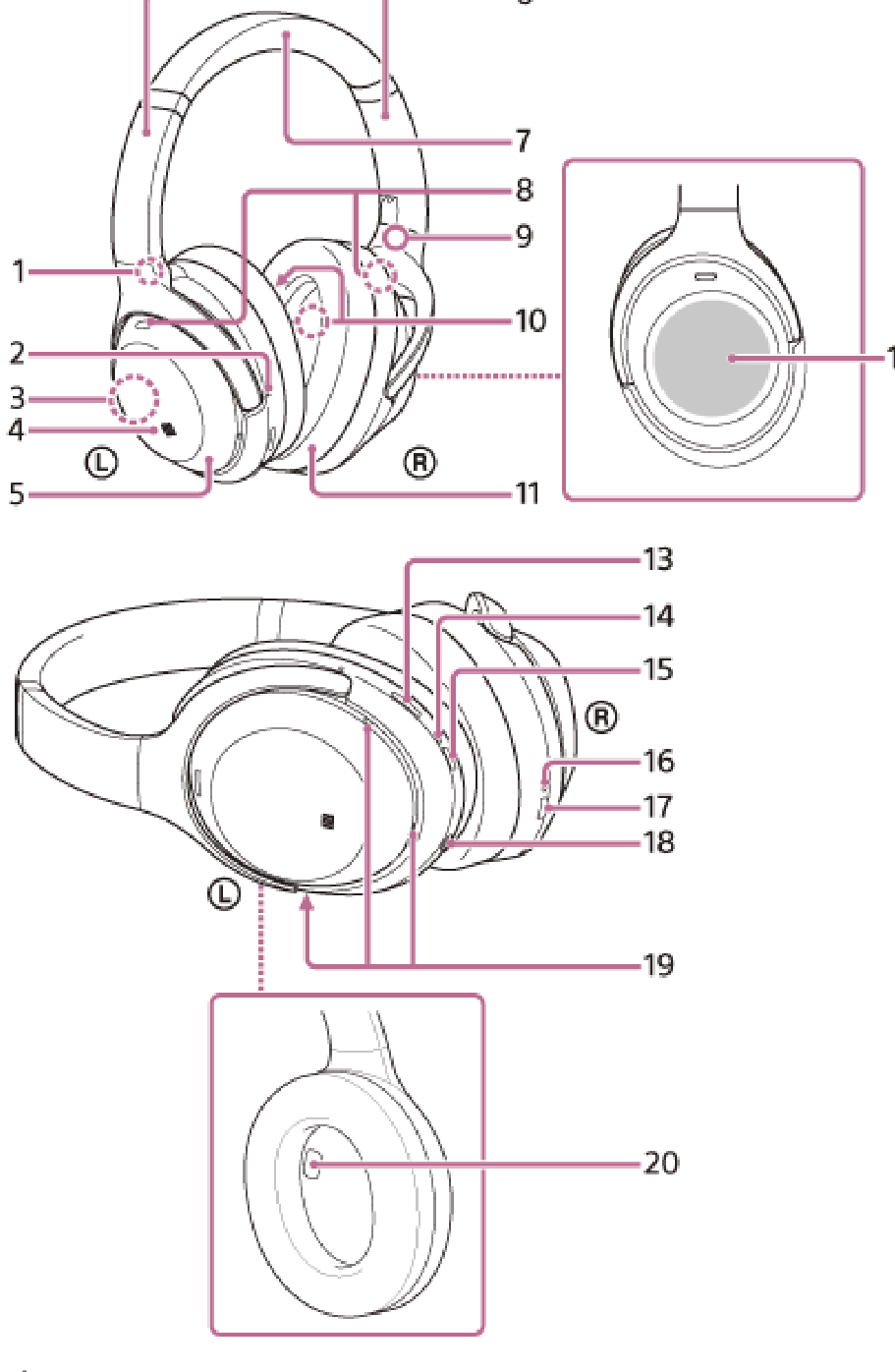
The right earcup contains the touch-control surface. The headset also has separate power and CUSTOM buttons, a USB-C charging connection and a headphone-cable input. Sony’s numbered parts list follows the diagram on PDF pages 11–12.
Before troubleshooting, decide whether the problem concerns a touch gesture, a physical button or a cable connection. These are different input paths. Record the action that fails and whether it fails consistently, rather than changing several Bluetooth settings at once.
Locate the wearing-detection sensor
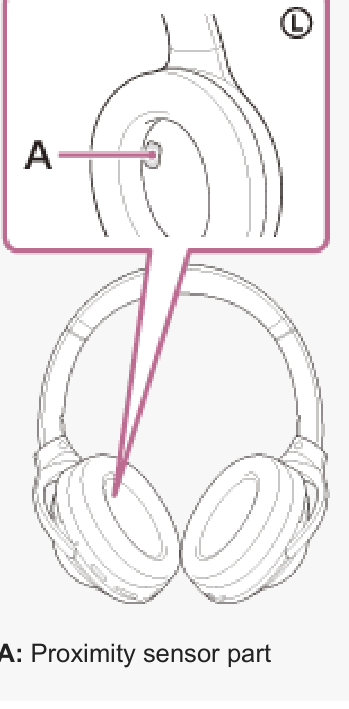
The cropped illustration identifies the proximity-sensor area inside the left earcup. Sony discusses how the headset is worn and how detection can behave on PDF pages 16–17.
If your question concerns playback changing when you move or remove the headphones, this is a more relevant section than the button map. Compare the headset’s position with Sony’s wearing guidance before deciding that a playback app is responsible.
Choose the relevant manual section
Use the contents links in Sony’s PDF for charging, Bluetooth pairing, a wired connection or touch-sensor operation. The charging indicator and the power indicator serve different purposes; identify which light you are observing before interpreting it.
For a useful troubleshooting note, include the connected device, whether you are using Bluetooth or the headphone cable, the indicator behavior and the action immediately before the problem. Keep pairing, reset and initialization instructions separate: finding a familiar button in an illustration is not a reason to try a different procedure.
Documentation-based guidance. Screenshots are credited excerpts from the manufacturer’s manual; this is not a hands-on product test.


Read our disclosure page to find out how can you help MSPoweruser sustain the editorial team Read more



Improve this guide
User forum
0 messages