
Orbi satellite manual: RBS50 setup, Sync button and light colors


 2 min. read
 Published on
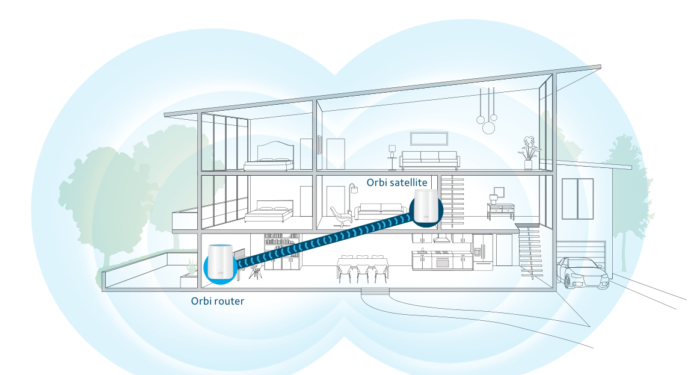
For an Orbi satellite manual, check the model label first. This guide links NETGEAR’s RBS50 quick-start document and explains its placement and synchronization diagrams; do not apply its button layout to every product sold under the Orbi name.
Open the original Orbi satellite RBS50 manual. These instructions and illustrations are specifically for the RBS50. Other Orbi generations need their own model-specific guides.
Use the model label to choose the guide
An Orbi network includes different roles: a router and one or more satellites. Record the model from the device you are actually configuring, rather than relying on the name of the complete kit.
If the label says RBS50, the linked two-page quick-start guide is the relevant starting point. If it shows a different model, use that exact model in NETGEAR Support. This matters when comparing ports, LEDs or a setup sequence with an online illustration.
Place the satellite within wireless range
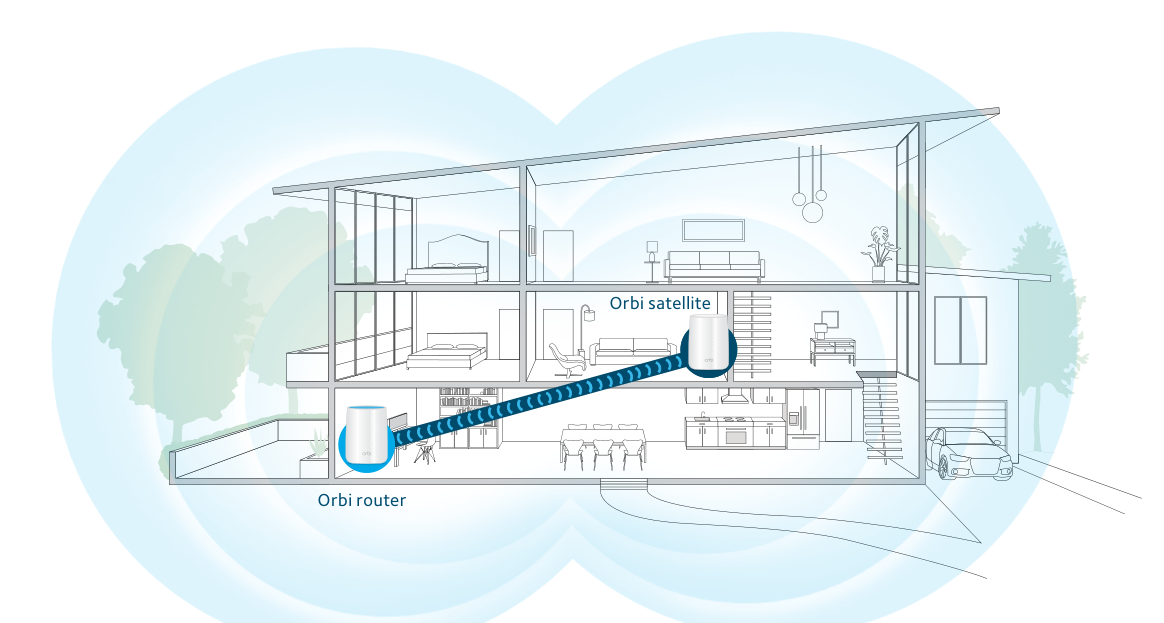
NETGEAR’s diagram shows the satellite extending coverage while remaining connected to the router. A weak-coverage room is not automatically the best place to put the satellite itself.
After the RBS50’s ring becomes solid white, the guide directs you to press Sync on the satellite, then Sync on the router within two minutes. Allow time for the resulting indicator before moving the unit again.
Read the ring light and identify the rear controls
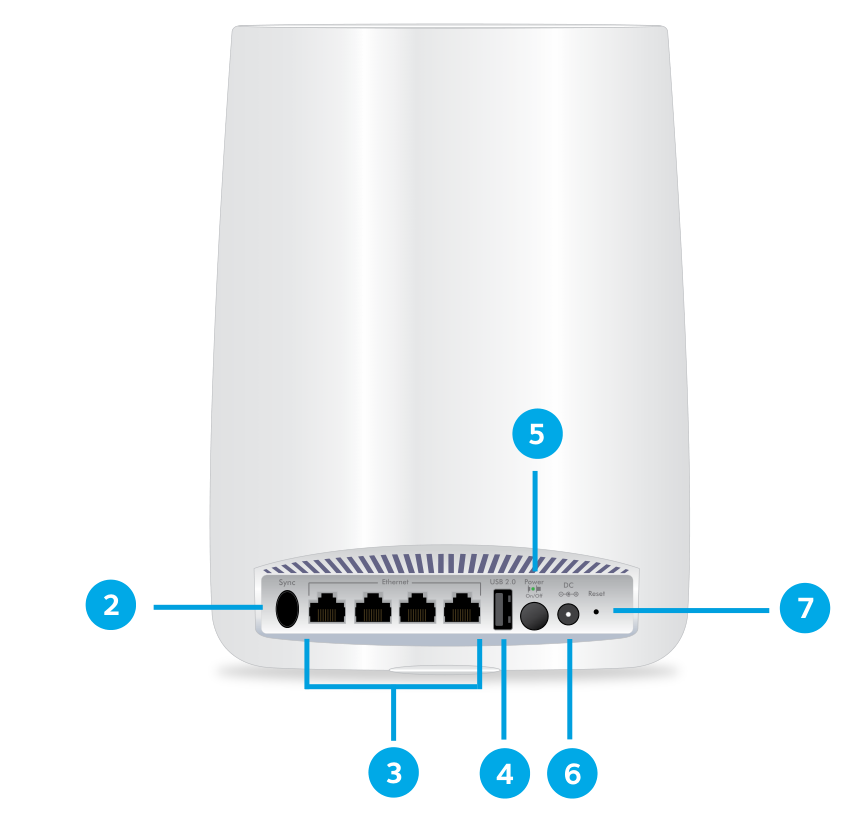
For this setup sequence, blue means a good synchronized connection, amber means a fair connection, and magenta means synchronization failed. NETGEAR suggests moving closer for a poor or failed link. The temporary result light goes out after about three minutes.
The rear drawing distinguishes Sync from the recessed Reset control. Use the named button in the procedure; a factory reset is a different action. When asking for help, include the model and the color observed after synchronization, not just whether a light is currently off.
Documentation-based guidance. Screenshots are credited excerpts from the manufacturer’s manual; this is not a hands-on product test.


Read our disclosure page to find out how can you help MSPoweruser sustain the editorial team Read more



Improve this guide
User forum
0 messages