
Brother PT-H110 manual: tape cassette, keyboard and two-line labels


 2 min. read
 Published on
The Brother PT-H110 manual is a large foldout-style guide. Zoom into the Getting Started and Basic Usage sections instead of trying to read the entire sheet at fit-to-page size. The two excerpts below identify the tape path and keyboard.
Open the original Brother P-touch PT-H110 manual. This is Brother’s English Canadian User’s Guide. Its two large PDF sheets contain several numbered sections rather than ordinary book pages.
Check the cassette and tape path
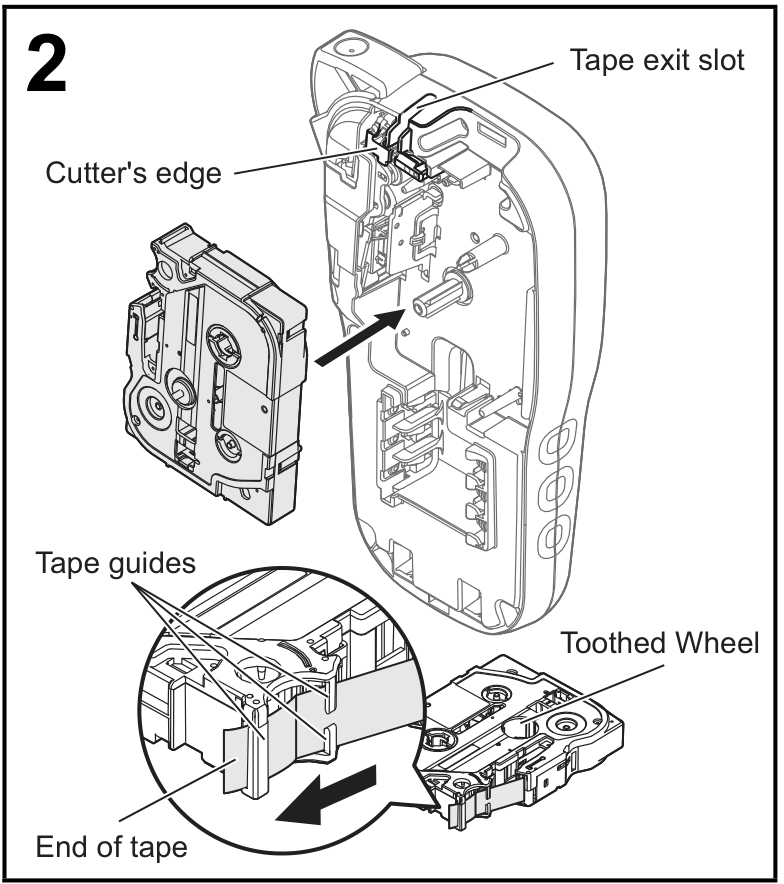
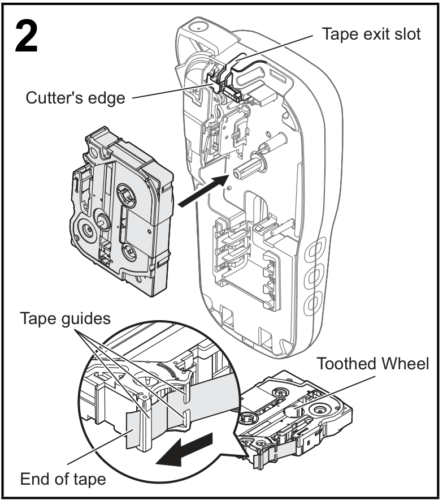
Switch the label maker off before replacing a cassette or batteries. Brother specifies TZe tape widths from 3.5 mm to 12 mm and illustrates how the tape end passes under the guides as the cassette snaps into place.
If you are fitting an unfamiliar cassette, compare its position with this drawing before closing the cover. A tape-loading problem should be investigated separately from a font or margin setting; changing text formatting will not correct a misrouted tape path.
Find the relevant keyboard control
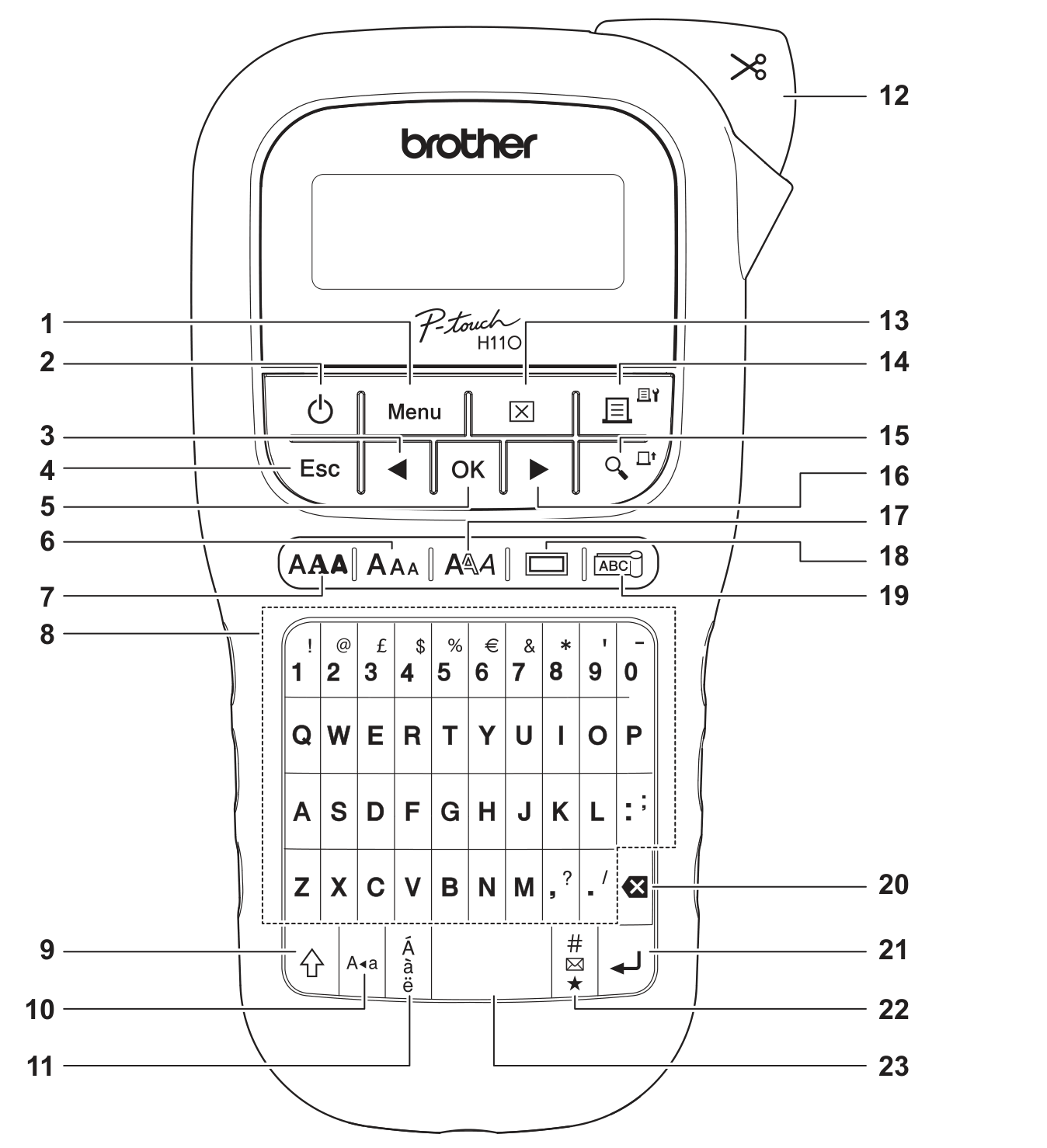
The original keyboard legend follows the drawing on the first sheet. It identifies the menu, size, font, preview, print and cutter controls alongside the text-entry keys.
Use Preview to check text before spending tape on a test label. When comparing two formats, keep the wording unchanged and alter only one setting—such as width or margin—so the printed result shows what that setting does.
Check tape width before making a two-line label
Brother specifies 9 mm or 12 mm tape for two-line printing. Place the cursor where the second line should begin and use Enter.
The printing section also distinguishes the wait message from the instruction to cut: do not operate the cutter while the label maker is still asking you to wait. For multiple short labels, read the complete Chain Print procedure before choosing it, including its final tape-feeding step.
If the layout differs from the preview, note the cassette width, selected label length and margin setting. Those three details make a formatting question much easier to reproduce.
Documentation-based guidance. Screenshots are credited excerpts from the manufacturer’s manual; this is not a hands-on product test.


Read our disclosure page to find out how can you help MSPoweruser sustain the editorial team Read more



Improve this guide
User forum
0 messages