
Ultimea Poseidon M60 manual: HDMI ARC and subwoofer connections


 2 min. read
 Published on
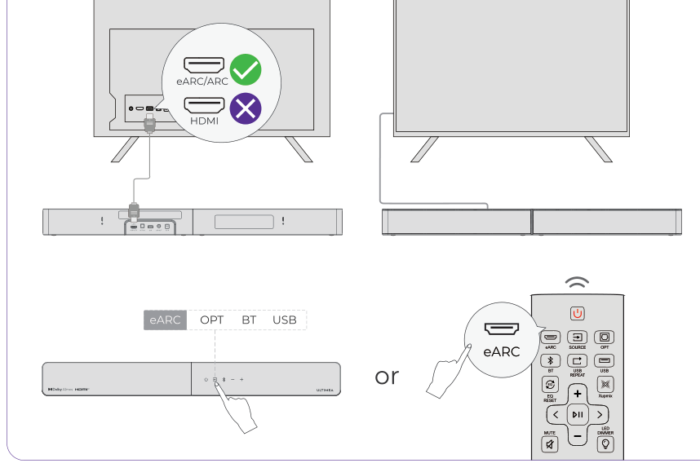
The Ultimea Poseidon M60 manual shows two connections that are easy to overlook: the TV cable must use the appropriate ARC/eARC socket, and the subwoofer has a physical connection to the soundbar. Check both before troubleshooting surround-sound settings.
Open the original Ultimea Poseidon M60 manual. Ultimea’s official download page includes the M60 user manual and a separate remote-control reference. Choose the plain Poseidon M60 documents; M60 Boom and M60 Air have their own manuals.
Use the TV’s ARC or eARC connection
The setup diagram marks an ARC/eARC-labelled TV socket as the correct HDMI audio-return connection and distinguishes it from an ordinary HDMI input. It also shows selecting the soundbar’s eARC input using the soundbar or remote.
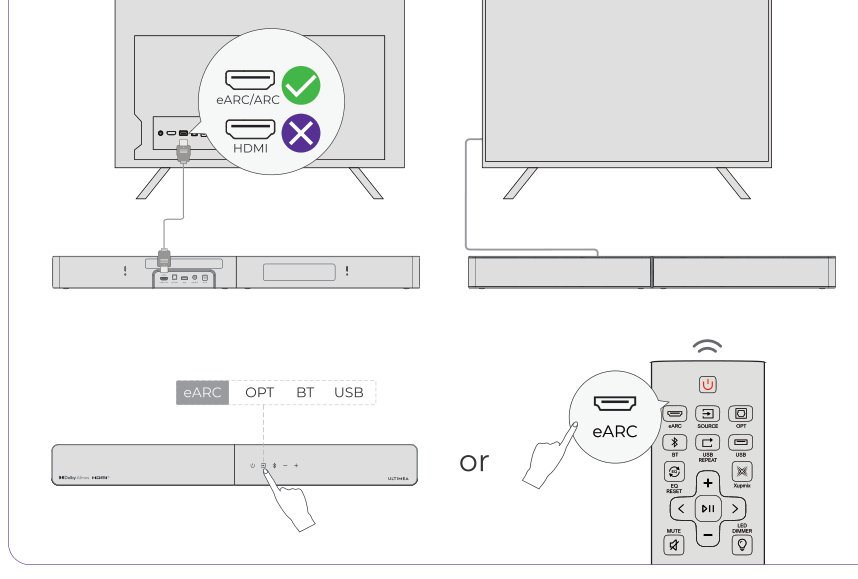
Write down the label next to the TV socket you used. ‘Connected by HDMI’ leaves out the detail that decides whether this particular route can return TV audio. When checking the setup, compare the TV’s own audio-output instructions too; this drawing identifies the cable route, not every television’s menu.
Check the subwoofer cable
The subwoofer diagram shows its RCA cable connected to the soundbar’s SUB OUT socket. It is a separate connection from the TV’s HDMI cable.

If the soundbar produces dialogue but the subwoofer is silent, inspect that path before rebuilding the whole TV connection. Distinguishing ‘no sound anywhere’ from ‘one speaker missing’ helps keep the investigation focused. Do not assume a component is wirelessly connected just because a remote control is wireless.
Download the remote reference when needed
The manufacturer supplies a separate document explaining the M60 remote on the same support page. Use it when the question concerns a button rather than speaker wiring. The main illustrated guide also covers optical and Bluetooth connections.
Start with one source and one connection method, confirm that it plays, and then add another source if needed. Changing the TV output, soundbar input and source device together makes it difficult to tell which change fixed or caused the problem.
Documentation-based guidance. Screenshots are credited excerpts from the manufacturer’s manual; this is not a hands-on product test.


Read our disclosure page to find out how can you help MSPoweruser sustain the editorial team Read more



Improve this guide
User forum
0 messages