
Netgear R7000 manual: LED indicators, rear ports and setup sections


 2 min. read
 Published on
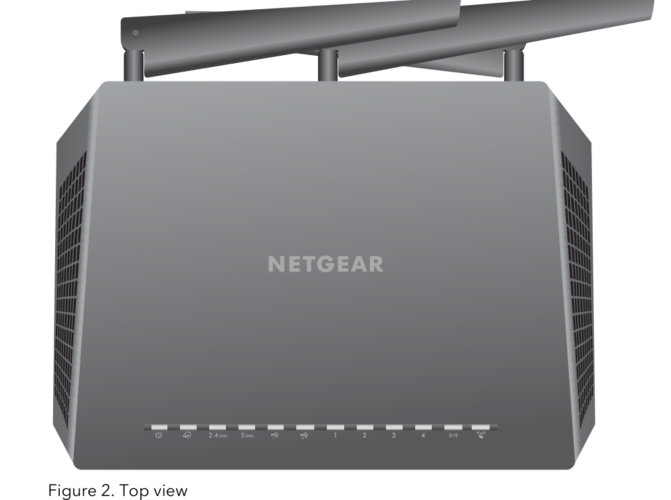
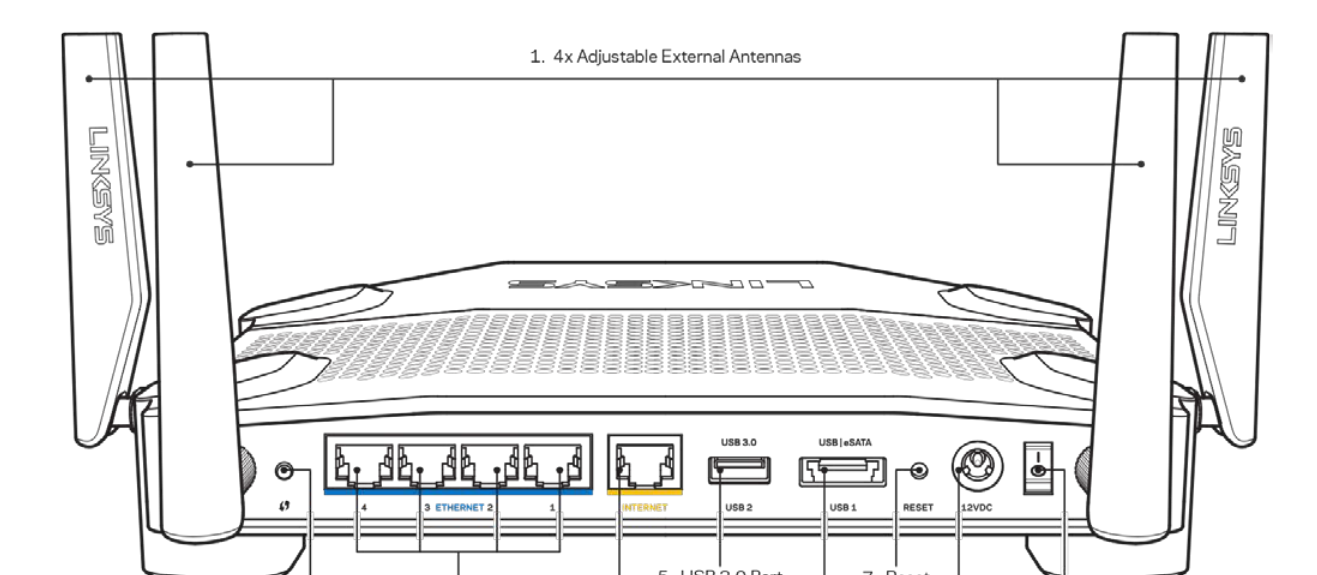
The Netgear R7000 manual explains the top-panel lights and distinguishes the rear Internet port from the four local Ethernet ports. Use those hardware references first when you need to identify a connection or describe a fault.
Open the original Netgear R7000 manual. This is Netgear’s January 2019 Nighthawk AC1900 manual for model R7000. It is not the R7000P manual. The hardware drawings remain the reference used here; software menus and online services described in an older manual should be checked against your installed firmware.
Identify the light before interpreting it
The top-panel illustration and LED table start on page 11. The manual treats the power, Internet, Wi-Fi and wired-network indicators separately, so an illuminated power light alone does not confirm internet connectivity.
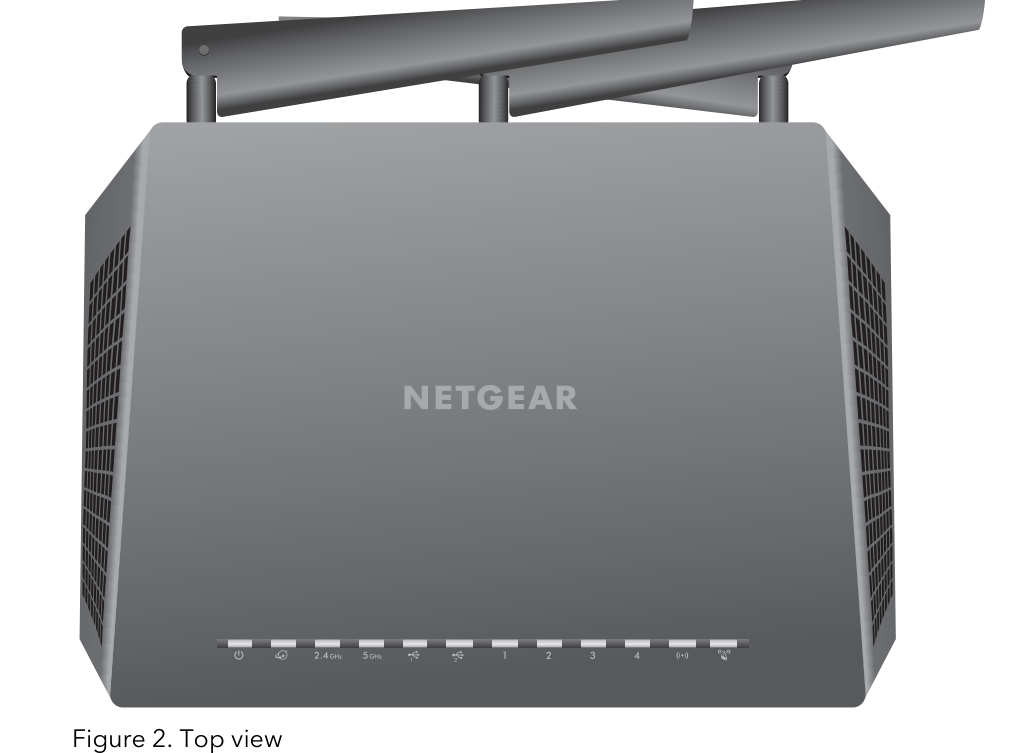
Record the exact indicator and whether it is steady or flashing before changing anything. If a support conversation starts with ‘the router light is on,’ the next question will usually be which light. A precise observation saves a round of guessing.
Trace the rear-panel cables
The yellow Internet port connects upstream to a modem. The four Ethernet LAN ports connect local wired devices. The rear panel also carries USB, power and reset controls; the manual notes another USB port on the front.
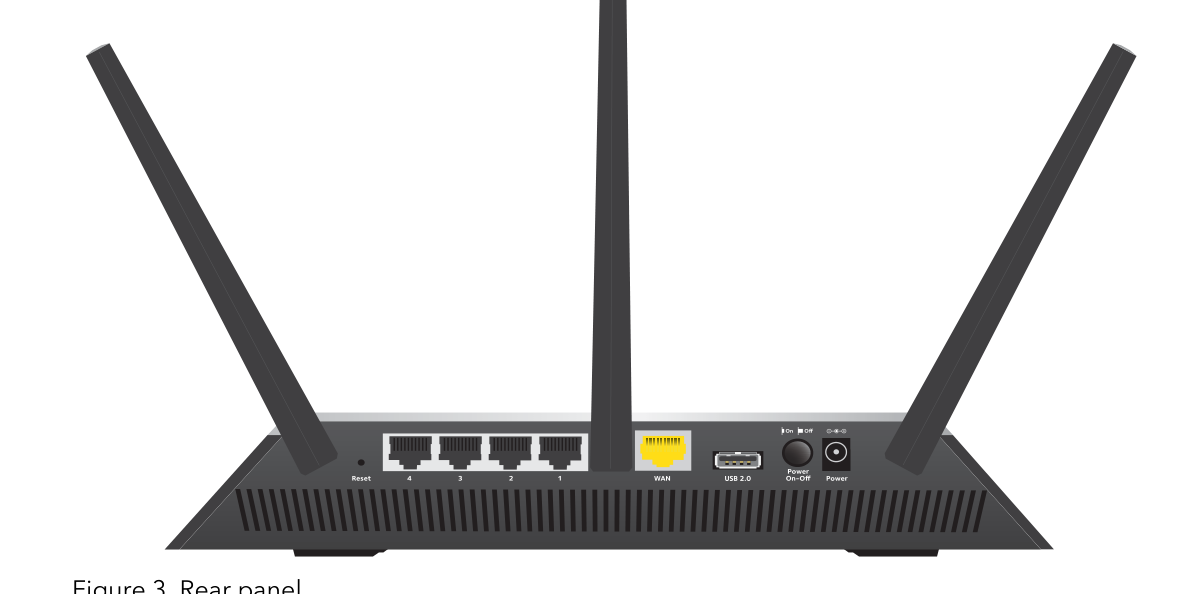
Trace the cable to its destination rather than relying only on colour. If other devices can browse normally, preserve the working household setup while checking the affected device and its cable. A factory reset would introduce extra variables and erase configuration.
Jump to the right part of the manual
Cabling is covered on page 17. Joining the network begins on page 19, and accessing the router’s administration interface follows on pages 20–22. The hardware overview is separate from those configuration steps.
Keep the R7000 model code beside any firmware or support search. Similar-looking Nighthawk names do not establish that a download is compatible. For a used router, confirm the label before using instructions supplied by its previous owner.
Documentation-based guidance. Screenshots are credited excerpts from the manufacturer’s manual; this is not a hands-on product test.


Read our disclosure page to find out how can you help MSPoweruser sustain the editorial team Read more



Improve this guide
User forum
0 messages