
Top Digital Photo Asset Managers: Organize, Review and Select Your Best Shots


 8 min. read
 Published on

Managing a growing photo library can quickly become a challenge, especially when you’re dealing with thousands of images from different shoots, cameras and devices. Digital photo asset managers help simplify the process, making it easier to import, organise, and find the right shots before editing begins.
In this guide, we’ll explore the top digital photo asset managers, to help you find the right solution for your photography needs.
1. Zoner Studio – Best Overall
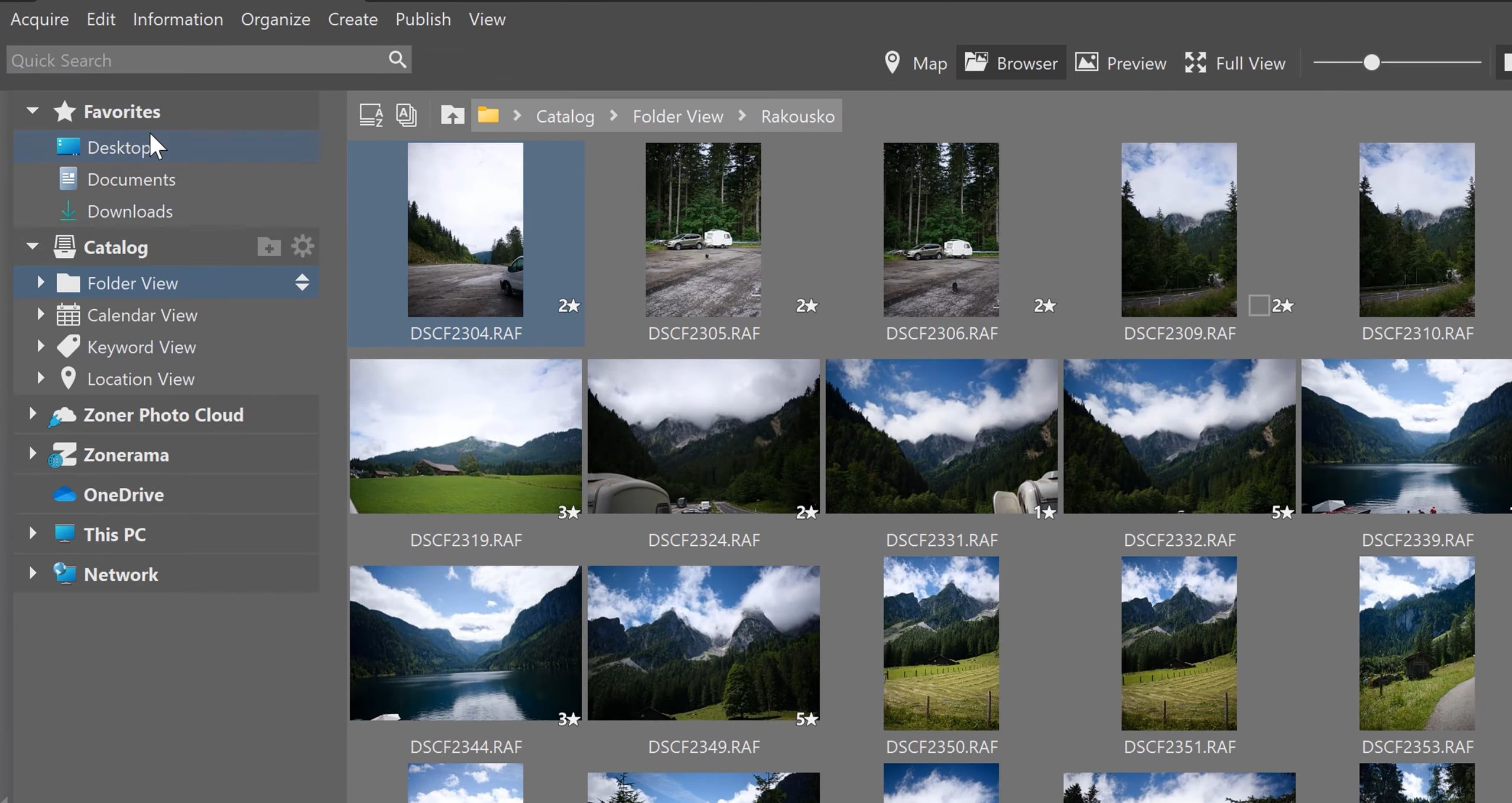
The all-in-one photo suite Zoner Studio is a strong choice for photographers who want to spend less time sorting through files and more time taking pictures.
Its dedicated Manager module handles the early stages of the photography workflow, bringing importing, browsing, culling, and organising into one place. Rather than being just a photo viewer, it provides a set of tools for keeping even large image collections searchable and manageable.
Importing photos is straightforward, with options to copy or move images from a camera or memory card and organise them as they arrive. You can automatically create subfolders based on capture date or other metadata, rename files in batches, add keywords and copyright information, and create backup copies during import. The option to skip previously imported images also helps prevent duplicates from creeping into your library.
Once your photos are on your computer, Zoner Studio makes it easier to find the right shots. Its Catalog can index selected folders and organise images by capture date, location and keywords.
You can search using criteria such as filename, date, rating, camera settings and GPS information, which is particularly useful when revisiting older projects. Ratings, colour labels and stacking tools help you identify favourites, group related shots and narrow down a large shoot before editing.
AI-powered tools, including face-focused close-ups, can also help you compare similar portraits when deciding which images to keep.
The Manager module also offers different ways to browse your collection, including Browser, Preview, Map and Full View modes. You can check image details in the information panel, review metadata and make organizational changes without constantly switching between applications.
Overall, Zoner Studio is an excellent all-round option for photographers who want an organised workflow from the moment images are imported. Its combination of flexible folder management, metadata-based searching, ratings and culling tools makes it easier to turn a crowded camera dump into a collection that’s ready for editing.
This is without mentioning that its comprehensive Develop and Edit modules are only a click away.
2. Adobe Lightroom – Best for Existing Adobe Users
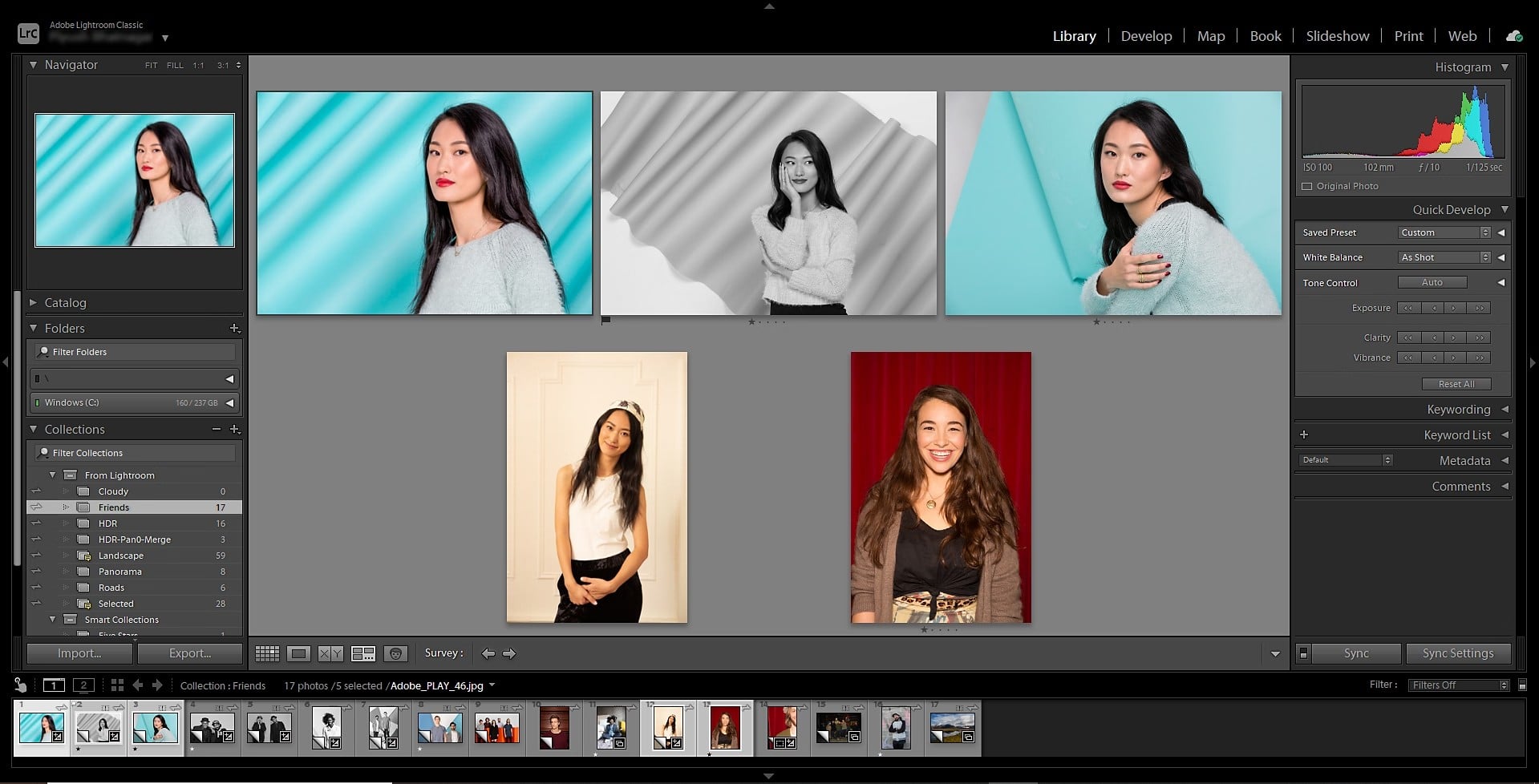
Lightroom is a well-established choice for photographers who want to organise large image libraries.
Its management features let you arrange photos into albums and folders, group similar shots into stacks, and apply keywords, ratings and flags to make images easier to find. You can also use metadata filters to narrow searches by camera, lens, location, rating and other details.
Lightroom’s search tools are particularly useful when working with extensive collections. Its Improved Search feature can recognise image content, letting you look for subjects using natural-language descriptions rather than relying entirely on manually added tags. Smart Albums can also save filter rules and update automatically as new matching photos are added.
Another advantage is its connected ecosystem. You can upload and organise images from desktop, mobile and web, with cloud storage keeping your library accessible across devices.
Lightroom is more than a dedicated digital asset manager, however: its editing tools are a major part of the package.
It’s also a natural choice if you already use other Adobe products, such as Photoshop, as Lightroom integrates neatly into Adobe’s creative ecosystem and makes it easier to move between organising, editing and refining your images.
3. Excire Foto – AI-First Photo Asset Manager
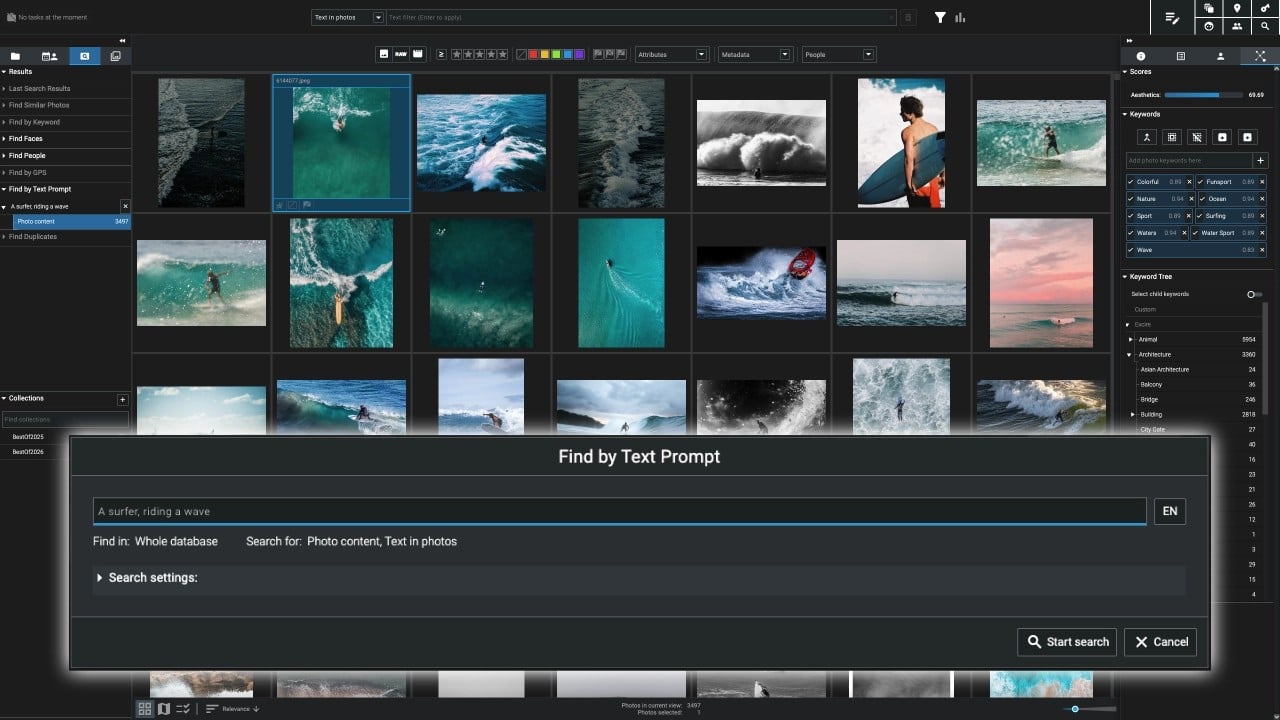
Excire Photo takes a different approach to digital asset management, using AI to help photographers organise and retrieve images without relying on manual tagging.
Its software can recognise objects, scenes, people, facial expressions and activities, while natural-language search lets you find pictures using descriptions of what’s in them. It can also recognise text within images, making it easier to locate specific signs, labels or other visible details.
Excire Foto includes automatic keywording, duplicate detection and tools for grouping similar images or identifying the strongest shots based on factors such as sharpness, aesthetics and facial expressions. You can also organise your collection using ratings, colour labels, flags and custom collections, with map and timeline views providing further ways to browse your archive.
One particularly appealing feature is its local processing. Your photos stay on your computer rather than being uploaded to the cloud for AI analysis.
Excire Foto is a standalone application for Windows, with a one-time purchase rather than an ongoing subscription.
4. digiKam – Best Free Tool
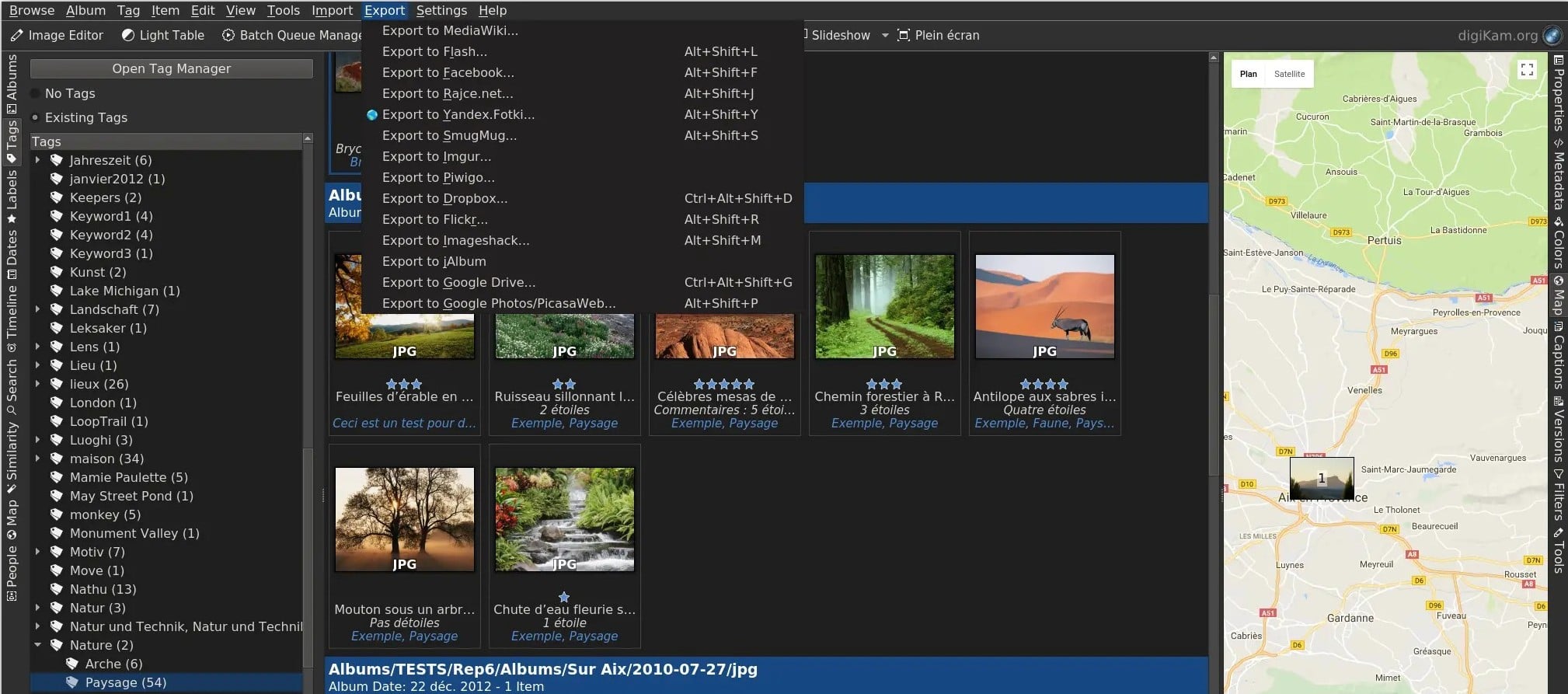
digiKam is a powerful photo organiser that gives photographers an extensive set of library management tools without a subscription fee. Available for Windows, macOS and Linux, it can handle large collections of photos, RAW files and videos, organising them into albums while letting you add hierarchical tags, ratings, colour labels and comments.
Its search capabilities are particularly impressive. You can filter images using dates, locations, camera metadata, keywords and other criteria, or use its map and timeline views to browse your collection. digiKam also includes AI-powered features such as automatic keyword generation, face detection and facial recognition, helping you identify and retrieve images without having to label everything manually. These AI tools run locally on your computer rather than uploading your photos to the cloud.
Beyond organisation, digiKam offers RAW support, basic image editing, metadata management and batch-processing tools. Its interface can feel quite complex at first, especially if you’re used to simpler photo organisers, but the depth of its features makes it worth exploring. Overall, it’s an excellent choice for photographers who want extensive control over their digital library without paying for proprietary software.
5. ACDSee Photo Studio – Manage Without Importing
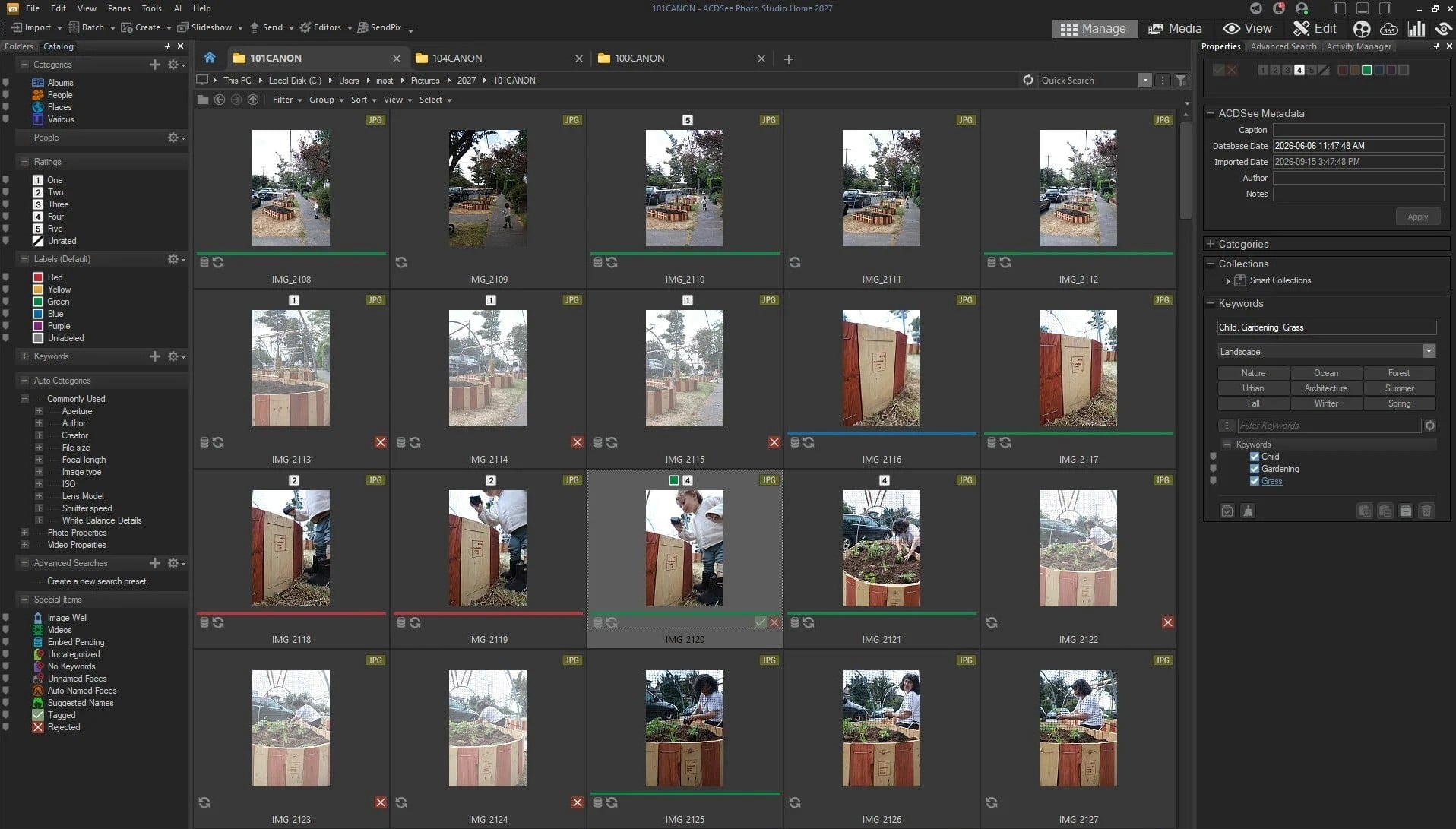
The photo library management side of ACDSee Photo Studio lets you browse and organise photos directly from your computer’s folders. You don’t need to import everything into a central catalogue first.
You can then sort images using ratings, colour labels, categories, hierarchical keywords and other metadata, making it easier to maintain a structured library.
Finding specific shots is straightforward thanks to its extensive search and filtering options. You can narrow results using criteria such as file type, date, camera details and assigned keywords. AI-powered features add another layer of convenience.
AI Keywords can analyse images and suggest relevant tags, while facial recognition helps identify people and group photographs featuring them. Duplicate detection is also useful for spotting repeated files and keeping your collection organised.
Another advantage is the flexibility of its database management. You can catalogue folders, manage metadata and work with sizable collections without being tied to a cloud-based library. Although ACDSee includes extensive editing tools, its organisational features are what make it stand out as a digital photo asset manager.
6. Adobe Bridge – Honorable Mention
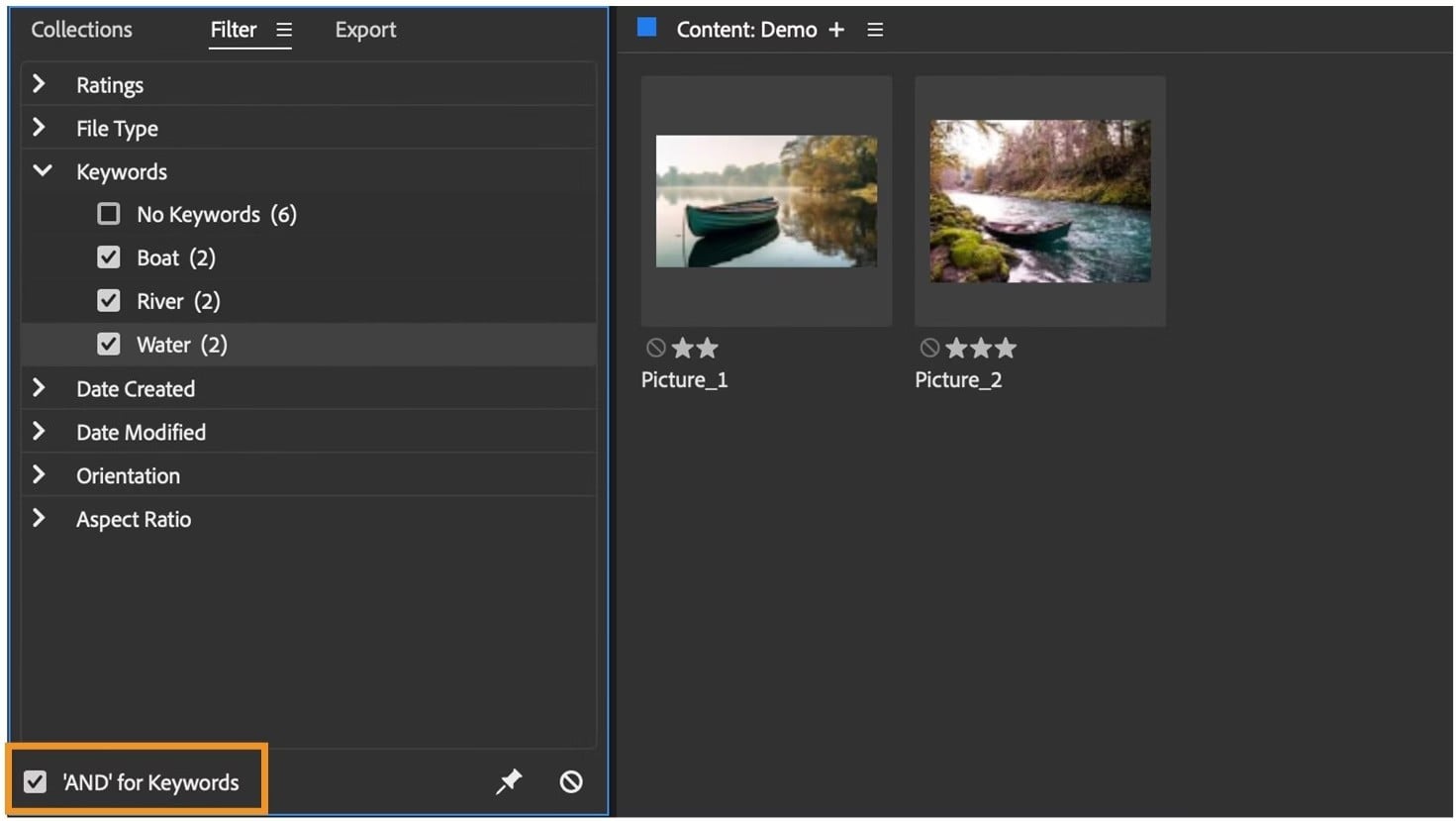
Adobe Bridge deserves an honourable mention for photographers who want a free way to browse, organise and manage their image collections. Rather than acting as a dedicated photo catalogue, Bridge works more like a central file browser for creative projects, bringing photographs, videos, PDFs, Photoshop documents and other assets together in one interface.
Its management tools include keyword tagging, metadata editing, colour labels and star ratings, alongside filters and advanced search to help you locate specific files. You can also create collections and Smart Collections to group assets according to your own criteria, while batch-renaming makes it easier to keep large folders consistently organised. The ability to preview files without opening each one individually is another useful time-saver.
Bridge is particularly appealing if you already use Adobe’s creative software. You can send images directly to Photoshop or open RAW files in Adobe Camera Raw, making it a convenient link between asset organisation and editing. It isn’t as specialised as Zoner Studio or Lightroom when it comes to managing photographic libraries, but its broad file support and straightforward browsing make it a useful addition to an Adobe-based workflow.
Final Word on the Best Photo Asset Managers
There are plenty of capable tools for managing a digital photo library, but Zoner Studio is our top choice overall. Its Manager module makes it easy to bring photos into one organised workspace and find the shots you need. It also fits neatly into the wider photography workflow, with Develop and Edit tools just a click away. Whether you’re sorting out a recent shoot or keeping a long-term archive in order, Zoner Studio offers a straightforward and versatile solution.


Read our disclosure page to find out how can you help MSPoweruser sustain the editorial team Read more


Improve this guide




User forum
0 messages