
Some Windows 11 Insiders stuck in the Dev channel


 1 min. read
  Updated on

Microsoft recently warned Windows 11 Insiders that Microsoft will soon start pushing out less stable and more experimental builds into the Dev channel, as the company starts testing features which are not intended for general release later this year.
Microsoft suggested those who would rather stick to the current very stable builds switch to the Beta channel, but HTNovo reports that it seems for many this is not possible.
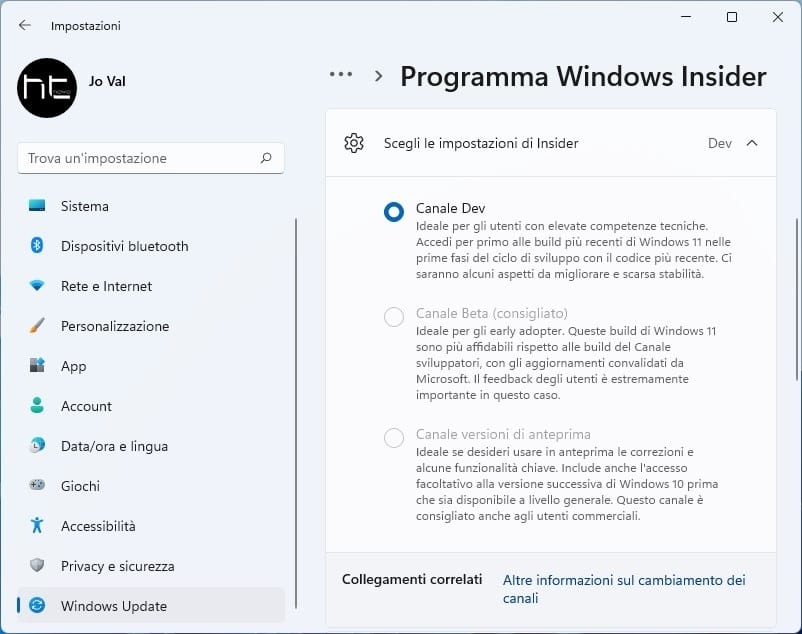
Many Insiders are reporting that they are unable to switch from the Dev to Beta channel as those options are greyed out in the Windows Update Settings.
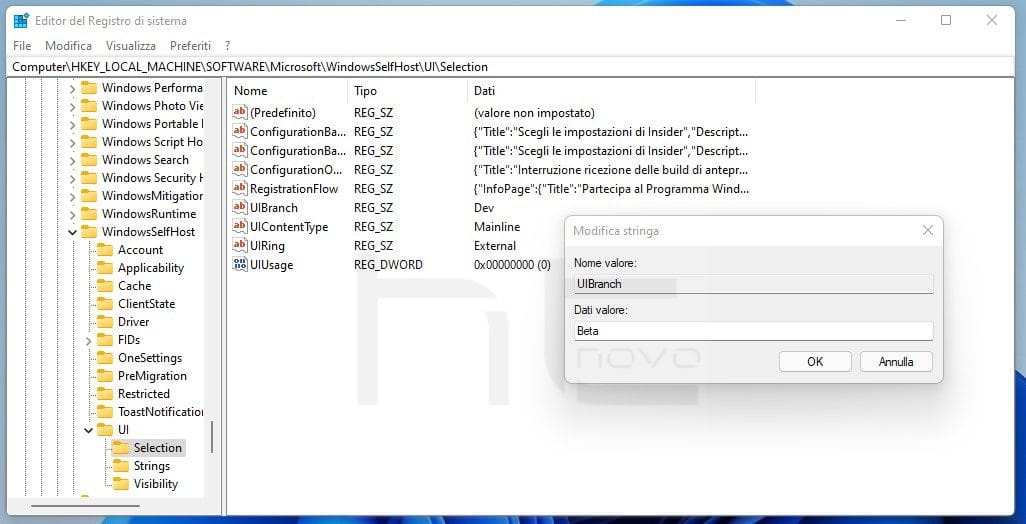
It also appears the old registry trick to switch your channel is not working, and while you can switch out of the Dev channel you end up in the Release Preview rather than Beta channel.
At the moment there appears to be no solution for the issue, with the window for making the switch closing rapidly. Are any of our readers affected? Let us know below.


Read our disclosure page to find out how can you help MSPoweruser sustain the editorial team Read more



Improve this guide




User forum
0 messages