
My Experience Fixing Corrupted PST Files with Stellar Repair for Outlook [Online & Desktop Versions]


 6 min. read
  Updated on
We have long touted Stellar Repair for Outlook as one of the best tools for repairing corrupt Outlook PST files. That’s why we are excited to try Stellar’s new free online PST repair service.
Like the desktop software, Stellar Online PST Repair can fix corrupted PST files, maintaining the original data structure and mailbox items. However, there are some distinctions.
The online PST repair runs entirely through your web browser rather than requiring software installation. It also has a 5GB upper file limit.
On the other hand, the desktop version runs locally, so you don’t have to upload your file, and it has no file size limits. However, it requires an active Outlook installation to complete the final export and save process.
Today, we test both the online tool and take a fresh look at the desktop version; to help you decide which best fits your scenario.
Stellar Repair for Outlook: Overview
Stellar Repair for Outlook is the flagship PST repair tool designed to recover data from corrupted or inaccessible Outlook files. It can handle severely damaged PST files, including large files, without imposing a file-size limit. This makes it particularly useful when Outlook’s built-in ScanPST utility becomes unreliable past the 2GB mark.
The software can recover emails, contacts, calendars, attachments, notes, journals, and all other mailbox data.
It supports major Microsoft Outlook versions, including Outlook 2003 through 2021, and works with both ANSI and Unicode PST files.
You can try Stellar Repair for Outlook for free to see what can be recovered, but to save to a workable PST file, you will need a premium plan:
- Professional ($79/yr or $99 Lifetime).
- Technician ($149/yr or $249 Lifetime) – Export to Office 365, Live Exchange; and Split and Compact PST files.
- Toolkit ($199/yr or $299) – Merge files and non-Outlook online mailboxes.
Key Features
Still one of our favorite features is the ability to preview recoverable items before completing the repair process. Rather than dumping raw, unorganized data, it gives you a clean, interactive preview.
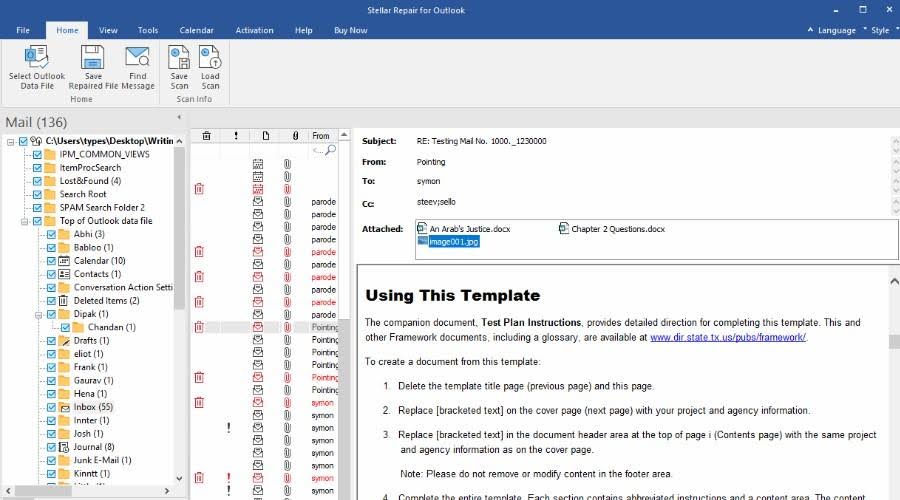
The interface mirrors Outlook’s classic design, so navigation feels completely familiar. You can read emails with their original formatting, header details, and working hyperlinks intact. Moreover, attachments like photos or documents can be opened and viewed directly.
It covers your entire mailbox, not just messages: Calendars display visually with scheduled meetings, and contacts, notes, and other items are neatly viewable.
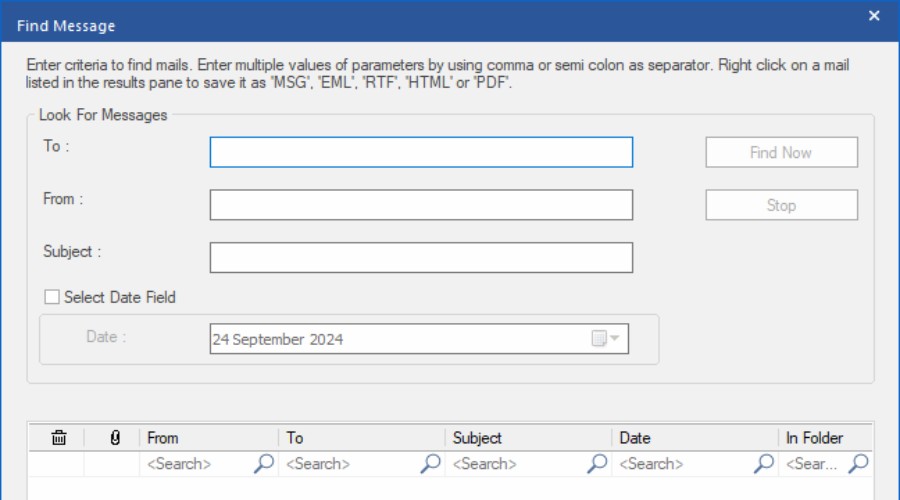
You can even search and filter the mailbox to find exactly what you need. Then you have the option to recover all or select the specific items.
Furthermore, you don’t have to save the data right away. Instead, you can save the initial scan as a small DAT file and pick it up later.
When ready, you can save the fully repaired file as a new PST for Outlook, but it also supports MSG, EML, RTF, HTML, and PDF formats.
Additionally, under the Technician plan, you can export to Office 365 and Live Exchange Server (MBOX format).
It also has the ability to split or compact large PST files, making them more manageable.
With the Toolkit plan, you can even merge multiple PSTs and online mailboxes (Gmail, Yahoo) together.
Getting Started on Desktop
Stellar Repair for Outlook is less than 30MB and takes seconds to install.
Getting started is straightforward, even if you’ve never repaired a PST file before. After launching, you can let the software automatically locate your Outlook mailbox or browse your computer for the damaged PST manually.
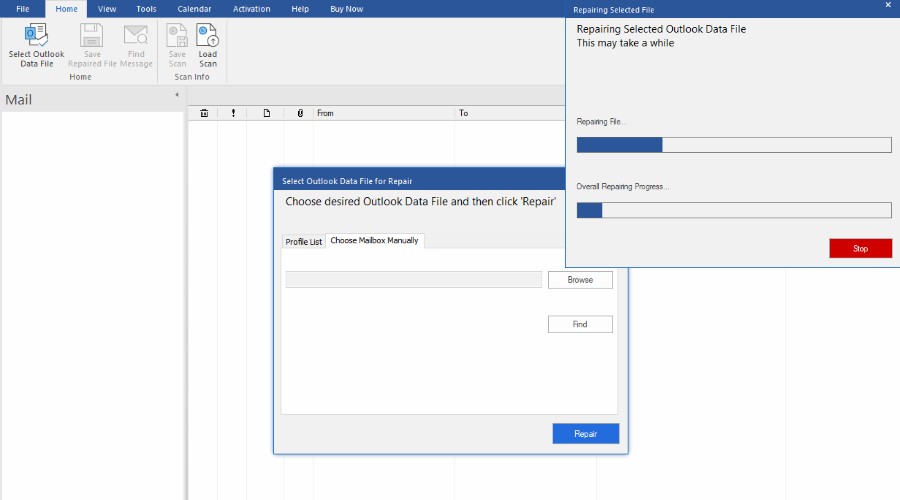
Simply select the file and start the repair process. Stellar then scans the PST and presents the recoverable mailbox contents for inspection.
This can take several minutes, especially for larger files and slower PCs, but the progress is clearly displayed.
It’s then just a case of choosing what to repair and saving the file.
Online PST Repair
Stellar Online PST Repair takes the core PST repair process and moves it entirely into the browser. The free option handles one PST file up to 500MB, while Premium supports files up to 5GB at $29.99/file.
Key Features
Like desktop, you can recover emails, contacts, calendar entries, attachments, tasks, notes, journals, and other mailbox items from corrupted PST files. It also preserves the mailbox structure during the repair process.
You can also preview the recovered folder structure and item counts before downloading the repaired PST. However, you cannot browse individual emails or check the items to save.
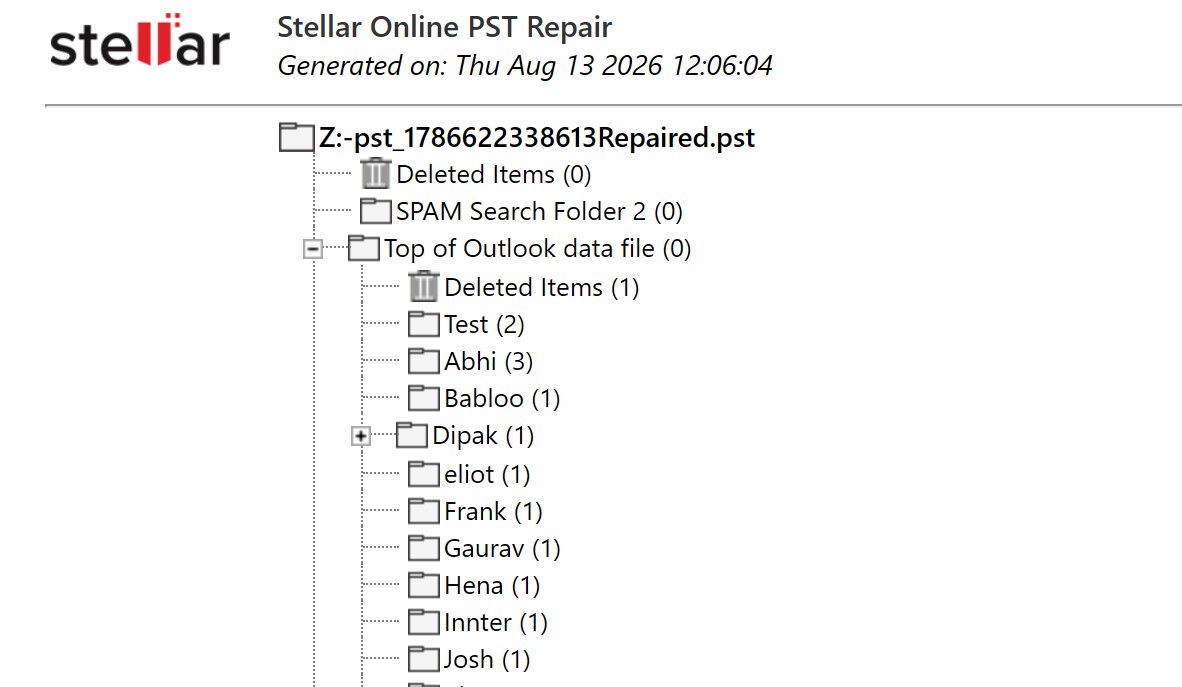
Most repairs are completed within 15 minutes, although the actual time depends on the PST’s size, your upload speed, and the corruption level.
The repair process is fully automated, with no human access to uploaded files. Files are automatically deleted from its servers after 24 hours on the free plan or 48 hours on Premium.
Getting Started Online
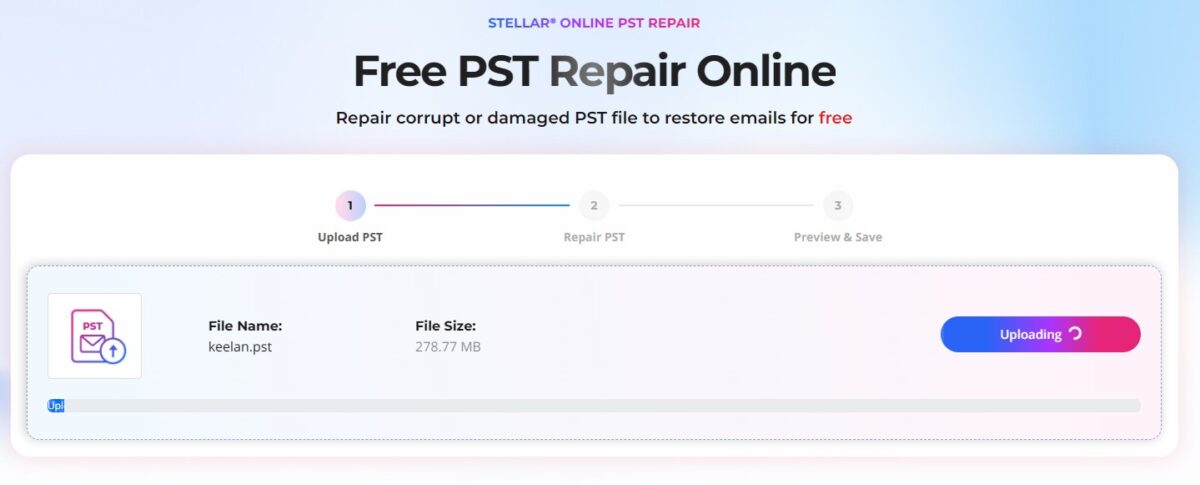
Overall, the process is remarkably straightforward: Click Repair PST File, sign in, and upload the corrupted PST to Stellar’s secure servers. Click Start Repair and the service then analyzes and repairs the file automatically.
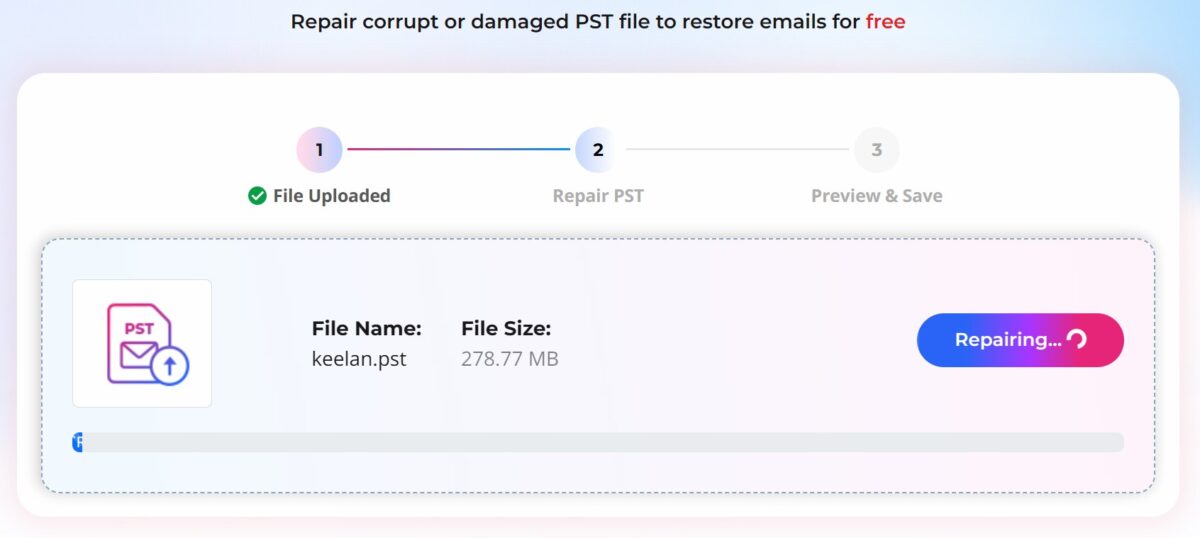
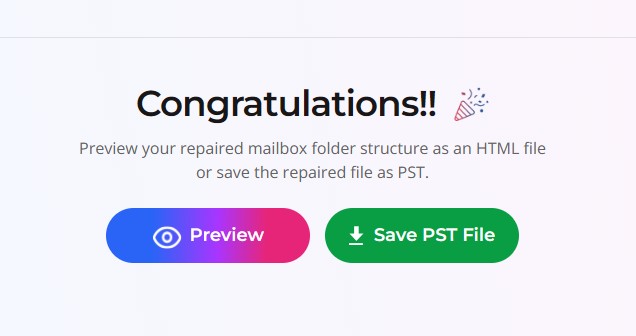
Once the repair is complete, you can preview the recovered folder structure and mailbox item counts directly in your browser. If everything looks right, download the repaired PST file to your computer and open it in Outlook.
Desktop vs Online PST Repair
Stellar’s desktop and online PST repair tools solve the same basic problem, but they appeal to different users.
With an initial free option and a pay-as-you-go model, the online service is particularly attractive for a one-off repair of PST files below 5GB.
It also has the benefit of not relying on your own computer’s resources, which is good if it’s an older and slower system. However, you obviously need a stable internet connection to upload the file.
The desktop version makes more sense for 5GB+ files and long-term or repeated use, particularly for IT professionals or anyone regularly dealing with damaged PST files. Uploading lots of files to the online service isn’t practical or cost effective.
There is also a much broader feature set available with the Technician and Toolkit editions. E.g., exporting to Microsoft 365 and Live Exchange, PST splitting and compacting, OST-to-PST conversion, merging PST files, and additional recovery and filtering tools.
In short, Online PST Repair is the convenient, single user, one-off option; Stellar Repair for Outlook is the more capable long-term solution.


Read our disclosure page to find out how can you help MSPoweruser sustain the editorial team Read more



Improve this guide




User forum
0 messages