
Designer aims to fix Windows 11 with Rectify 11 project


 1 min. read
  Updated on

Windows 11 is a major design break from Windows 10, but not everyone are fans of the new design, though few have the ability to do anything about it.
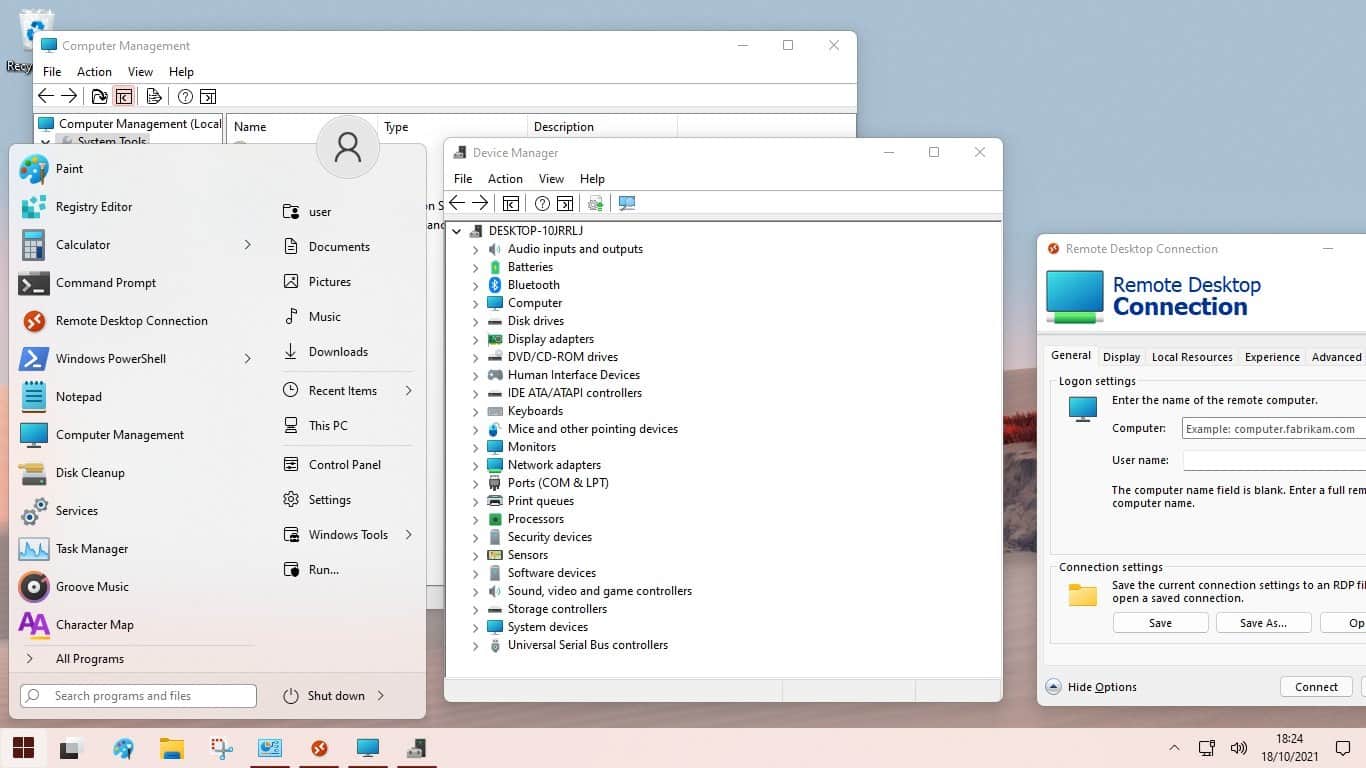
Not everyone are Windows hacker Firecube however, who has started the Rectify 11 project, which aims to fix the design issues with Windows 11.
He has released an ISO of Windows 11 which bundles a new setup theme, new icons for MMC, system tools and start, and the StartisBack start menu replacement.
A future update will include a Fluent Windows Recovery Environment.
Of course, all of this comes without warranty – find out more at his Twitter thread here (which includes a link to his Discord server).


Read our disclosure page to find out how can you help MSPoweruser sustain the editorial team Read more



Improve this guide




User forum
0 messages