
Live Tiles gone forever as Microsoft disables Windows 11 Old Start Menu registry hack


 1 min. read
  Published on

Live Tiles still has a lot of fans, and those people will be disappointed to learn that a registry edit to disable the new Start Menu and re-enable to old Start Menu no longer works in the latest Windows 11 Insider Build 22000.65.
Previously users were able to switch back to the ‘classic’ start menu by setting the HKEY_CURRENT_USER\ Software\ Microsoft\ Windows\ CurrentVersion\ Explorer\ Advanced\ “Start_ShowClassicMode” to 1.
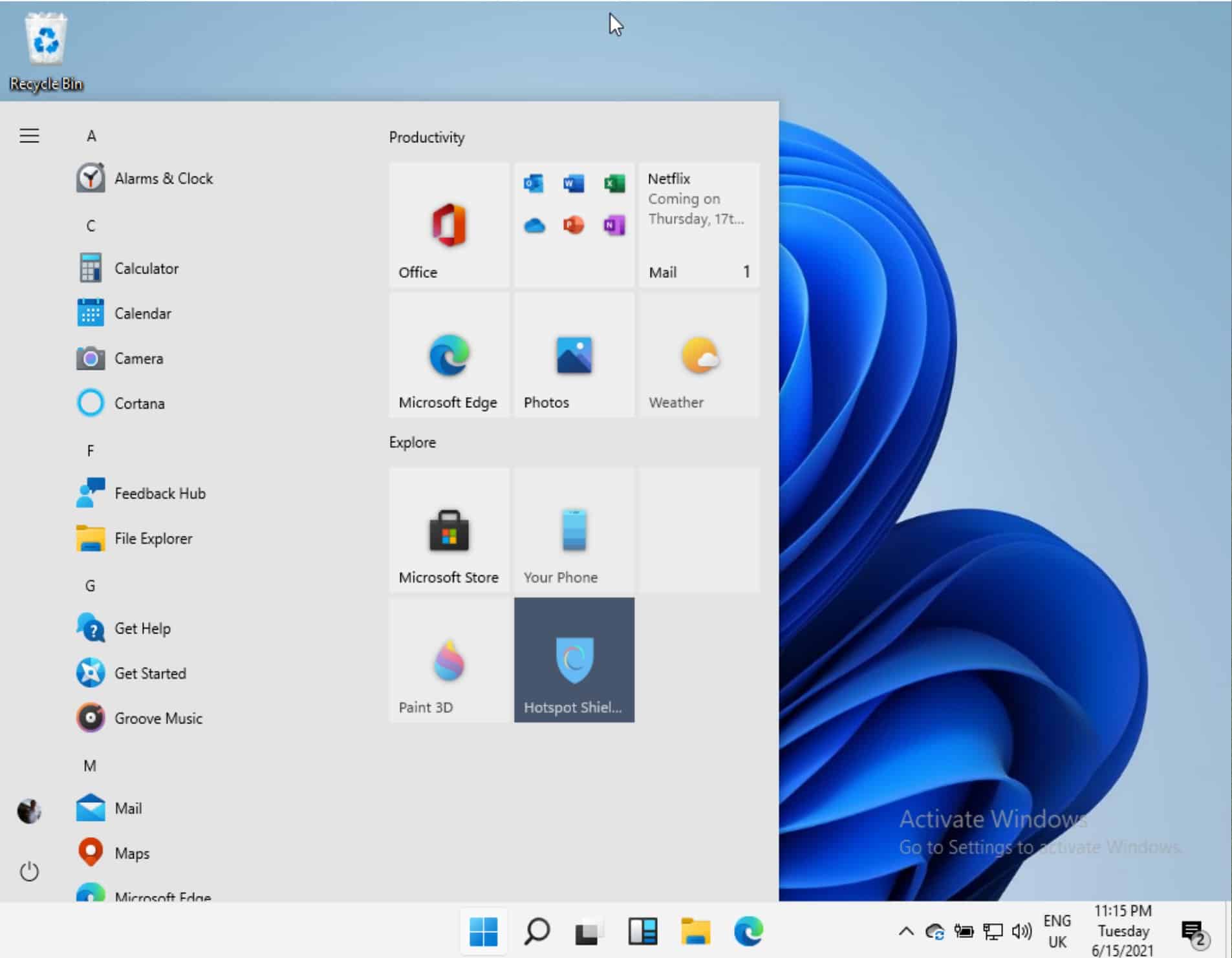
WindowsLatest reports that registry edit no longer works.
All hope may not be lost, however, as some suspect Microsoft will leave an option to return back to the classic Start Menu for enterprise users when the OS rolls out there, to ease the transition and reduce retraining requirements.


Read our disclosure page to find out how can you help MSPoweruser sustain the editorial team Read more



Improve this guide




User forum
0 messages