
Easy Steps to Fix Bluetooth not working after Windows 11 update in 2025


 2 min. read
  Updated on
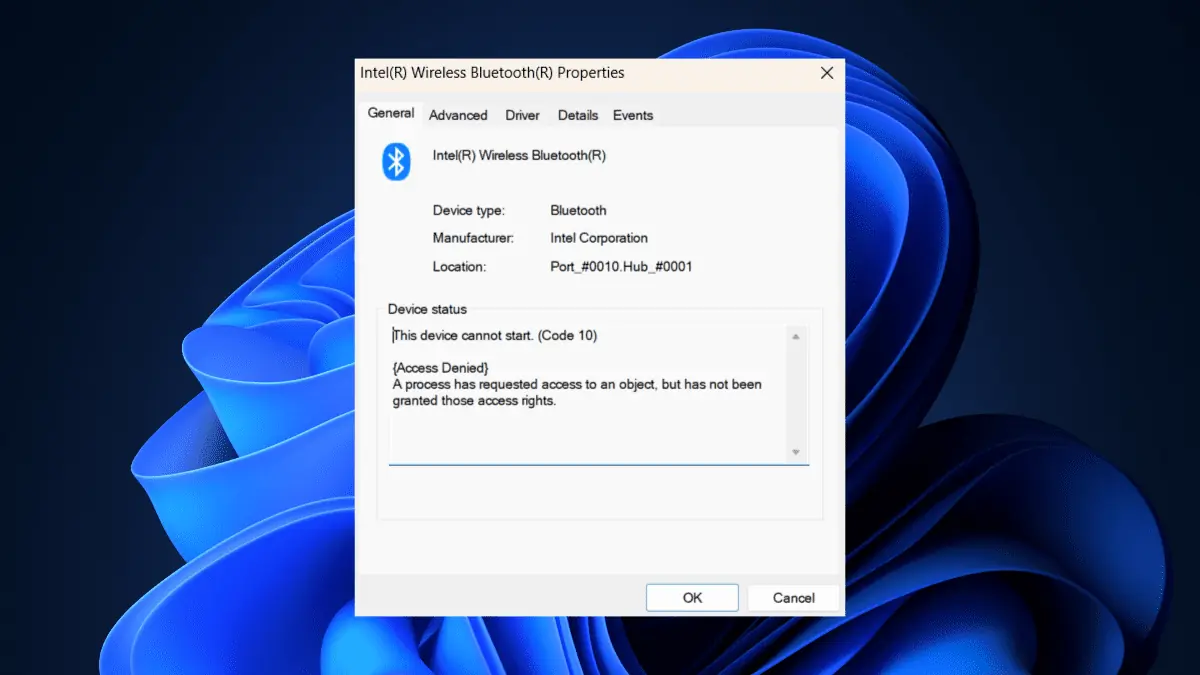
Is your Bluetooth not working after the Windows 11 update? You’re not the only one. In some cases, updating the Bluetooth drivers can solve a lot of the connection issues on Windows 11. Now, you can update the drivers from the device manager, but it is a tedious process. You need to find the device buried under a ton of other devices in your computer.
If you could relate to this situation, then you’ve stumbled upon the right article. Here’s how you can fix Bluetooth not working after the Windows 11 update.
Other related links you might find helpful :
- Bluetooth Toggle Missing on Windows 10/11: 7 Easy Fixes
- Bluetooth Keyboard Not Working on Windows 11 [Fixed]
How to fix Bluetooth not working after Windows 11 update
Restarting your computer.
1. Turn off your computer/laptop for 30 minutes, then turn it on again
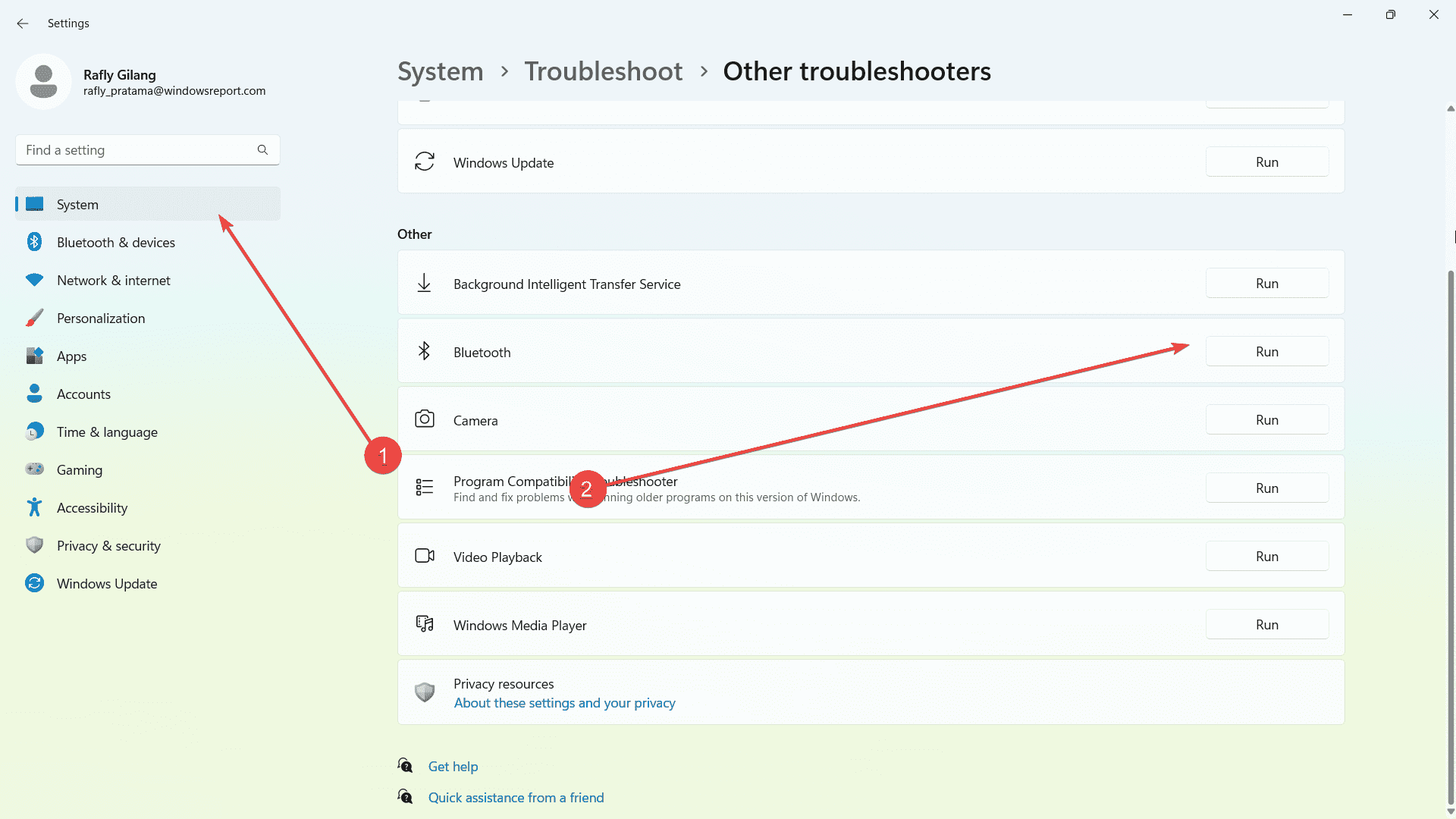
Running the Bluetooth Troubleshooter
1. Go to the Settings app
2. Select System ? Troubleshoot.
3. Click Other troubleshooters.
4. Select Bluetooth then click Run this troubleshooter.
Running the Services app
1. Press Windows key+R to open Run then type: services.msc
2. Find Bluetooth Support Service in the list
3. Right-click it then select Restart
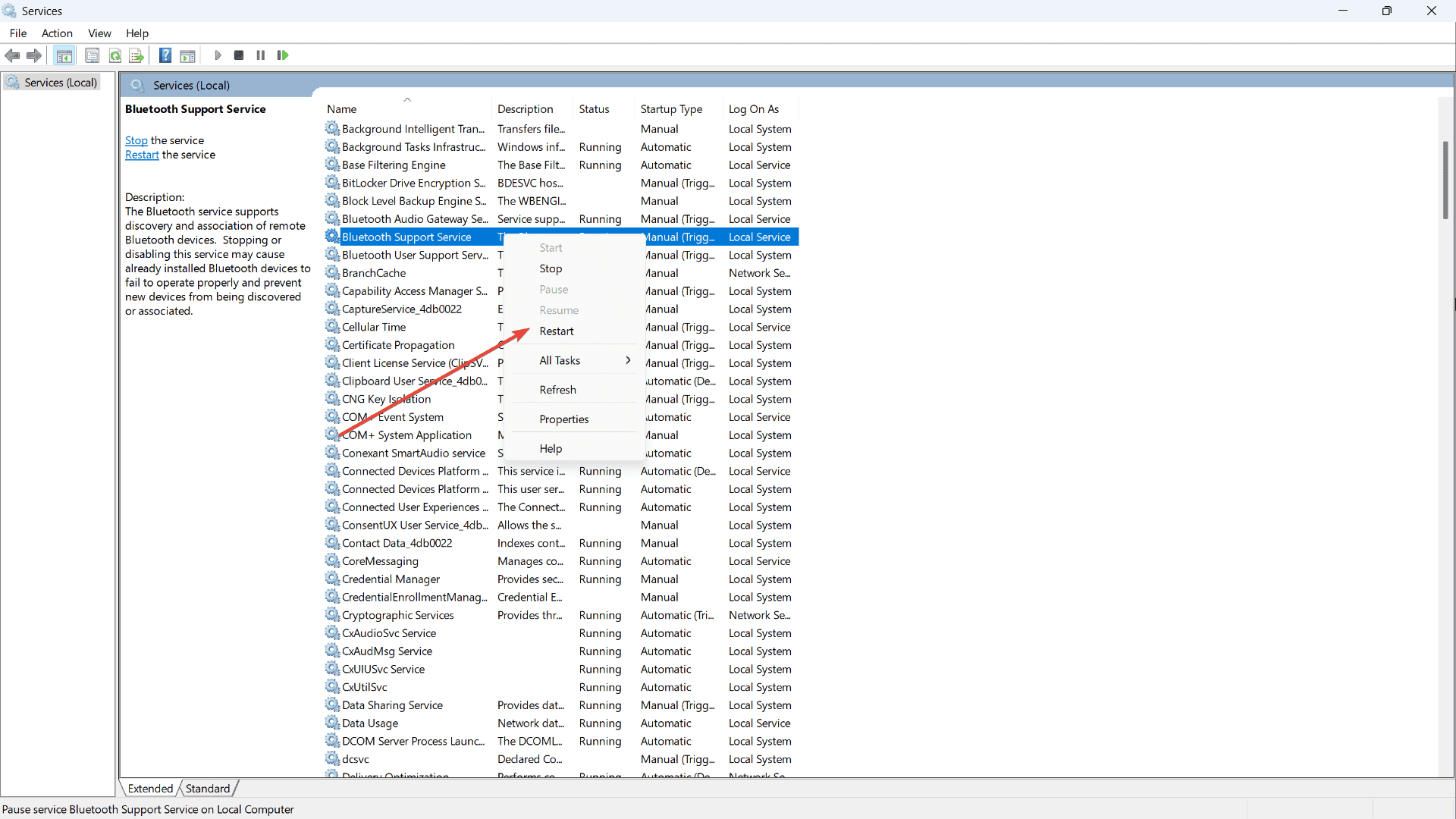
4. Right-click it again then select Properties
5. Click General Tab, in the Startup Type option, choose Automatic in the drop-down list.
6. Click Apply and OK, then restart your computer.
Restarting the Device Manager
1. Open Device Manager
2. Click View/ Show hidden devices
3. Expand Bluetooth, then right-click on the Bluetooth driver
4. Select Uninstall
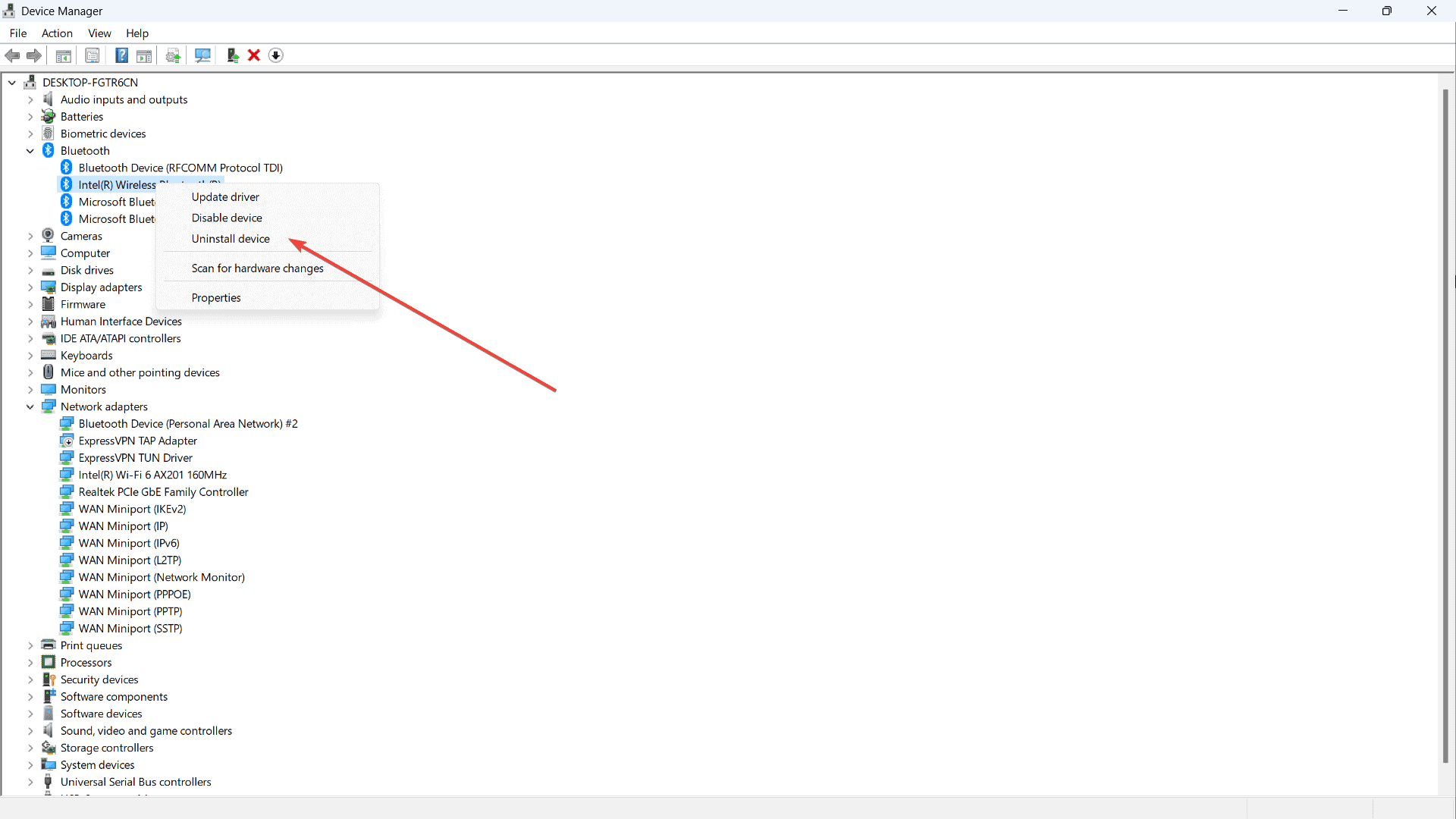
5. Restart your computer
Have you fixed the problem of Bluetooth not working after Windows 11 update? Let us know in the comments!


Read our disclosure page to find out how can you help MSPoweruser sustain the editorial team Read more



Improve this guide




User forum
4 messages