
Best AI Meeting Note Takers: Transcribe All Your Digital Meetings and More


 6 min. read
  Published on
Keeping track of important meetings has never been easier thanks to AI. Instead of taking minutes, using recording software, or relying on handwritten notes, the best AI meeting note takers can transcribe conversations on the fly.
They generate accurate summaries, highlight key action items, and even identify individual speakers.
But which tool is best for you?
Top 5 AI Meeting Note Takers
The following AI meeting note takers all do an excellent job with auto transcriptions, but here’s how they stand out:
1. HappyScribe – Overall Best AI Meeting Note Taker
HappyScribe currently leads the pack thanks to its broad support for Zoom, Google Meet, and Teams, along with a seamless experience across desktop and mobile.
The powerful tool automatically joins scheduled meetings through Google or Outlook Calendar integration and then follows the conversation. It identifies individual speakers and generates highly accurate transcripts in more than 150 languages and dialects.
You don’t just get a wall of text at the end, although you can access the entire transcript. More efficiently, you get a summary highlighting the key discussion points, insights, decisions, and action items you might have missed if taking notes manually.
I also like that you can use the built-in browser recorder without a meeting link, which is useful for ad hoc conversations or when you don’t want an AI bot joining the meeting. You can even upload existing meeting recordings for transcription later.
HappyScribe has 95% accuracy, but you can easily make edits, including to the AI summaries. Moreover, custom glossaries let you highlight industry-specific terminology, so the AI fully understands the conversation.
Other useful features include searchable meeting archives, privacy controls for managing who can access transcripts, and the ability to export recordings and notes in multiple formats.
What’s more, anyone can try HappyScribe’s AI Note Taker for free before committing to a premium plan.
2. Fireflies – Best Search Features
Fireflies.ai combines automatic transcription with powerful search, collaboration, and workflow automation. It works with Zoom, Google Meet, Microsoft Teams, and other popular conferencing platforms, automatically joining scheduled meetings to record and transcribe conversations with minimal setup.
It also supports uploads of existing audio and video files, alongside browser, desktop, and mobile recording options.
Once a meeting finishes, Fireflies generates a searchable transcript along with AI-powered summaries that capture the main discussion points, decisions, and action items.
If you need more detail, AskFred, Fireflies’ built-in AI assistant, lets you query previous meetings in natural language instead of manually searching through lengthy transcripts.
Another feature I like is the ability to search across every meeting you’ve ever recorded. Instead of remembering when something was discussed, you can simply search for keywords, questions, or topics and jump directly to the relevant point in the transcript.
The tool connects with more than 100 business applications, including Slack, Notion, Salesforce, HubSpot, Asana, Trello, and many other productivity, CRM, and collaboration platforms. Meeting notes, action items, and recordings can be automatically shared or synchronized with your existing stack.
For larger organizations, Fireflies also offers conversation intelligence features such as speaker analytics, sentiment analysis, topic detection, and talk-time reporting.
Paid plans start at $10 per user per month when billed annually, unlocking unlimited AI summaries, additional storage, advanced AI features, and all integrations.
3. Fathom – Best AI Assistant
Fathom focuses on making meeting notes effortless without adding unnecessary complexity. It supports Zoom, Google Meet, and Microsoft Teams across desktop and browser apps.
The AI automatically records meetings, generates transcripts, and produces instant summaries. Action items, highlights, and follow-up emails are also created automatically after every meeting.
One standout feature is Ask Fathom, its built-in conversational AI assistant. You can ask questions instead of searching lengthy transcripts manually.
Fathom also creates shareable clips for important discussion moments. These make collaborating with colleagues much easier after important meetings.
The platform integrates with Slack, Salesforce, HubSpot, Claude, ChatGPT, and Zapier. The latter acts as a middleman for thousands of integrations, making your existing stack easy to assimilate.
Furthermore, meeting insights can automatically sync with CRMs and productivity tools, and sales teams also benefit from coaching metrics and deal summaries.
Another major advantage is Fathom’s generous free plan. It includes unlimited recordings, transcripts, AI summaries, and searchable meeting history.
Premium plans unlock advanced summaries, AI action items, and custom meeting bots. Pricing starts at $16 per user monthly when billed annually.
4. Notta – Best for Visual Deliverables
Notta does everything you’d expect from an AI meeting note taker. It records, transcribes, summarizes, and organizes meetings automatically. Zoom, Google Meet, Teams, and Webex are all supported. It also records in-person conversations and uploaded audio or video files.
Its biggest differentiator is Notta Brain. Rather than stopping at summaries, it creates finished deliverables automatically.
These include presentation slides, infographics, executive summaries, reports, and follow-up emails.
This makes Notta especially useful for managers, consultants, and client-facing teams. Instead of rewriting notes manually, you receive shareable content immediately after meetings.
Notta Brain also analyzes multiple meetings and documents together. It identifies recurring themes, tracks decisions, and answers natural language questions.
The platform supports transcription in 58 languages with translation capabilities.
Integrations include Notion, Slack, Salesforce, and major calendar platforms.
Its free plan includes transcription and AI summaries with monthly usage limits.
Paid plans unlock longer recordings, unlimited transcription, and advanced AI features. Pricing starts at $8.17 monthly when billed annually.
Overall, Notta excels by transforming meetings into polished, presentation-ready business assets.
5. Otter – Best for Team Collaboration
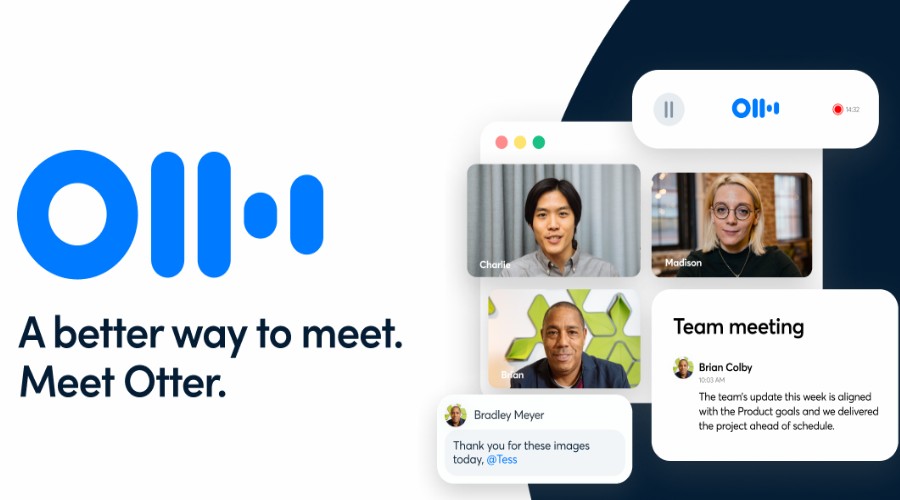
Otter.ai automatically joins all popular meeting platforms and generates real-time transcripts. These include summaries, action items, slides, and screen shares.
One of its standout features is the Conversational Knowledge Engine. Instead of treating meetings as isolated transcripts, Otter builds a searchable knowledge base.
You can ask questions across previous meetings using natural language. The AI quickly retrieves answers, decisions, and action items from your conversations.
Moreover, Channels make collaboration equally impressive. Teams can organize meetings into shared workspaces by project or department. Members can then search conversations collectively using Otter AI Chat.
This creates a living repository of organizational knowledge instead of scattered meeting notes.
Otter also integrates with Slack, Google Calendar, Microsoft Outlook, and CRM workflows.
The free plan includes live transcription and basic AI meeting assistance. Paid plans start from $20 per user per month, adding longer recordings, AI Chat, collaboration, and administrative controls.
Overall, Otter.ai excels by turning meetings into searchable organizational knowledge, not just transcripts.
Best AI Meeting Note Taker – Final Thoughts
HappyScribe remains my top recommendation because it delivers the best overall balance of accuracy, language support, flexibility, and ease of use. It works equally well for individuals, remote teams, and larger organizations, making it the strongest all-round choice.
That said, each alternative offers something unique. Fireflies excels at searching and analyzing previous meetings. Fathom stands out with its conversational AI assistant and generous free plan. Notta goes beyond meeting summaries by creating presentation-ready deliverables like slides and infographics. Meanwhile, Otter.ai transforms conversations into a searchable knowledge base for better team collaboration.
Ultimately, the best AI meeting note taker depends on how you work. Whether your priority is multilingual transcription, AI-powered search, visual reports, or organizational knowledge management, there’s a platform here to fit your workflow.


Read our disclosure page to find out how can you help MSPoweruser sustain the editorial team Read more



Improve this guide


User forum
0 messages