
Extending Memories: How Wondershare Filmora V15 Rebuilds Missing Frames with AI


 4 min. read
  Published on
Key notes
- Wondershare Filmora V15 naturally rebuilds frames with AI Extend.
- Supports prompt-guided generation to tailor the results.
- Great for restoring missing frames, filling gaps, and creating smooth motion.
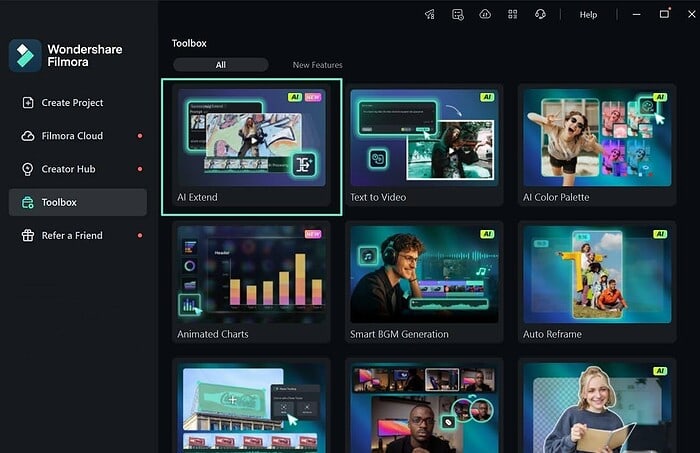
We’ve all seen it—an important moment cut short, leaving the video feeling incomplete and the story interrupted. These gaps interrupt emotion and make the story feel uneven or distracting. Short recordings or missing frames often cause choppy motion that disrupts the flow. Before AI tools, editors spent hours trying to fix these issues—stretching frames, looping clips, or manually recreating motion, which often resulted in stiff, unnatural movement.
Wondershare Filmora V15 solves this with AI Extend, a tool that rebuilds missing frames intelligently. It analyzes light, movement, and rhythm to generate new frames that match the original footage. AI Extend fills gaps, restores smooth continuity, and turns broken clips into complete, fluid moments.
Part 1. How Prompt-Based AI Extend Rebuilds Missing Frames
Filmora’s AI Extend uses prompt-guided generation. You describe how the clip should continue, and AI Extend analyzes the surrounding frames—light, color, and motion—then creates a matching continuation that blends smoothly into your timeline, with no awkward jumps or obvious looping.
How Filmora’s AI Extend Works: A Simplified Overview
To use the AI Extend feature in Filmora V15, go to AI Media > Video Extend on the left panel or simply access it directly from the timeline. Choose whether to extend the clip forward or backward. This gives you full control over where the new footage appears and keeps your timeline organized.
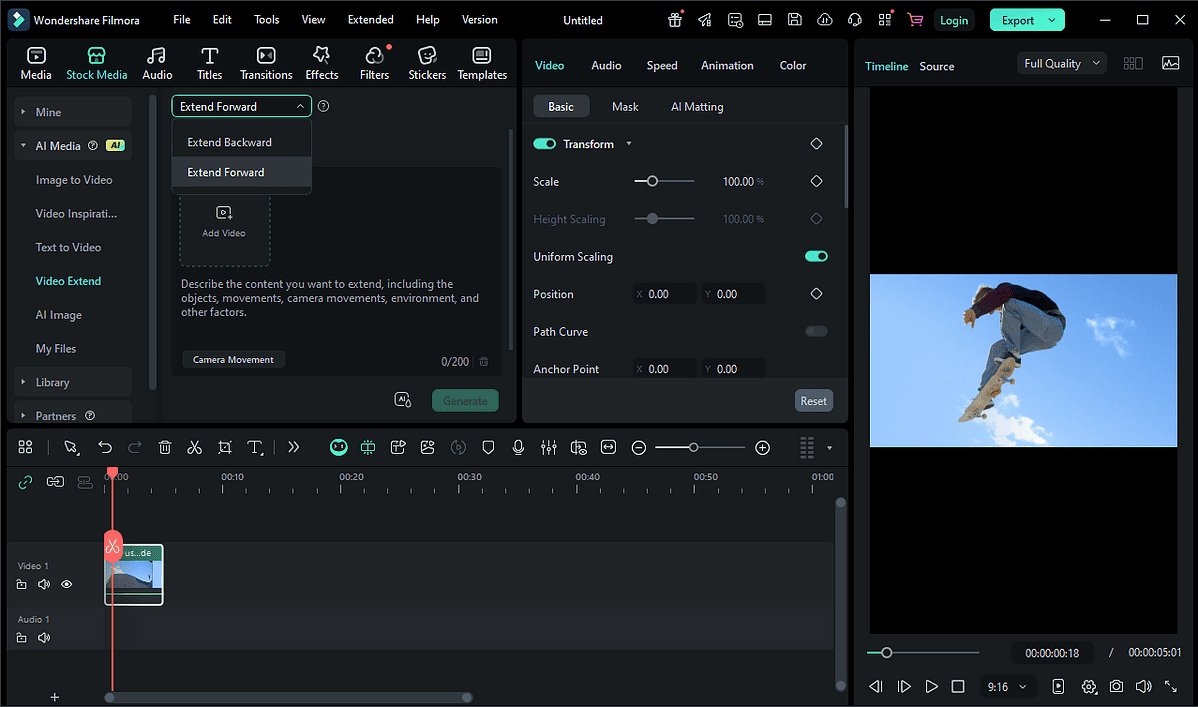
Then, write a short prompt describing how the clip should continue. The AI reads your text and predicts what comes next. Below the prompt, the “Prompt Library” offers preset camera movements like Zoom In, Pan Left, or Tilt Up, which guide how the virtual camera behaves in the extended segment.
After setup, generate according to the provided extension instructions. Filmora studies your clip frame by frame, checking color, motion, and light. It builds new frames that match the original tone perfectly. In seconds, your video extends smoothly by 5 to 8 seconds and the extended part blends seamlessly into your timeline.
Part 2. How Can AI Extend Be Used in Today’s World?
AI Extend helps creators fix short, broken, or missing video moments. It makes clips flow naturally by adding smooth, lifelike motion where frames are lost. From refining pacing in modern edits to extending key moments in real-world footage, this tool keeps every scene steady, connected, and visually pleasing.
- Restoring Documentary Footage
AI Extend helps lengthen documentary clips that end too quickly. By generating motion-matched frames based on the existing shot, it naturally extends actions or reactions, keeping movement smooth and transitions coherent. This gives editors extra breathing room to preserve narrative flow and emotional continuity—without reshooting or relying on visible loops.
- Rebuilding Personal Archives
AI Extend saves personal videos that are too short or incomplete, restoring small but meaningful actions like hugs or smiles. It keeps lighting and facial details consistent, allowing cherished memories to replay with clarity and warmth.
- Creating Continuity in Modern Content
For vloggers and short-form creators, AI Extend fixes small jumps and fills gaps to improve pacing. It blends frames smoothly for steady, natural, and polished results.
Conclusion
AI Extend helps creators restore smooth motion to every scene. In Wondershare Filmora V15, this feature makes it easy to save incomplete or interrupted moments. It rebuilds missing frames and fills gaps so videos feel natural and coherent again. From family footage to creative projects, Filmora V15 restores moments quickly and beautifully—keeping every memory clear, steady, and complete.
About Wondershare:
Wondershare is a globally recognized software company founded in 2003, known for its innovative solutions in creativity and productivity. Driven by the mission “Creativity Simplified”, Wondershare offers a range of tools, including Filmora and SelfyzAI for video editing; PDFelement for document management; and EdrawMax, EdrawMind for diagramming. With over 2 billion cumulative active users across all products and a presence in over 200 countries and regions, Wondershare empowers the next generation of creators with intuitive software and trendy creative resources, continually expanding the possibilities of creativity worldwide.


Read our disclosure page to find out how can you help MSPoweruser sustain the editorial team Read more



Improve this guide


User forum
0 messages