
How To Measure Distance Between Zip Codes in Google Maps


 2 min. read
  Updated on
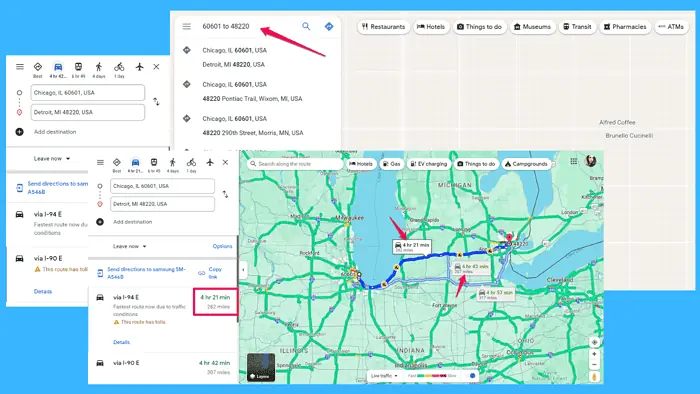
Are you curious about the distance between two zip codes and how to calculate it using Google Maps?
I decided to give you a simple step-by-step guide. Just follow along, and you’ll be good to go in no time:
1. Open Google Maps
Begin by opening Google Maps. This guide works for both its web and mobile apps.
2. Enter The Zip Codes
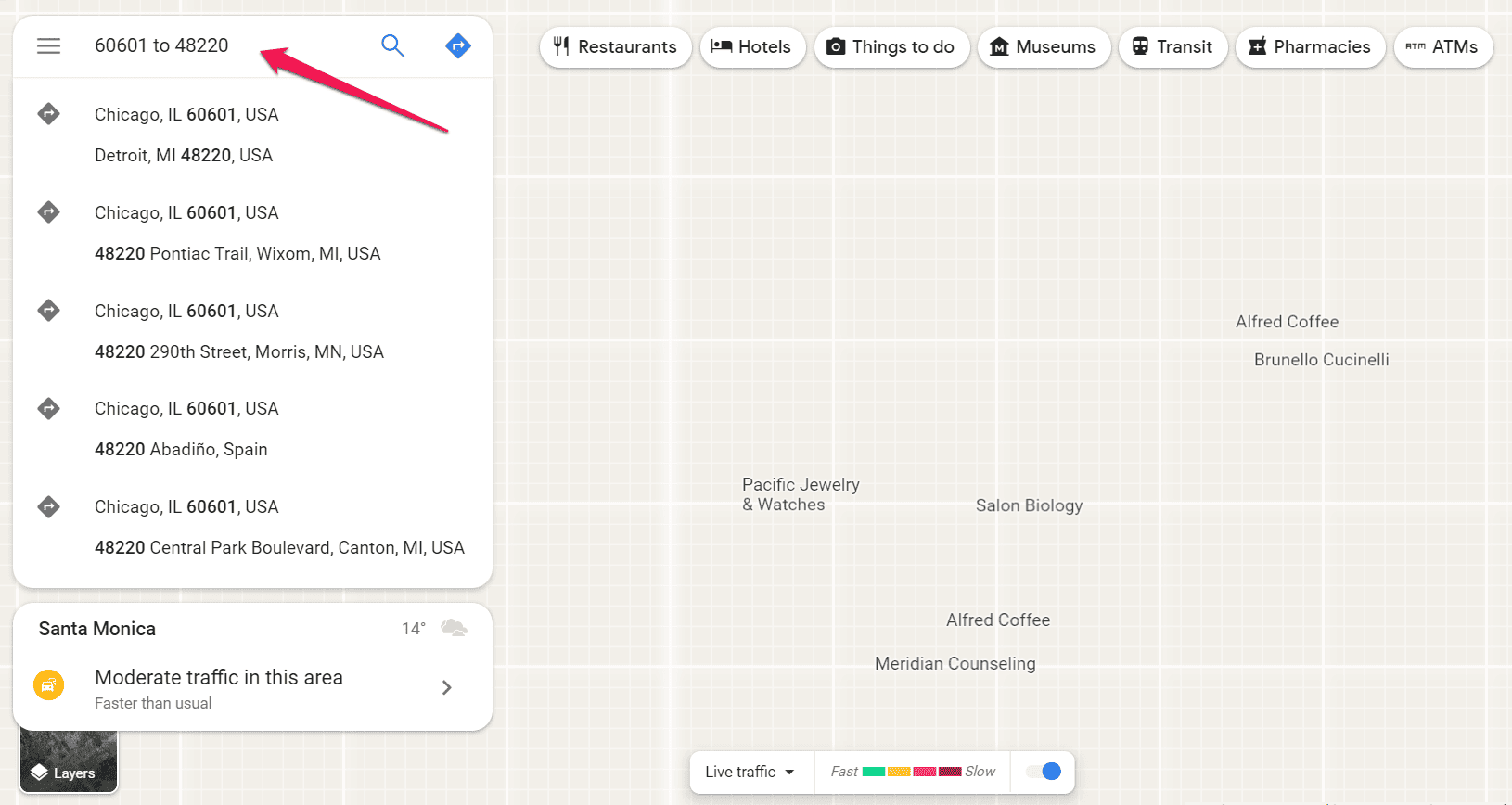
In the search bar, enter the zip codes for the locations you want to calculate the distance between.
First type in the zip code of your starting point followed by “to” and then the zip code of your destination. I typed in the codes for Chicago and Detroit, i.e., 60601 to 48220.
3. Select the Locations
Once you’ve entered the zip codes, select one of the results from the drop-down menu by clicking on it. Note: If you press enter or click the search icon, you’ll get partial results or none at all.
4. View Distance Measurement
Google Maps will display the locations on the map and provide a route between them.
The distance between the two zip codes will be automatically calculated and displayed on the map. The navigation tool will also show the estimated travel time.
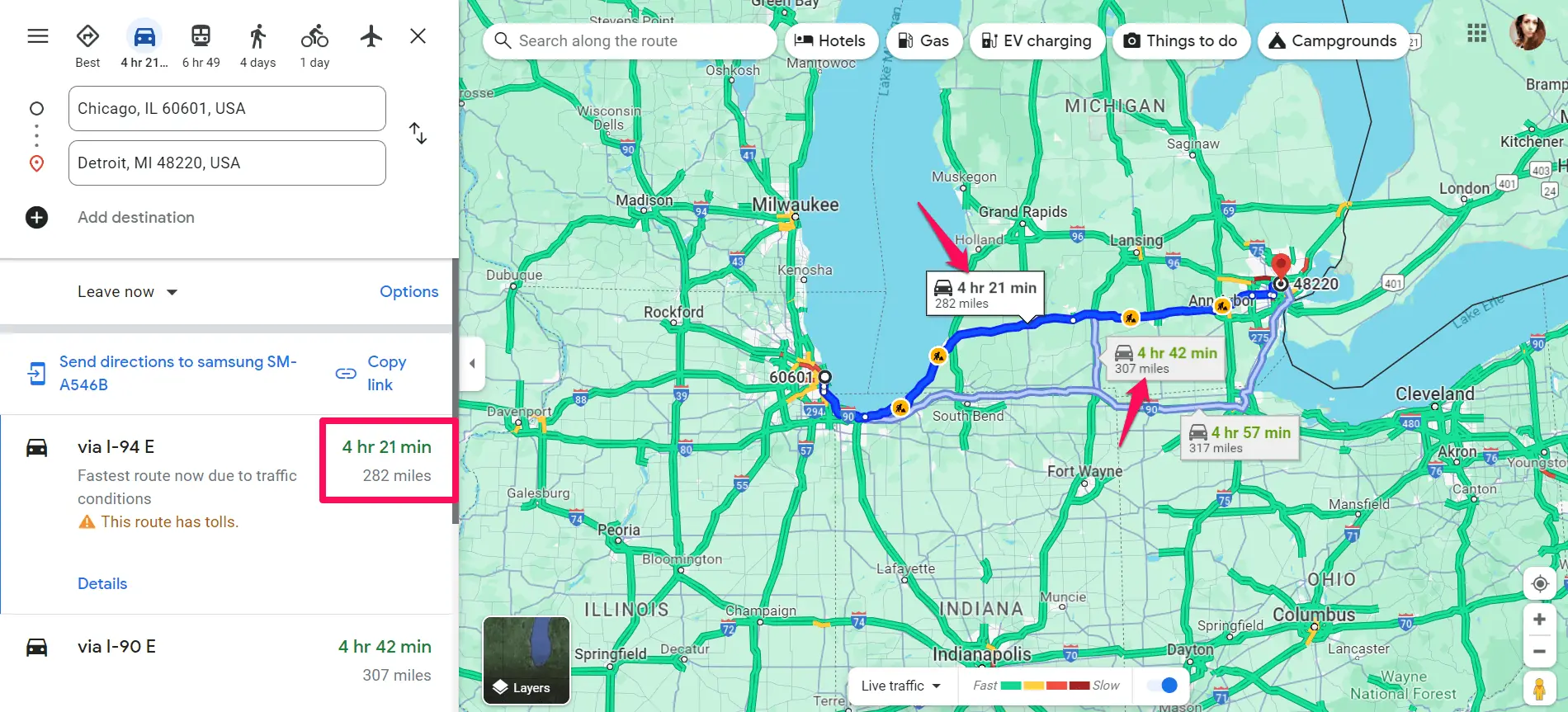
Once you get the results, you can explore route options by changing the modes of transportation or the suggested route.
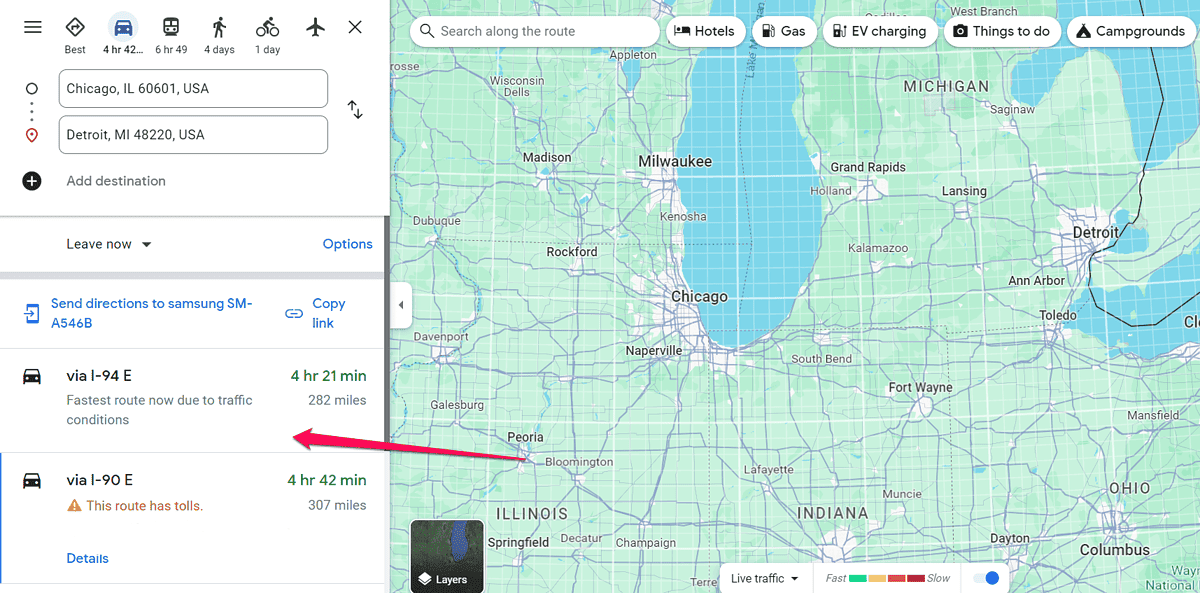
As you can see, navigating the distance between zip codes with Google Maps is easy. Was this guide helpful? Let me know in the comments!


Read our disclosure page to find out how can you help MSPoweruser sustain the editorial team Read more



Improve this guide


User forum
0 messages