
Windows 11 will bring multi-monitor improvements


 1 min. read
  Published on
Windows is not particularly well known for dealing with connecting and disconnecting additional monitors, and in particular, having to re-arrange your app windows all over again when you connect your laptop to your desktop monitors.
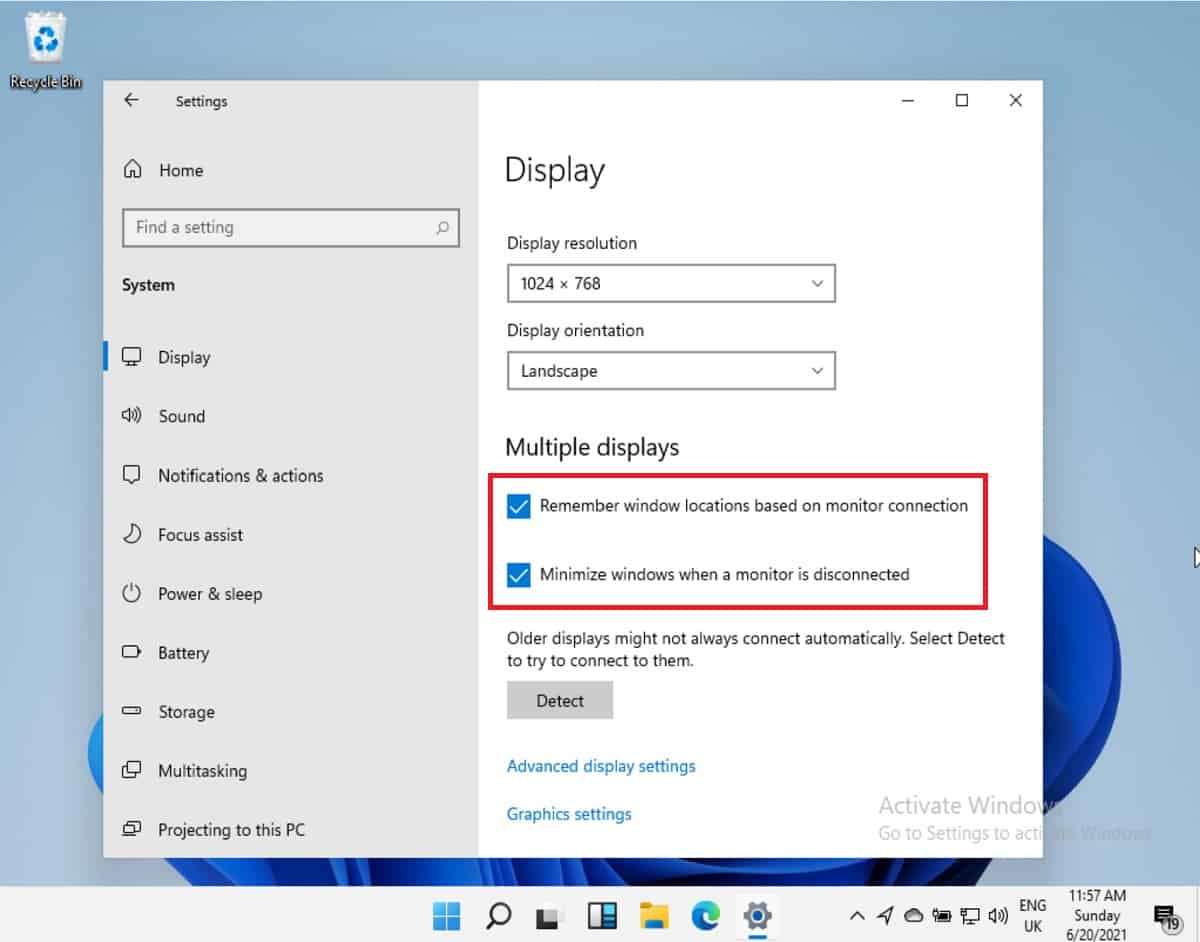
Microsoft aims to fix that in Windows 11, with some new options in the display management settings showing up.
The OS will now remember where you left your window last time you connected to an external monitor, and bring it back to the same position when you reconnect again.
In addition, it will minimise those windows when the external monitor is disconnected, meaning you won’t suddenly have to struggle to find the apps on your main monitor due to being covered by apps that were on your external monitor.
The improvements should be particularly welcome as laptops with external monitors increasingly replace desktops both at work and home.
Microsoft is expected to reveal everything new in Windows 11 on the 24th of June, which is now only a few days away.
via WindowsLatest


Read our disclosure page to find out how can you help MSPoweruser sustain the editorial team Read more



Improve this guide



User forum
0 messages