
Windows 11 will allow you to customize your touch keyboard with different themes


 1 min. read
  Published on
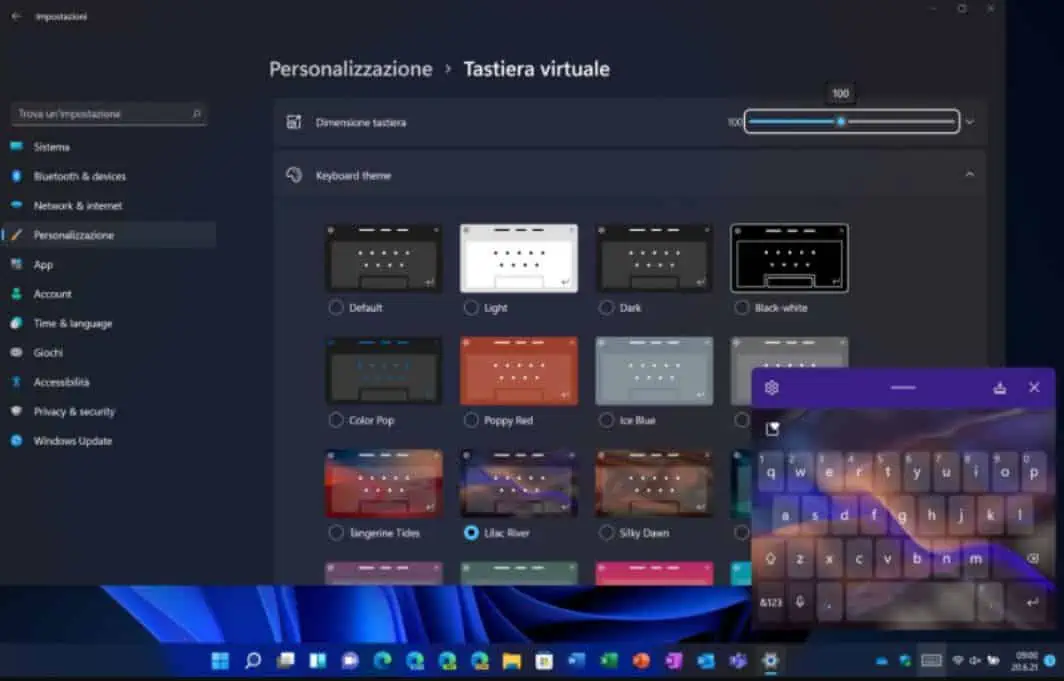
Early this week, Microsoft announced Windows 11 with a new Start experience, improved taskbar, new Settings UI, and more. During the launch event, Microsoft revealed that Windows 11 will come with an all-new touch keyboard experience. The new touch keyboard can be customized with various themes as you can see from the screenshot above.
Microsoft is bringing all the SwiftKey mobile keyboard features to Windows touch keyboard. You can swipe with your thumb, you can use the spacebar as a cursor, and you can access emojis and gifs. Also, you can make use of the voice typing feature as well.
You can find a short demo of the new Windows 11 touch keyboard in the video (from 2:05 mark) below.
Image Credit: WindowsBlogItalia


Read our disclosure page to find out how can you help MSPoweruser sustain the editorial team Read more



Improve this guide




User forum
0 messages