
How to easily remove the modern right click menu in Windows 11


 2 min. read
  Updated on
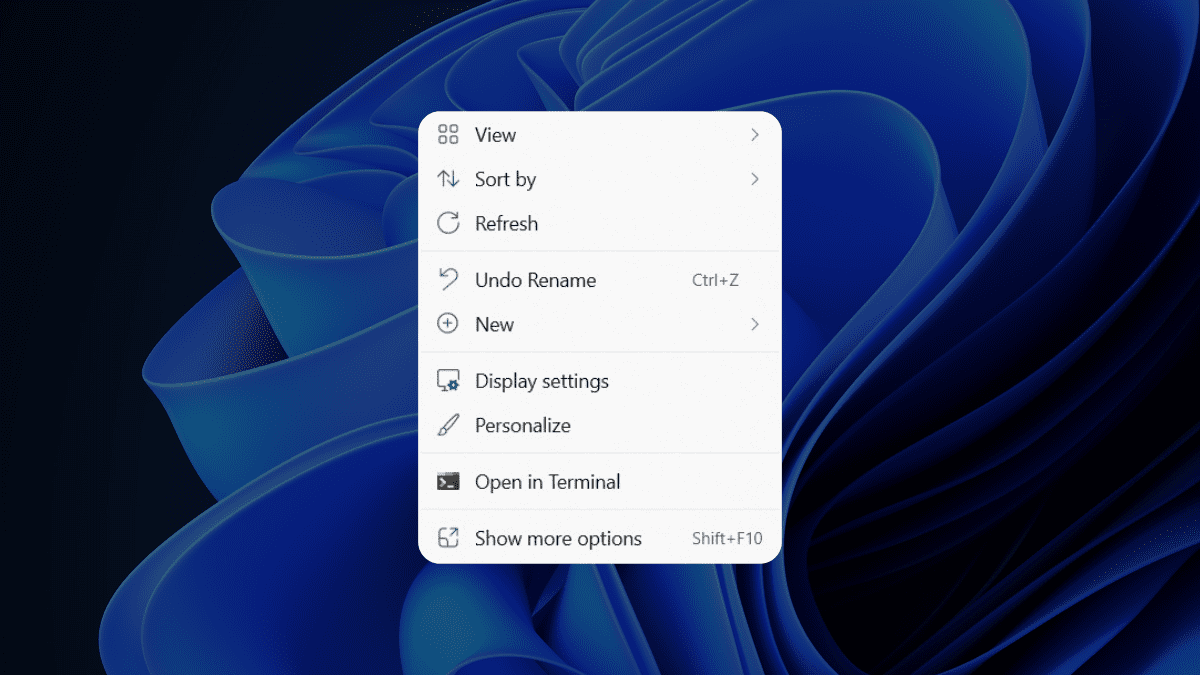
Want to remove the modern right-click menu in Windows 11? We’ve got you covered.
For some users, especially those who are already accommodated with older interfaces from Windows 10 or below, the modern right-click menu can be a little bit confusing.
The modern right-click menu in Windows 11 is a redesigned context menu that appears when you click on a shortcut or icon. The idea behind the modern context menu is to provide you with fewer options that are always useful and applicable to the shortcut or icon you’ve right-clicked on.
If you could relate to this situation, then this article is for you. Here’s how you can easily remove the modern right-click menu in Windows 11
How to remove the modern right-click menu in Windows 11
1. Open Command Prompt
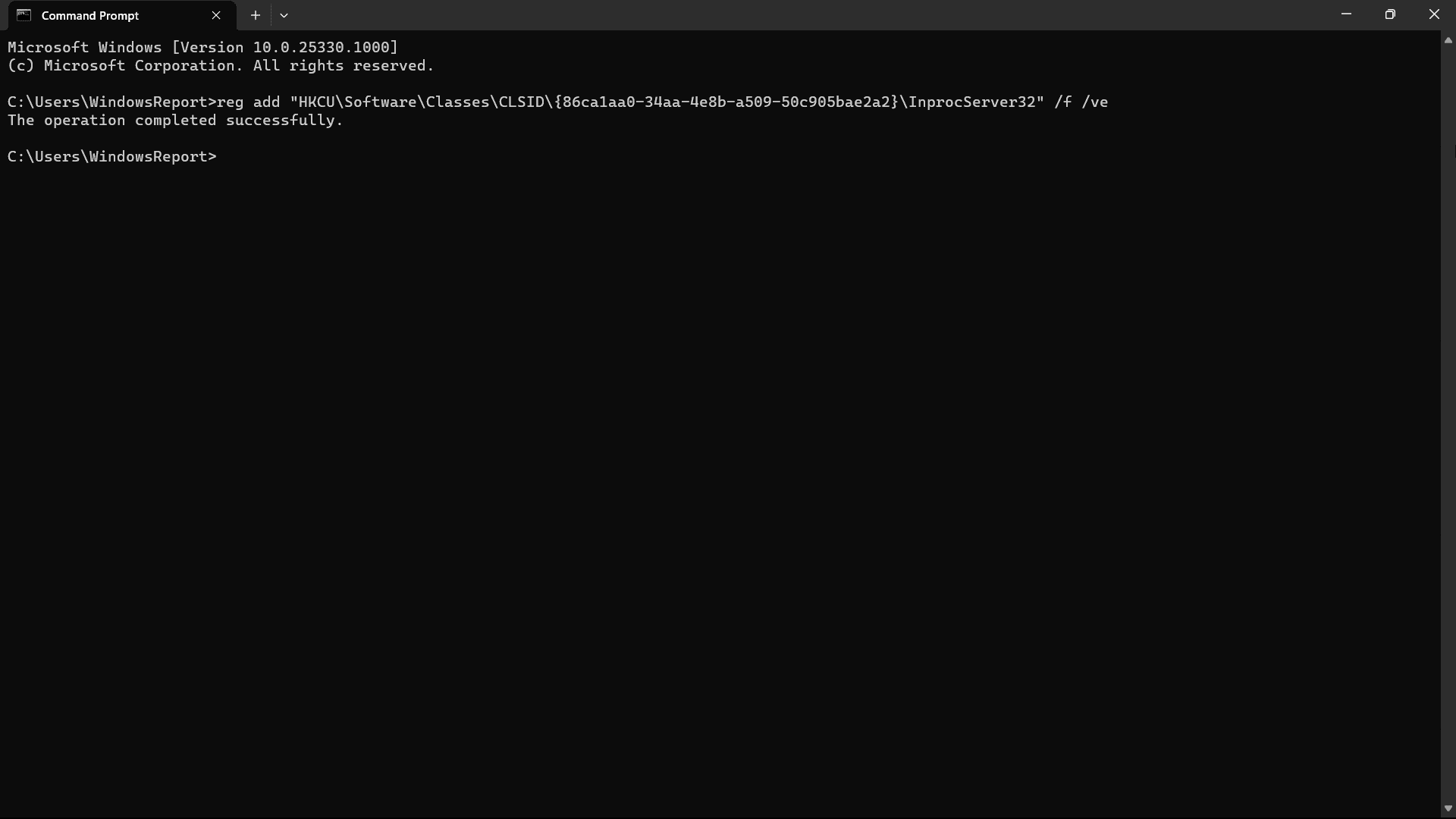
2. Copy and paste this command to the terminal, then hit Enter.
reg add “HKCUSoftwareClassesCLSID{86ca1aa0-34aa-4e8b-a509-50c905bae2a2}InprocServer32” /f /ve
3. Close Command Prompt
4. Restart your computer/PC/laptop.
5. To get the modern right-click menu, repeat the same steps but copy and paste this command instead:
reg.exe delete “HKCUSoftwareClassesCLSID{86ca1aa0-34aa-4e8b-a509-50c905bae2a2}” /f
With that being said, however, the original right-click menu still lives inside your Windows 11, although you’d need to click Show more options from the modern right-click menu.
Have you tried to remove the modern right-click menu in Windows 11 using these steps? If so, let us know in the comments!


Read our disclosure page to find out how can you help MSPoweruser sustain the editorial team Read more



Improve this guide




User forum
4 messages