
Microsoft slaps Copilot AI into Windows Spotlight feature in
The KB5052084 update is now live for Windows 11 insiders


 2 min. read
  Published on
Key notes
- Microsoft is testing a new right-click menu for Desktop Spotlight.
- Now, it comes with more options, including one to Ask Copilot about it.
- Users can enable the feature through registry tweaks or a reboot.
Microsoft is testing a new right-click context menu for the Desktop Spotlight icon in Windows 11, moving the bonus relevant topics/searches and the “Ask Copilot” option from the main flyout to this menu.
In Beta 22635.4945 (KB5052084), as Windows 11 enthusiast @phantomofearth shares on X, the menu now offers 8 options, including settings, photo-related actions, and knowledge exploration, such as “Learn about this picture” or “Explore Gyeongju” (referring to the image).
Here’s what it looks like:
You can enable this feature through specific registry tweaks using third-party ViVeTool or rebooting with an additional option if necessary.
Microsoft describes the feature, “We’re beginning to roll out some additional changes to the Desktop Spotlight icon for Windows Insiders to help with discoverability including changes to the icon color/backplate and moving the icon to the bottom right position on your desktop.”
Microsoft has been revamping users’ experience with Windows Spotlight for quite some time now.
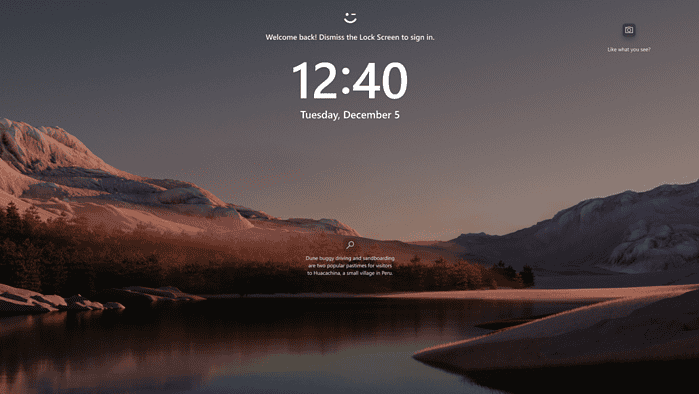
More recently, the KB5052094 update for Windows 11 added a new icon for Windows Spotlight that allows users to learn more about the lock screen’s background image. The icon’s appearance has been updated with a new color and position, and you can remove it through a registry tweak if desired.
The build also includes easier file sharing from the taskbar, a Game Pass referral card in Settings, and enhancements to the Narrator app. Besides that, the update addresses bugs in File Explorer, the Start menu, and mouse settings, and is available for users on the 23H2 version in the Release Preview channel.


Read our disclosure page to find out how can you help MSPoweruser sustain the editorial team Read more



Improve this guide
User forum
0 messages