
Microsoft promotes Free View editing in Windows 10's Paint 3D app


 1 min. read
  Published on
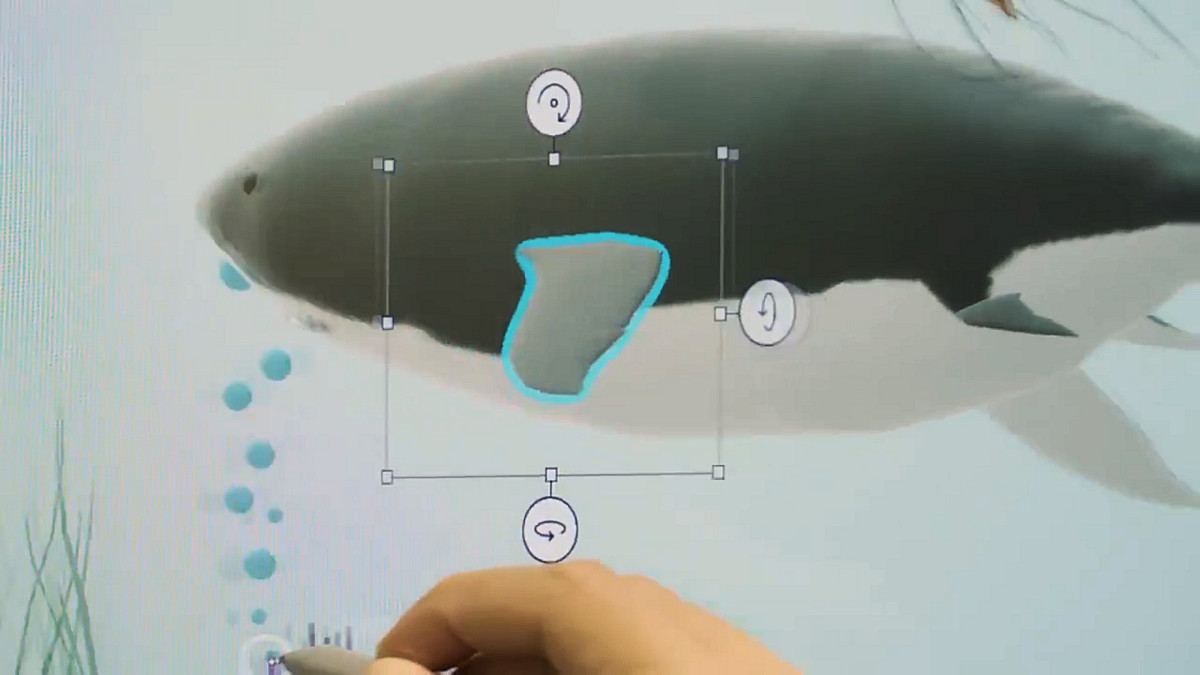
For most people used to 2D image editing Microsoft’s replacement, Paint3 3D, remains a confusing and intimidating application to use.
In a recent update, Microsoft, however, added a feature which should make the application a lot easier to use.
Currently its already easy to view your creation in 3D, but adding elements precisely to previously required a good spacial understanding of the layout of your creation.
Now with editing in Free View, it becomes a lot easier to place and annotate your 3D object, as can be seen in Microsoft’s demo video below.
https://youtu.be/_JR0ZIzSoKE
The feature first became available in January and Microsoft today devoted a full blog post and the above video to it.
While the application is still not the best for quickly cropping a screenshot, I suspect the next generation will find a lot to love in it in the end.
Paint 3D is already installed on your Windows 10 PC or can be found here.
[appbox windowsstore 9NBLGGH5FV99 ]


Read our disclosure page to find out how can you help MSPoweruser sustain the editorial team Read more



Improve this guide




User forum
0 messages