
Preview of Android apps on Windows 11 now available to Insiders in the Dev channel


 2 min. read
  Updated on
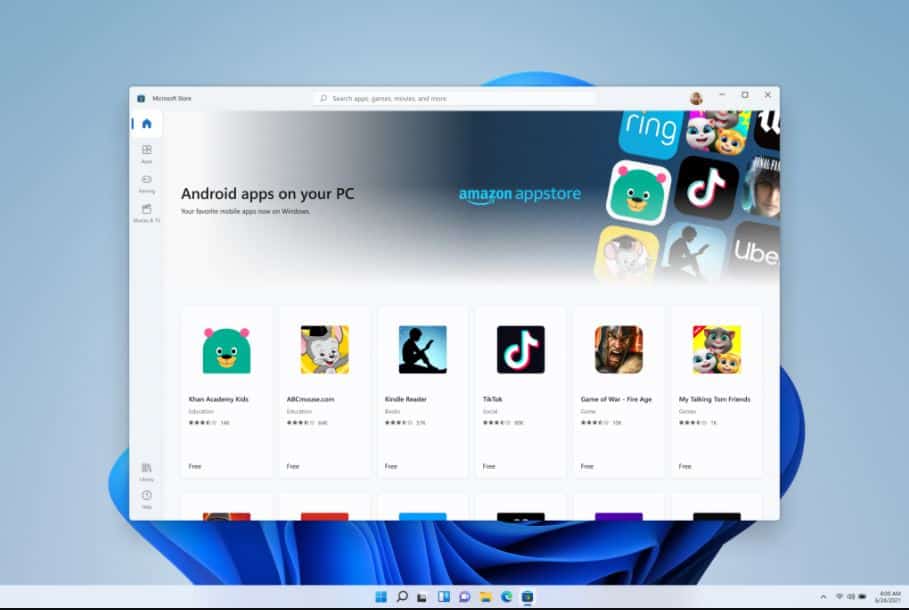
Microsoft today announced that they are making the first preview of Android apps experience on Windows for Insiders to Windows Insiders in the Dev channel.
Previously this experience was only available to Beta Channel users in the US on eligible devices running Intel, AMD, and Qualcomm platforms.
- Users can discover and install Android apps from Microsoft Store.
-
You can easily run these Android apps side-by-side with the help of the new Snap Layouts feature, pin them to your Start menu or Taskbar, and interact with them via mouse, touch, or pen input.
-
Android apps are also integrated into Alt + Tab and Task view to help you quickly move back-and-forth between the apps that matter most to you.
-
You can see notifications from Android apps notifications in the Action Center or share your clipboard between a Windows app and an Android app.
-
Many Windows accessibility settings apply to Android apps and Microsoft is working with Amazon to deliver more improvements.
In the first preview, 50 Android apps are available for Windows Insiders to test and validate across a broad set of hardware. Microsoft will release new apps through Windows Insider Program updates in the coming months. You can download the Store here and you can learn about how to run Android apps on Windows 11 here.
Source: Microsoft


Read our disclosure page to find out how can you help MSPoweruser sustain the editorial team Read more



Improve this guide




User forum
0 messages