
First look at Notepad for Windows 11 with Fluent Design


 1 min. read
  Published on

Microsoft has been re-skinning their in-box apps for Windows 11 over the last year, and we have already seen a much-improved Photos app and a sleeker Paint app for Windows 11.
Now a Microsoft engineer has leaked an image of the new-look Paint app for Windows 11, and it looks pretty good.
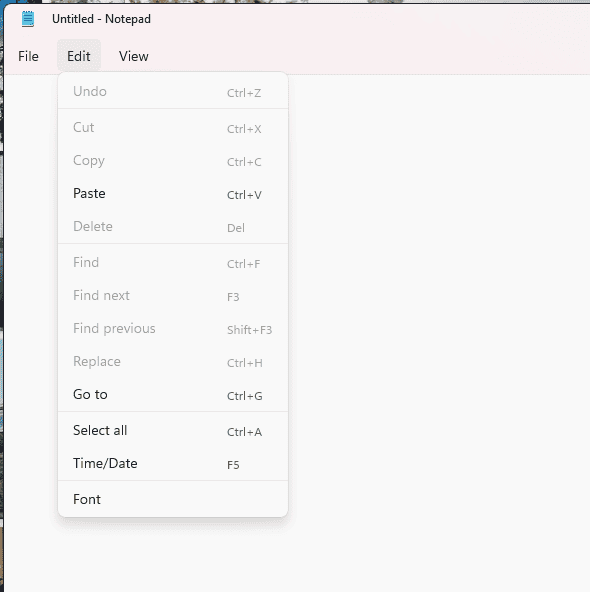
The app appears to be version 11.2110.13.0, which is a few builds more than 10.2103.7.0, which is the current Microsoft Store Notepad.
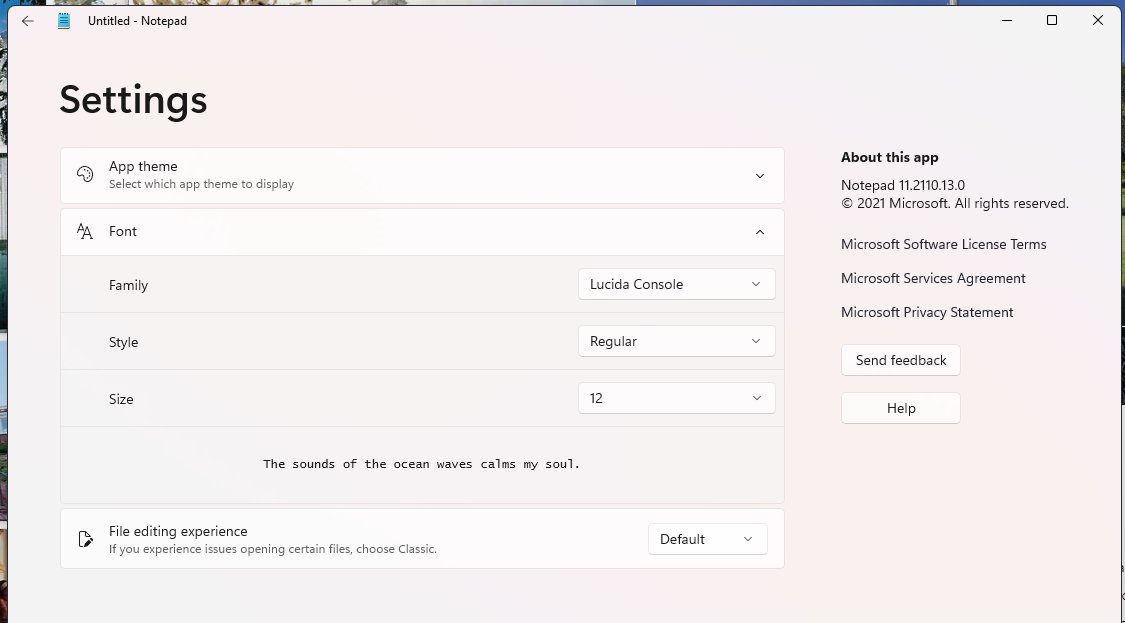
Differences noticed include a Settings page which lets you which font, font size and style the app will use, and lets you set the file editing experience from Classic to Modern.
The app also appears to offer the option for selecting a Theme, which may include a Dark mode.
It also appears that the View and Help menu items have been moved.
The new app will likely roll out in the near future to Windows 11 Insiders, before becoming available to everyone else.
via Techdows, FireCube


Read our disclosure page to find out how can you help MSPoweruser sustain the editorial team Read more



Improve this guide




User forum
0 messages