
Microsoft releases Windows 11 Insider Preview Build 25140 for Dev Channel


 1 min. read
  Updated on
Microsoft has released Windows 11 Insider Preview Build 25140 for Insiders in the Dev Channel. The latest build includes no new features, but you do get several fixes, which will improve the overall experience for Windows Insiders on the latest preview builds. You can read the complete changelog below to learn more about what’s been fixed.
Changelog
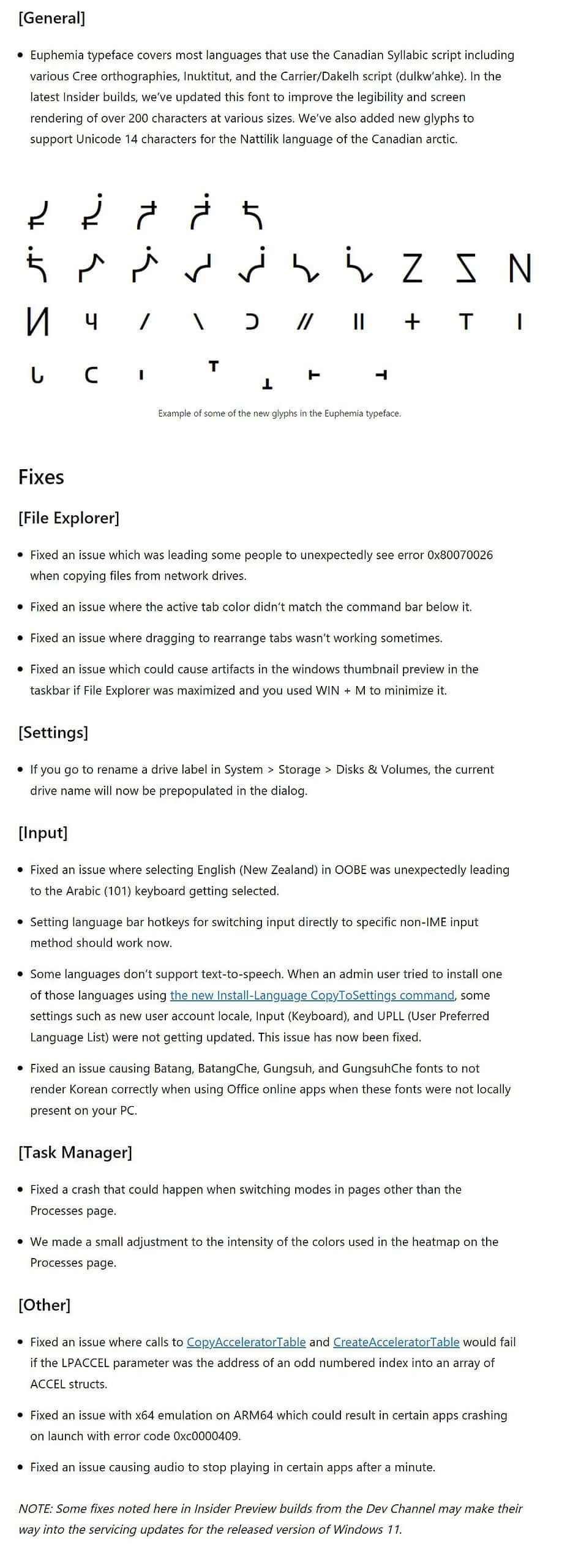
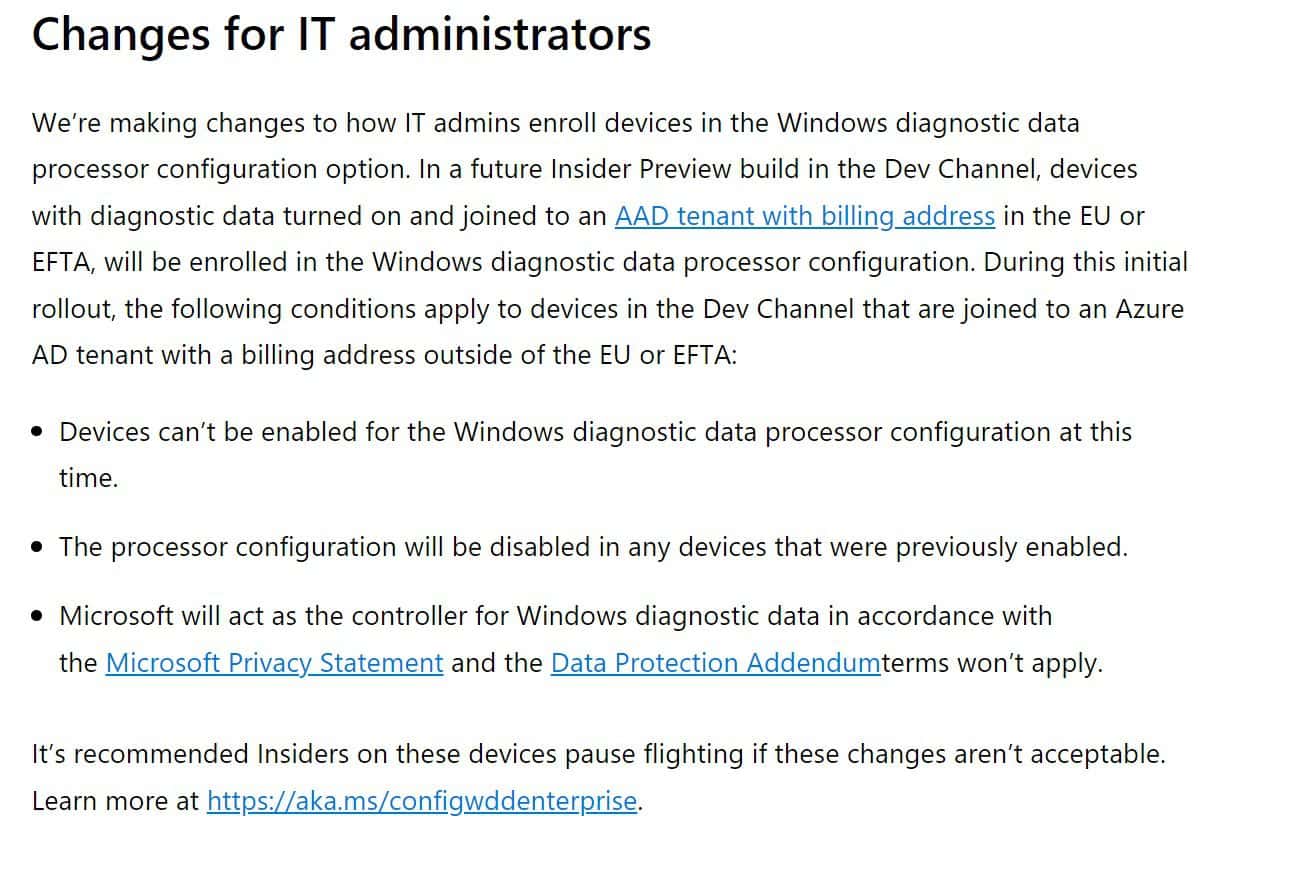
Changes for IT administrator
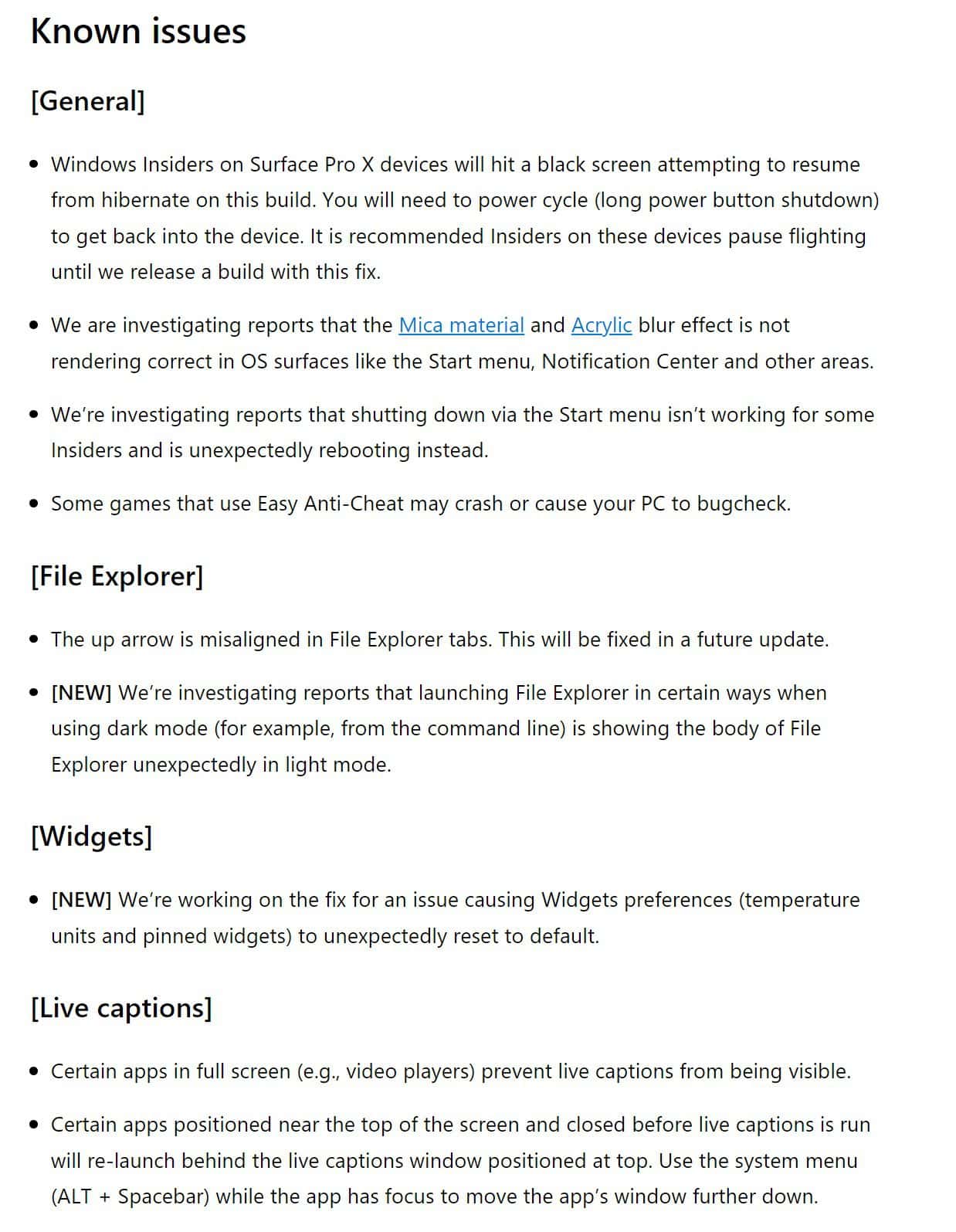
However, it also contains a number of known issues. You can read about them below.
Known issues
To update your Windows Insider Preview Build, go to the Settings app> Windows Update> Check for Updates.

Readers help support MSpoweruser. We may get a commission if you buy through our links.

Read our disclosure page to find out how can you help MSPoweruser sustain the editorial team Read more



Improve this guide


User forum
0 messages