
Windows 11 now supports private DNS-over-HTTPS (DoH), here's how to enable it


 1 min. read
  Published on
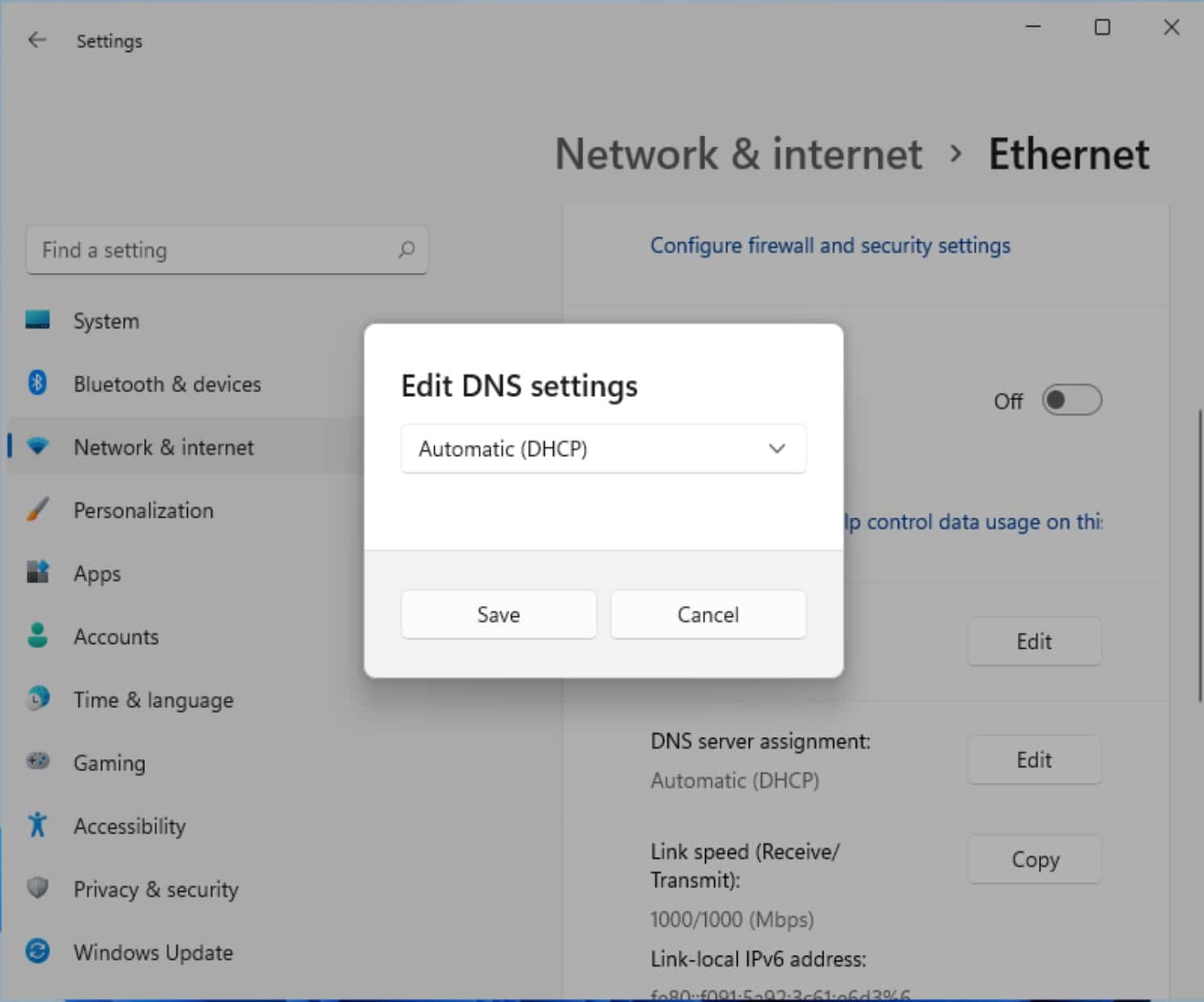
DNS-over-HTTPS (DoH) closes the last plaintext hole when communicating on the internet – that being when you request the IP number of a server you want to communicate with. Without DoH your DNS provider (usually your ISP) always know which websites you are connecting to.
Some browsers already support DoH, and now Windows 11 features native support for the technology.
Enabling it is not complicated.
How to set up DNS-over-HTTPS (DoH) on Windows 11
- Navigate to Settings> Network & Internet > Ethernet and WIFI
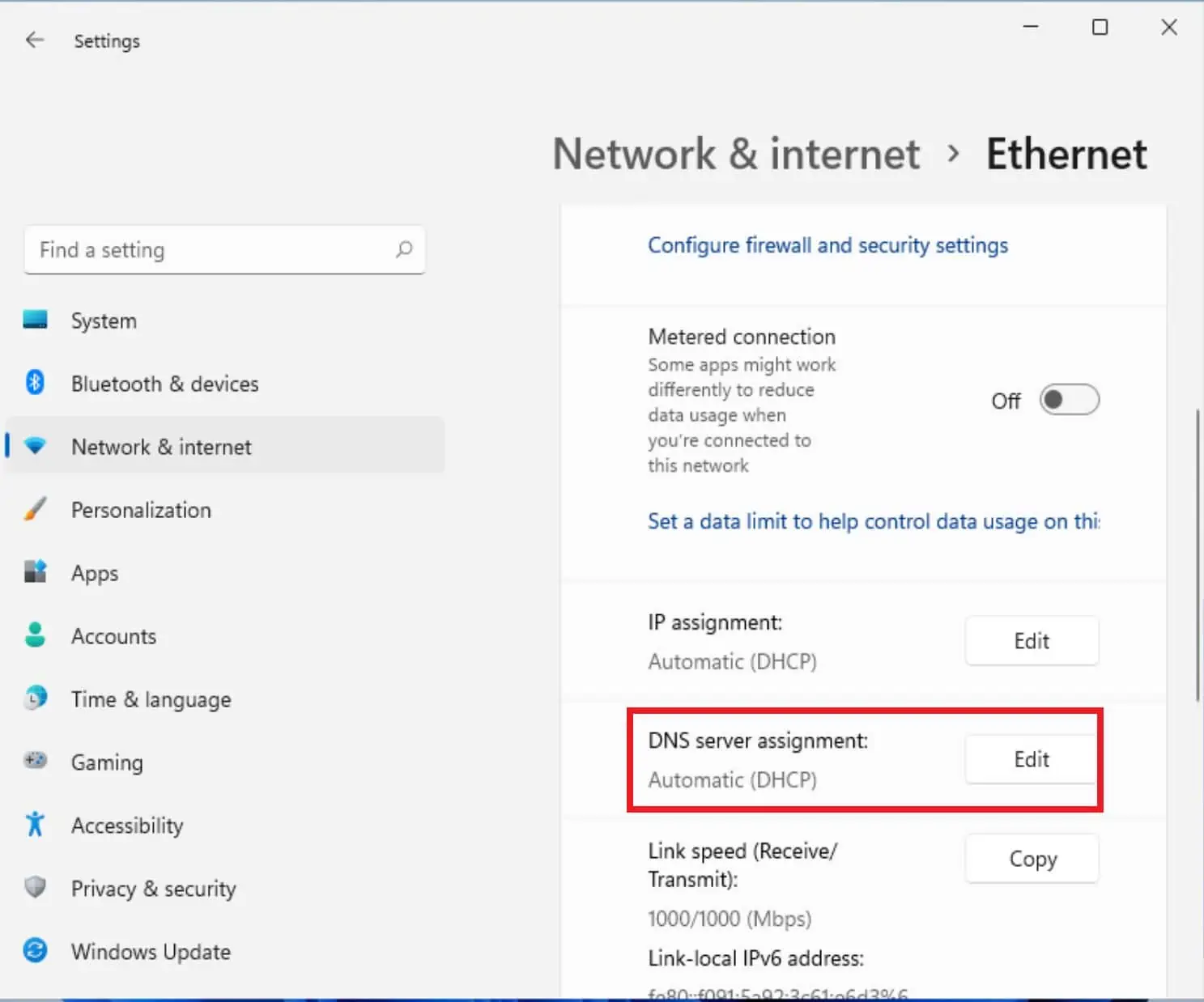
- Click Edit on the DNS Server Assignment item.
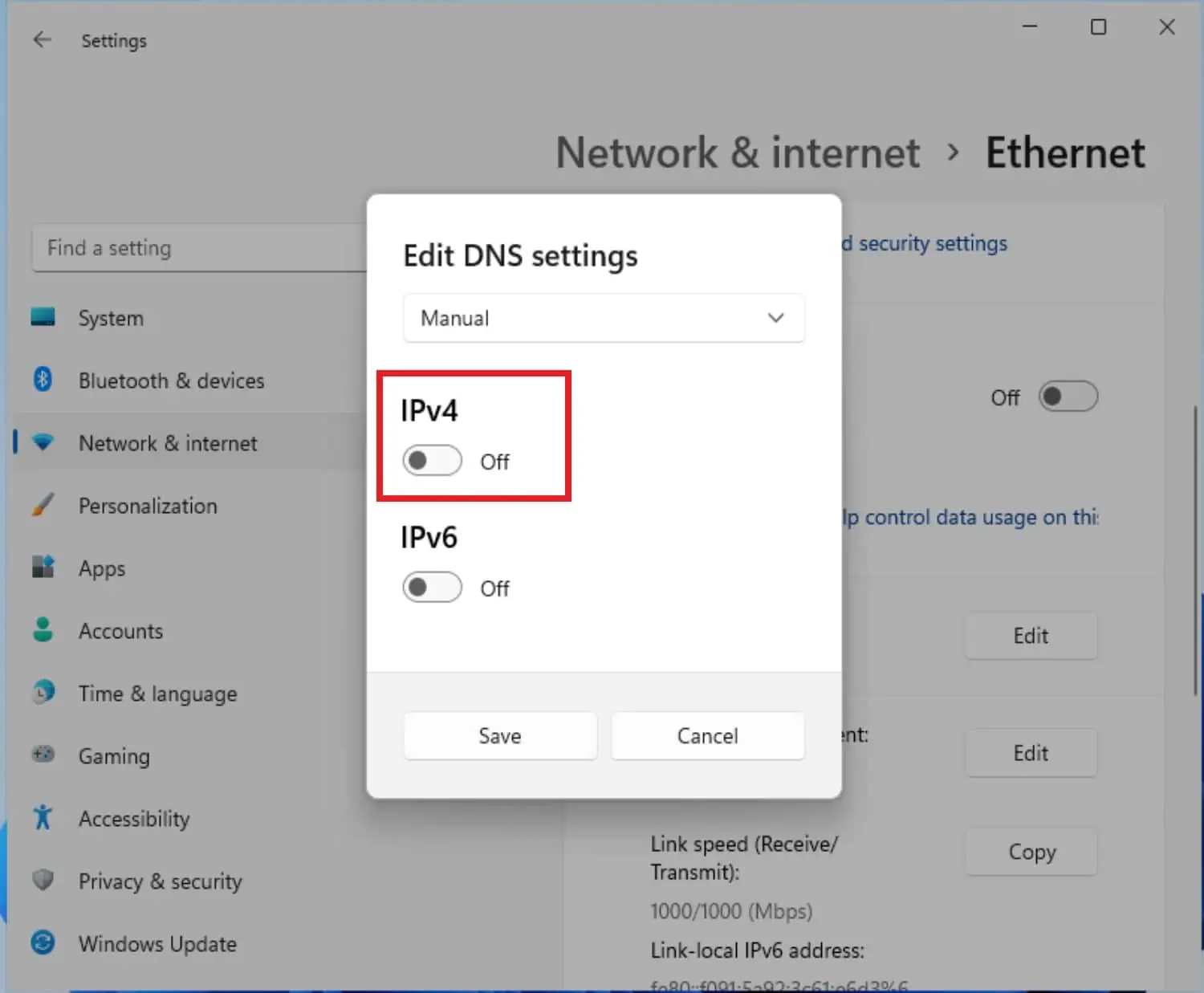
- Switch the setting from Automatic (DCHP) to Manual
- Toggle the IP4 button.

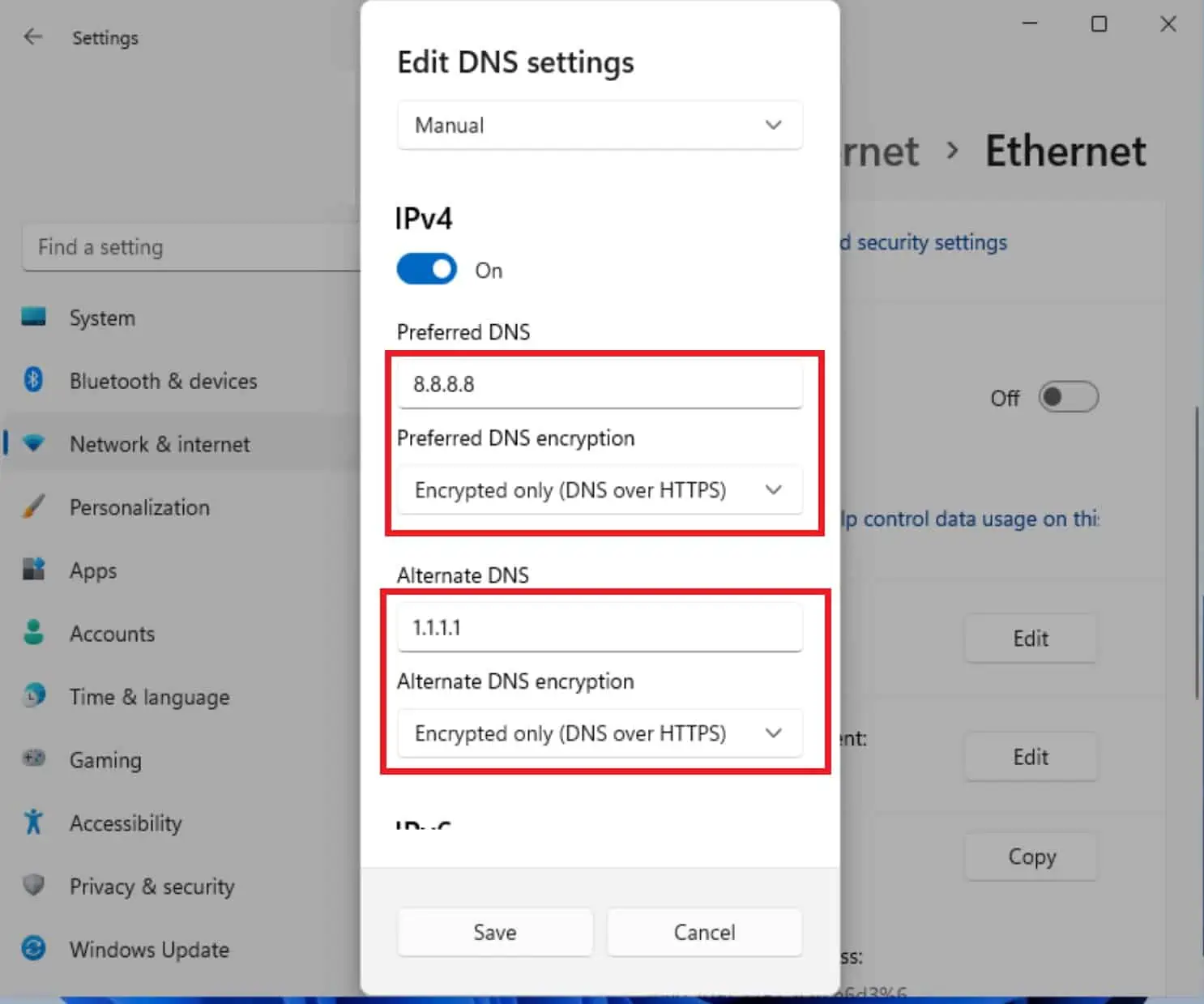
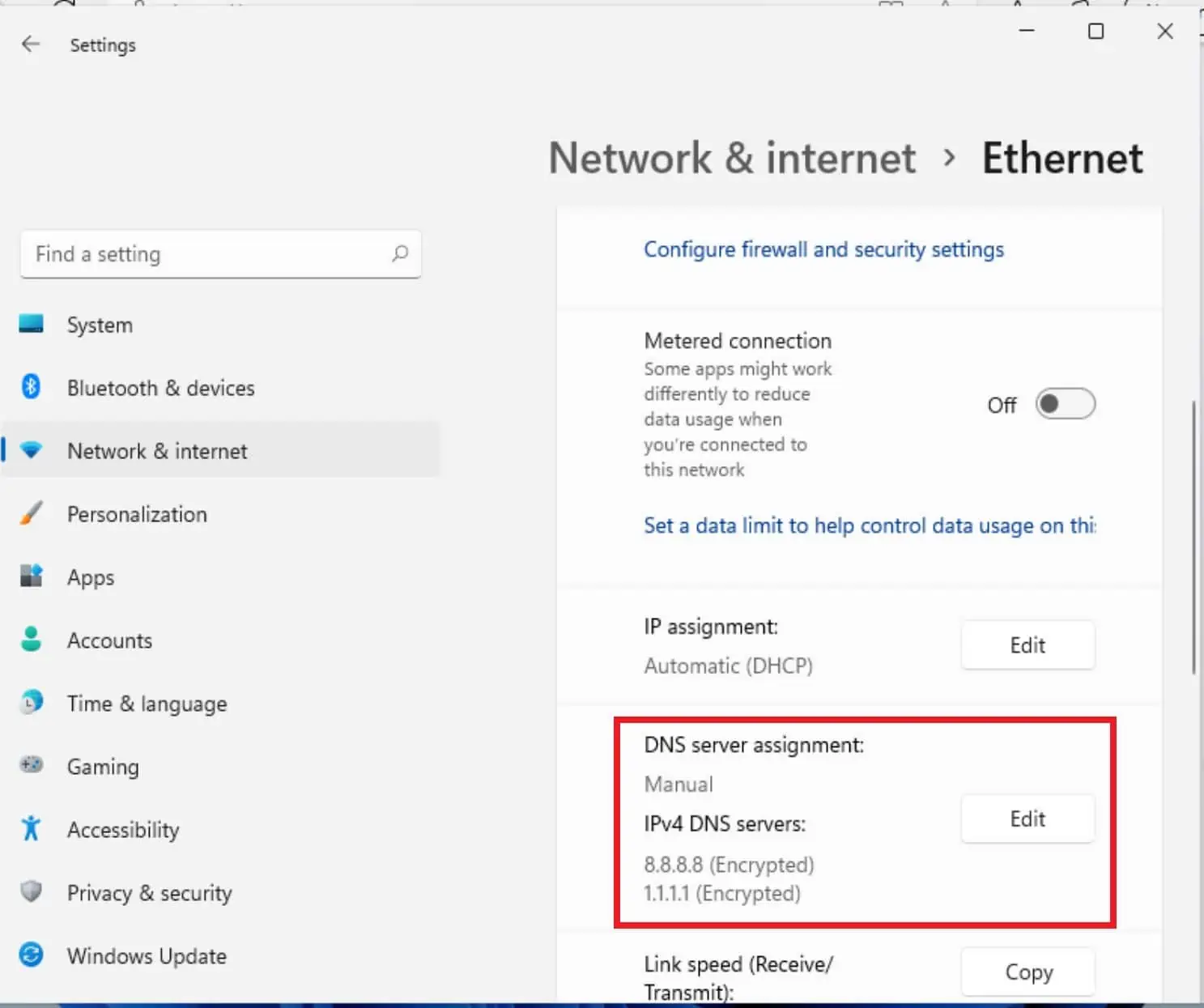
- In the resulting form, enter 8.8.8.8 in the Preferred DNS field and select Encrypt- only (DNS over HTTPS).

- In the Alternate DNS field, enter 1.1.1.1 in the Preferred DNS field and select Encrypt- only (DNS over HTTPS).
- Click Save and your Network Settings should look like this.

Other DNS options include
- Cloudflare: 1.1.1.1 and 1.0.0.1 DNS servers
- Google: 8.8.8.8 and 8.8.8.4 DNS servers
- Quad9: 9.9.9.9 and 149.112.112.112 DNS servers
Your DNS look-ups should now be encrypted, giving you an extra layer of privacy from your ISP.

Readers help support MSpoweruser. We may get a commission if you buy through our links.


Read our disclosure page to find out how can you help MSPoweruser sustain the editorial team Read more



Improve this guide




User forum
0 messages