
How To Find SIM Number On Android: A Step-by-Step Guide


 5 min. read
  Updated on
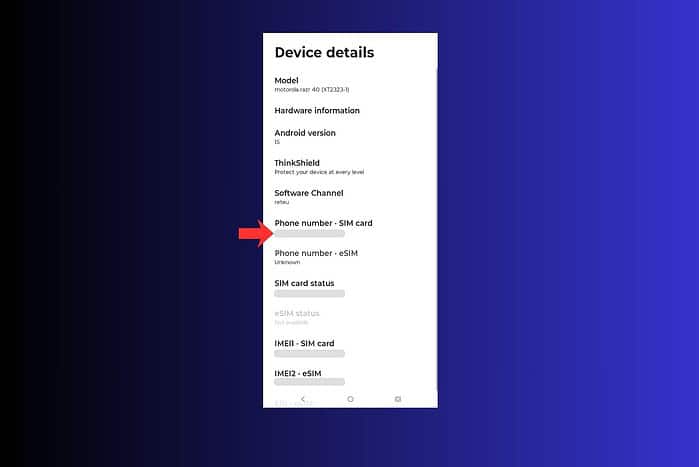
Android provides several ways to find your SIM number, ranging from checking your phone’s settings to using a dialer code.
If you also write support requests or notes in the cloud, you can format them more clearly by following this guide on how to indent in Google Docs. Let’s explore these methods in detail.
Table of contents
Where Can I Find My SIM Number on My Android Phone?
Method 1: Checking Your Phone’s Settings
This is the most common and reliable method for finding your SIM number on an Android device. The exact steps may vary slightly depending on your phone’s manufacturer and Android version.
- Open your phone’s Settings app.
- Tap on About phone or About device. This option is usually located at the bottom of the Settings menu.
- Look for Status information or SIM status. The name of this option may vary.
- Tap on SIM status.
- Scroll down to find the ICCID or SIM card number. This is your SIM number.
Method 2: Using a Dialer Code
Some Android devices allow you to access SIM card information using a dialer code. This method is less common, but it’s worth trying if the settings method doesn’t work for you. When you view the SIM information on a computer, you can capture the screen by following this guide on how to snip in Windows 11 or, if you use macOS, this tutorial on taking screenshots on a MacBook Air.
- Open your phone’s dialer or phone app.
- Dial
*#06#. This code is commonly used to display the IMEI number, but on some devices, it may also show the SIM number. - If the SIM number is displayed, write it down.
Method 3: Checking the SIM Card Tray
If you still can’t find your SIM number using the methods above, you can physically check the SIM card tray. This is the least convenient method, as it requires you to remove the SIM card from your phone.
- Power off your Android phone.
- Locate the SIM card tray on your phone. It’s usually located on the side of the phone and can be opened with a SIM ejector tool or a small paperclip.
- Insert the SIM ejector tool into the small hole on the SIM card tray and gently push until the tray pops out.
- Carefully remove the SIM card from the tray.
- The SIM number (ICCID) is printed on the SIM card itself. It’s a long string of numbers, usually 19 or 20 digits.
- Write down the SIM number.
- Reinsert the SIM card into the tray and push the tray back into the phone until it clicks into place.
- Power on your Android phone.
Tips for Finding Your SIM Number
- If you have a dual-SIM phone, make sure you’re checking the status of the correct SIM card.
- If you’re having trouble finding the SIM number in your phone’s settings, try searching for “SIM” or “ICCID” in the settings search bar.
- If you’re still unable to find your SIM number, contact your mobile carrier for assistance. They can usually provide you with the SIM number associated with your phone number.
SIM vs. IMEI: What’s the Difference?
It’s easy to confuse the SIM number (ICCID) with the IMEI (International Mobile Equipment Identity) number. Here’s a quick comparison. If you store screenshots or exported logs that contain both numbers, you can later remove those files securely by following this guide on permanently deleting files in Windows 11.
| Feature | SIM Number (ICCID) | IMEI |
|---|---|---|
| What it identifies | The SIM card itself, linking it to your mobile account | The phone device itself, regardless of the SIM card used |
| Use Cases | Activating a new phone, porting your number | Reporting a lost or stolen phone, unlocking a phone |
| Length | 19-20 digits | 15 digits |
Locating Your SIM Number Made Easy
Finding your SIM number on your Android device is generally a quick and simple process, thanks to the multiple methods available. Whether you prefer checking your phone’s settings, using a dialer code, or physically examining the SIM card, you should be able to locate the ICCID without much difficulty. If you keep this information in a document for future reference, you can give it a clean, printable layout by setting 1-inch margins in Google Docs.
FAQ
How long is a SIM card number? A SIM card number, also known as the ICCID, is typically 19 or 20 digits long.
Can I find my SIM card number if I don’t have the SIM card anymore? In most cases, no. The SIM card number is printed on the SIM card itself. However, your mobile carrier might be able to provide it if you can verify your account information.
Is the SIM number the same as my phone number? No, the SIM number (ICCID) is different from your phone number. The SIM number identifies the SIM card, while the phone number is the number associated with your mobile account.
Why do I need my SIM card number? You may need your SIM card number to activate a new phone, port your number to a new carrier, or contact your mobile carrier for support.
Where can I find the SIM number on a dual SIM Android phone? Go to Settings > About phone > Status information > SIM status. You should see options for SIM 1 and SIM 2, each with its own ICCID.


Read our disclosure page to find out how can you help MSPoweruser sustain the editorial team Read more



Improve this guide




User forum
0 messages