
Buy Windows 11 Pro Key: Official Activation for Lifetime Use


 10 min. read
  Updated on
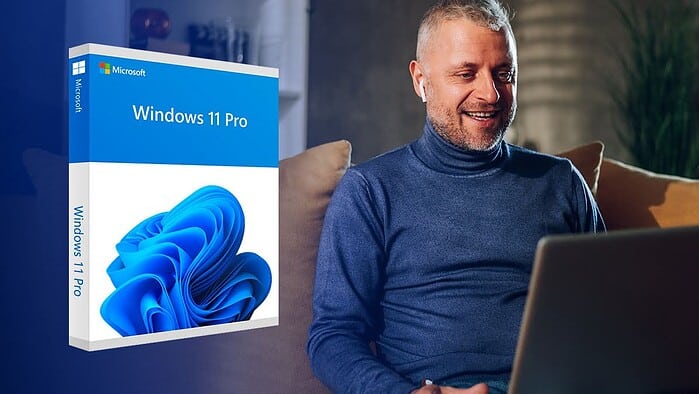
If you want to buy a Windows 11 Pro key, there are multiple money-saving methods besides going to the official Microsoft Store and paying full price. For example, many third-party sellers offer discounts on genuine product keys that can be activated for lifetime use.
However, with so many software key sites out there, it can be difficult to separate legitimate sellers from the questionable ones.
With that in mind, let’s explore the benefits of upgrading to Windows 11 Pro, where to find a legitimate Windows 11 Pro key, and how to make the whole process go smoothly.
Why Buy Windows 11 Pro?
Whether you’re on Windows 10, deciding between different Windows 11 versions, or installing the operating system for the first time, here’s why Windows 11 Pro is worth considering:
Firstly, Pro has enhanced security features, including BitLocker Encryption. This secures your data with full-disk encryption, protecting sensitive information from unauthorized access. You can also separate and encrypt corporate data from personal data with Windows Information Protection (WIP). This is a great option for protecting an organization’s data from accidental leakage.
Windows 11 Pro also supports Remote Access. This lets users connect to and control their PC from another device, which is ideal for working from home or while traveling. Group Policy lets administrators manage system settings across multiple PCs under an organization. Moreover, Domain Join allows the PC to join a business or corporate network.
Other exclusive features include Hyper-V for running virtual machines, Sandbox mode for testing new or untrusted software, and Azure Active Directory, which facilitates easier management in a cloud-based environment.
Finally, Pro users get a higher limit of supported RAM (2TB), which is much more than Home’s 128GB limit.
Overall, it’s the best version of Windows 11 for power users, business users, and IT professionals.
Where to Buy Windows 11 Pro Product Key Safely
The official Microsoft Store lets you purchase a digital download and license of Windows 11 Pro for $199.99. However, other options are cheaper. You just need to make sure the source is legitimate.
After using third-party sellers for some time, we recommend esdcodes.com to buy Window 11 Pro Key codes safely.

It provides fast email delivery of genuine, lifetime Windows 11 Pro product keys at less than half the price of Microsoft. You can make payment securely by card or PayPal and are guaranteed successful activation or your money back.
ESD Codes is one of the best online stores for software keys, selling all modern versions of Windows (7 to 11), Microsoft Office, Windows Server, Autodesk, Adobe, popular Antivirus keys, and utility software at excellent prices.
Why ESD Code Licenses Are Secure and Legal
Having tested ESD Codes, we can vouch that its process is both secure and above board. It is a Certified Microsoft Partner and adheres to European regulations on software reselling.
All its licenses are tested and verified, which is backed by its money-back guarantee. This states that if your product key cannot be activated as intended, you get a 100% refund.

he digital store has a 4.7/5 rating on Trust Pilot from over a thousand customers, who attest that its licenses are genuine and the process goes smoothly.
All we had to do was make the purchase, and we received the original code by email, with clear, step-by-step activation instructions, and an official download link for Windows 11 Pro.
After the fact, support is available for free 24/7 and is given by real human experts, rather than AI chat bots.
Because ESD Codes supports credit card and PayPal payments, your purchase is further protected by the customer dispute and chargeback functions.
Benefits of Using a Genuine Windows 11 Pro Product Key
Using a genuine Windows 11 Pro product key is the only secure way to get the full experience of the operating system.
Firstly, genuine activation ensures you can access all the features and personalization settings with no limits or warnings.
A genuine license is for a lifetime, which entitles you to all security and feature updates.
Stolen or illegitimate licenses can be blocked and revoked at any time, causing you to lose more money in the long run.
Moreover, cracked or pirated copies of Windows often come with hidden malware and pose a multitude of security risks.
Windows 11 Pro System Requirements
Upgrading to Windows 11 requires a more modern system than Windows 10. To use the Pro version, your PC must have the following:
Processor (CPU): At least 1 GHz or faster, 2 cores, 64-bit or System on Chip (SoC).
Memory (RAM): 4 GB or more.
Storage (HDD): 64 GB or more.
Firmware: UEFI with Secure Boot capability.
Trusted Platform Module (TPM): A motherboard and/or CPU that runs TPM version 2.0.
Graphics Card (GPU): DirectX 12 or later and WDDM 2.0 driver compatible.
Display: At least 720p HD, larger than 9 inches diagonally, with 8 bits per color channel.
Connectivity: Internet access and a verified Microsoft Account.
The Windows Update area of Windows 10 gives a quick assessment of whether your PC meets these requirements, while the PC Health Check tool provides a more detailed analysis and upgrade guidance.
How to Download Windows 11 Pro ISO from Microsoft
The Windows 11 Pro ISO is a Disk Image file you can use as a raw .ISO virtual machine or to create a bootable installation media (USB flash drive, DVD). When you boot from this media, the installation process begins.
You can download the ISO file directly from Microsoft to manually create the boot media, which is the only option for Arm-based PCs. The file contains the data for all Windows versions, but your product key will ensure the Pro edition is installed.

However, for regular x64-based systems, the easiest method is to get the Windows 11 Media Creation Tool.

Launch the tool, accept the terms, and select Windows 11 from the dropdown menu. It will then download the appropriate data and walk you through the steps to create the boot media on your desired drive or disc.
How to Install Windows 11 Pro
To install Windows 11 Pro from bootable installation media, follow these steps:
1. Ensure the USB drive, disc, or virtual drive is connected or active.
2. To upgrade, you can run the setup directly from Windows and follow the onscreen prompts to keep your files/apps.

3. To install Windows fresh or to overwrite existing operating systems, turn on or reboot the computer.
4. Depending on your PC, repeatedly tap the appropriate key to enter the boot options (usually F12, F2, or Delete), as it is starting up.
5. Select the bootable media from the options and your PC will boot into the installation process.
6. Follow the onscreen prompts, accepting the terms, confirming the language and edition, and entering the product key if asked.
How to Activate Windows 11 Pro with Product Key
You will have the opportunity to activate Windows 11 Pro with your Product Key during installation. However, if you skipped this step, are changing versions, or need to activate it now for any other reason, here’s what to do:
1. Go to Start > Settings > System > Activation. This will tell you the current activation state.2. To enter your key, click Change product key and enter the 25-character string. Windows will inform you if activation was successful.

Occasionally Windows activation will be unsuccessful. This can occur if you install the wrong version of Windows. E.g., Using a Windows 11 Pro key, but you installed Windows 11 Home. In this case, you will be prompted to switch versions, and Windows will correct itself.
Another common reason is internet connection problems on your end or Microsoft’s. If a connection cannot be made to Microsoft’s servers, your key cannot be verified.
Finally, a significant hardware change, such as a new motherboard can deactivate Windows, but reentering the product key should fix this.
Unfortunately, if you are getting an invalid warning or error code after double-checking you’ve entered it correctly, it could be fake or a revoked stolen license. That’s why you should always buy product keys from genuine sellers.
Why Upgrading to Windows 11 Pro Is Worth It
As mentioned, upgrading to Windows 11 Pro introduces encryption, remote access and management features, and a higher RAM limit.
This is an excellent choice for businesses or business users involved in remote work or those that want enhanced security.
If you’re upgrading from Windows 10, there are also some obvious long-term benefits. Firstly, Windows 11 Pro is compatible with the latest hardware and software, allowing you to run a modern PC smoothly and be the first to benefit from new advancements.
Official support for Windows 10 ended in October 2025. Therefore, it’s important to make the jump to Windows 11 to receive security updates, feature updates, and technical support for the operating system.
Windows 11 as a whole offers lots of worthwhile features, such as Snap Layouts, the integration of AI-powered Microsoft Copilot, better gaming support, and native Android app compatibility.
Overall, performance is also improved, with better prioritization of foreground apps and reducing background processes.
How to Upgrade from Windows 11 Home to Pro
In order to upgrade from Windows 11 Home to Pro, you will need to buy a Windows 11 Pro key. Because they are different versions of Windows, there is no free or discounted method, however sellers like ESD Codes still offer superior pricing.
Fortunately, the upgrade process is a smooth process because it only needs to upgrade to a handful of Pro features rather than installing the entire operating system from scratch.
Once you have made the purchase, follow these steps:1. Go to Start > Settings > System > Activation and click Upgrade your edition of Windows.

2. Click Change product key link, enter your 25-character Windows 11 Pro key and follow the prompts.
3. Windows will verify the key, download the necessary upgrade files, and upgrade your Home edition to Pro. This can take several minutes and requires a system restart.
How to Upgrade from Windows 10 Pro to Windows 11 Pro for Free
The great news for existing Windows 10 Pro users is that Microsoft supports the free upgrade to Windows 11 Pro. You don’t need a new product key, as your license carries over.
What’s more, you can still purchase a Windows 10 Pro product key, install the OS and activate the license, and then upgrade to Windows 11 Pro, saving more money in the process! Microsoft has made upgrading easy. It can be initiated from within your existing Windows 10 Pro system by going to Settings > Update & Security > Windows Update.

Here you can see if your PC meets the minimum requirements and then follow the steps to download and install Windows 11 Pro.
Alternatively, you can download Windows 11 Pro via the Media Creation Tool and create a bootable USB drive.
Restart the PC and boot from the USB drive. You may need to change the boot order in your BIOS/UEFI settings (e.g., by pressing F2, F12, or Delete on startup).
When following the installation wizard, you will be asked for a product key. If you select the option for not having one, it will automatically recognize your existing Windows 10 Pro license and activate Windows Pro 11.


Read our disclosure page to find out how can you help MSPoweruser sustain the editorial team Read more



Improve this guide




User forum
0 messages